

What is Cleanup.pictures & Clipdrop?
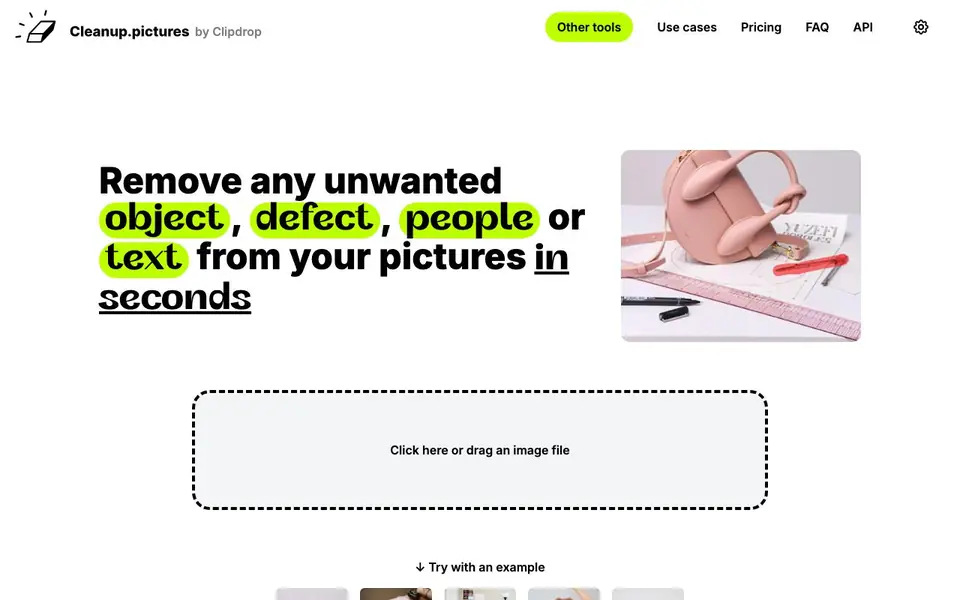
Cleanup.pictures is an AI-powered photo editing tool that lets you remove unwanted elements from your images quickly. It is made by Clipdrop and works directly in your browser. You can drag and drop a photo, brush over the area you want to remove, and the AI fills in the background naturally. It handles objects, people, text, logos, watermarks, and defects.
To use it, you simply upload an image, select a brush size, and paint over the unwanted element. The AI guesses what should be behind the removed area, so you do not need to clone or sample background pixels manually. The free version lets you edit unlimited images, but exports are limited to 720p resolution. The Pro version removes that limit and adds a high-quality refiner for sharper results.
This tool suits photographers, creative agencies, real estate professionals, and e-commerce sellers who need clean product or property photos. It also offers an API for developers who want to integrate inpainting into their own apps. The website mentions that the AI is better than traditional clone stamp tools because it can guess the background without needing a reference area.
Cleanup.pictures & Clipdrop features
- Object removal: Brush over any unwanted object, person, or defect and the AI removes it cleanly.
- Text and watermark removal: Erase logos, text, and watermarks from your images in a few clicks.
- Unlimited free edits: Edit as many images as you want on the free plan, with no image count limit.
- High-quality refiner: Pro users get an extra refinement pass for sharper, more detailed exports.
- Developer API: Integrate the inpainting technology into your own apps with usage-based pricing.
What you can do with Cleanup.pictures & Clipdrop
- Remove a photobomber from a group photo in seconds.
- Erase a watermark or logo from a stock image before using it.
- Clean up background clutter in real estate listing photos.
- Delete text or defects from product shots for e-commerce.
How to get started with Cleanup.pictures & Clipdrop
- Go to cleanup.pictures and click or drag an image file onto the page.
- Use the brush to paint over the object, person, text, or defect you want to remove.
- Let the AI process the area and download your cleaned image, or upgrade to Pro for higher resolution.
Tips for better results with Cleanup.pictures & Clipdrop
- Brush only over the unwanted object, not the surrounding area, so Cleanup.pictures has clean edges to guess the background from and avoids smears.
- Use the largest brush that still fits the object, then refine with a smaller brush for tricky edges like hair or text on textured surfaces.
- For complex backgrounds, remove elements one at a time and let Cleanup.pictures refill each area separately, rather than brushing everything at once.
- Check the free export resolution of 720p before doing final work; if you need sharper output, upgrade to Pro or plan to re-edit at higher quality.
Cleanup.pictures & Clipdrop pricing
Cleanup.pictures & Clipdrop has a free way to start, with paid plans for heavier use. Check cleanup.pictures for current limits and prices.
What to check before you rely on Cleanup.pictures & Clipdrop
- Confirm your export resolution needs against the free plan's 720p limit, since the website states no higher export without a paid plan.
- Verify that your images contain no sensitive or private content, as the website does not state how uploaded files are stored or used.
- Test the free trial of the Pro quality refiner before paying, since the website mentions a trial but does not specify its duration or terms.
Who Cleanup.pictures & Clipdrop is for
Cleanup.pictures & Clipdrop suits photographers, creative agencies, real estate professionals and e-commerce sellers. If that is not you, the AI photo editors below may fit better.
Similar tools compared with Cleanup.pictures & Clipdrop
| Tool | What it is | Pricing |
|---|---|---|
| Cleanup.pictures & Clipdrop | AI photo retouching and object removal tool | Freemium |
| SiPhotoEditor | AI photo editor by description | Paid |
| SiImageGen | AI image generator and photo editor | Freemium |
| Clipdrop | AI photo editing and image generation suite | See website |
| Photoroom | AI photo editor for e-commerce product visuals | Freemium |
Cleanup.pictures & Clipdrop FAQ
What is inpainting and how does Cleanup.pictures use it?
Inpainting is a retouch technology that removes unwanted objects from photos. Cleanup.pictures uses AI to guess what was behind the removed element, so you do not need to manually clone background pixels like with older tools.
Is Cleanup.pictures free to use?
Yes, there is a free plan that lets you edit unlimited images, but exports are limited to 720p resolution. For unlimited resolution and a high-quality refiner, you can upgrade to Pro for $5 per month or $36 per year.
What image resolutions can I work with?
You can import and edit pictures of any size. The free version limits exports to 720px, while the Pro version has no size limit. The website says they are continuously improving export quality.
Can I use Cleanup.pictures as an API?
Yes, Cleanup offers an API with usage-based pricing. It works in environments like Node.js, SwiftUI, and Kotlin, and the website provides documentation, a live demo, and sample code to get started.
Does Cleanup.pictures work on mobile devices?
Yes, Cleanup.pictures works in your browser on both mobile and desktop. Your subscription will work on both platforms. You can upload an image directly from your phone's browser and use the same editing features as on a computer.
What file formats can I export from Cleanup.pictures?
The Cleanup.pictures website does not specify which file formats are available for export. To find out which formats are supported, check the export options within the tool after you edit an image, or contact their support team for details.
Does Cleanup.pictures require creating an account to use it?
The Cleanup.pictures website does not mention whether an account is required. You can try the tool directly by dragging and dropping an image on the homepage. If you need to save your work or access Pro features, you may need to sign up, but the site doesn't state this explicitly.


