

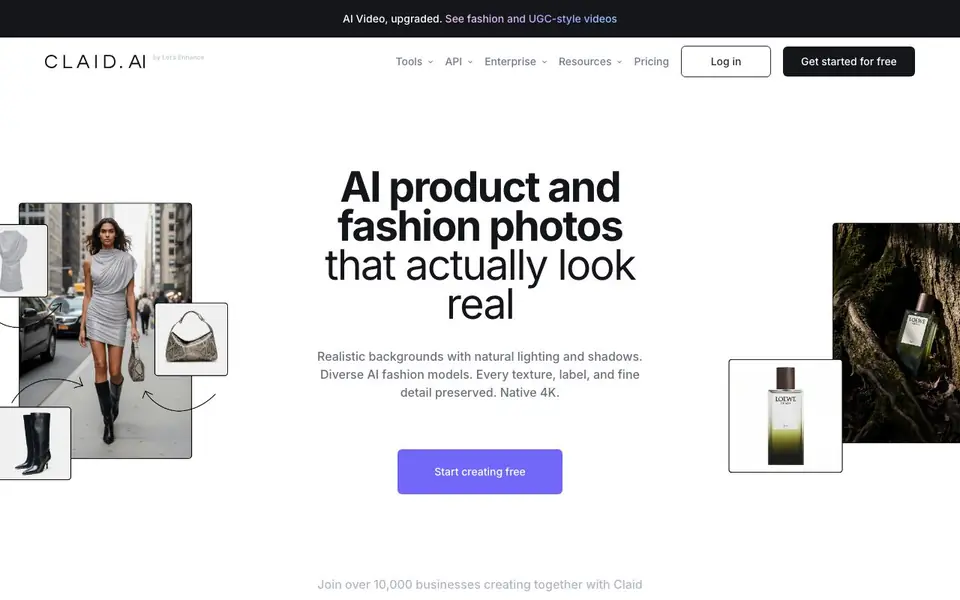
What is Claid.ai?
Claid.ai is an AI photo studio built specifically for product and fashion photography. It helps you turn basic shots into professional-looking visuals with realistic backgrounds, natural lighting, and sharp 4K detail. The tool preserves logos, labels, and product shapes, so your branding stays intact.
You start by uploading a photo. Then you can choose from tools like AI Photoshoot to place products in lifestyle scenes, AI Fashion Models to put garments on diverse models, or Remove Background for clean cutouts. You can also upscale images, fix light and colors, and turn stills into video clips. Everything works in seconds, and you can combine tools into simple workflows.
Claid is used by over 10,000 businesses, including marketplaces and platforms like Rappi and Mixtiles. It offers an API for automating edits at scale, which helps reduce editing costs and speed up seller onboarding. The site mentions it has 10+ more tools in Claid Studio and a free tier to get started.
Claid.ai features
- AI Photoshoot: Places your products into editorial and lifestyle scenes with realistic backgrounds.
- AI Fashion Models: Turns garment photos into professional on-model shots with diverse models.
- Remove background: Creates clean, consistent product shots instantly without manual work.
- Upscale: Sharpens details and boosts resolution for crisp, high-quality images.
- Fix light & colors: Brightens dark or faded images to give them a professional look.
What you can do with Claid.ai
- Create realistic lifestyle scenes for your product catalog.
- Turn plain garment photos into on-model fashion shots.
- Remove backgrounds from product images for consistent listings.
- Upscale and enhance images for marketing and ad campaigns.
How to get started with Claid.ai
- Sign up for free on the Claid.ai website.
- Upload your product or fashion photos to the studio.
- Choose a tool like AI Photoshoot or Remove Background and apply it in seconds.
Tips for better results with Claid.ai
- Start with a clean, well-lit photo of your product to give Claid.ai the best base for generating realistic backgrounds and preserving fine details like logos and labels.
- Use Claid.ai's AI Photoshoot to test multiple lifestyle scenes quickly, then pick the one that matches your brand's approved colors and style for consistent catalog visuals.
- Combine Remove Background with Upscale in Claid.ai to create sharp, clean cutouts that meet platform requirements, saving time on manual editing and ensuring consistent quality.
- For fashion items, try Claid.ai's AI Fashion Models with diverse model options to see which poses and settings best showcase the garment's shape and fabric details before finalizing.
Claid.ai pricing
Claid.ai has a free way to start, with paid plans for heavier use. Check claid.ai for current limits and prices.
What to check before you rely on Claid.ai
- Check the free tier's limits on image resolution and number of edits, as the website does not specify exact caps for the freemium plan.
- Verify whether Claid.ai's API pricing and volume discounts are listed, since the site only mentions a free tier and enterprise options without detailed costs.
- Review Claid.ai's data handling and privacy policy for uploaded product photos, as the website does not clearly state how images are stored or used.
Who Claid.ai is for
Claid.ai suits e-commerce sellers, marketplace operators, fashion brands and marketing teams. If that is not you, the AI photo editors below may fit better.
Similar tools compared with Claid.ai
| Tool | What it is | Pricing |
|---|---|---|
| Claid.ai | AI product and fashion photo studio | Freemium |
| SiPhotoEditor | AI photo editor by description | Paid |
| SiImageGen | AI image generator and photo editor | Freemium |
| Clipdrop | AI photo editing and image generation suite | See website |
| Photoroom | AI photo editor for e-commerce product visuals | Freemium |
Claid.ai FAQ
Can AI help me with product photography?
Yes. Claid.ai is designed to simplify product photography. You can upscale images, improve quality, create backgrounds, and automate repetitive tasks with the app or API.
Is there a free plan?
The website says you can start creating free and test the tools for free. It also mentions a paid pricing page, so there is likely a freemium model with limits.
Who is Claid.ai for?
It is for businesses that need product photos, including e-commerce sellers, marketplaces, and fashion brands. Over 10,000 businesses use it, and it offers an API for larger operations.
Can I edit thousands of images at once?
Yes, through the Claid API. The site says it can automatically check and edit images to platform requirements in 2-3 seconds, helping with bulk editing and catalog consistency.
What file formats can I export from Claid.ai?
Claid.ai processes your images and outputs them in common formats like JPEG and PNG. The website does not list specific export formats, so check the tool's interface or support documentation after uploading to see available options.
Does Claid.ai work on mobile devices?
Claid.ai is a web-based tool, so you can access it from any device with a browser, including smartphones and tablets. The website does not mention dedicated mobile apps, but the interface is designed to work on standard web browsers.
What does the free plan of Claid.ai include?
Claid.ai offers a free tier to get started, but the website does not specify the exact number of credits or features included. You can sign up for free and explore the tools, then check the pricing page for details on limits and paid plans.


