

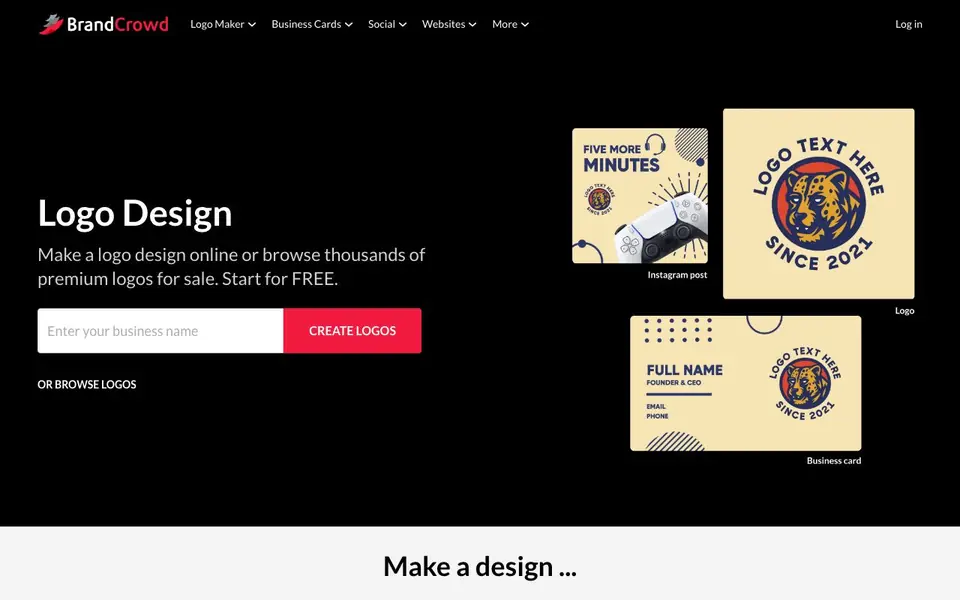
What is BrandCrowd?
BrandCrowd is an online design platform where you can create a wide range of brand materials. It offers over 100,000 templates for logos, business cards, social media posts, flyers, and more. You start by entering your business name, then browse professionally curated designs that fit your industry and style.
Once you pick a template, you can edit colors, fonts, and layouts to match your brand. The tool is built for speed—you can make a design in minutes and download it right away. It covers many formats, from Facebook covers and Instagram stories to YouTube banners, email signatures, and even QR codes.
BrandCrowd suits small business owners, freelancers, and marketers who need quick, polished visuals without hiring a designer. The site mentions starting for free, and you can also browse premium logos for sale. It doesn't specify limits on free usage, so check the site for plan details.
BrandCrowd features
- Template library: Access over 100,000 professionally curated designs for logos, cards, and social graphics.
- Customization tools: Edit colors, fonts, and layouts to make each template your own.
- Multi-format support: Create designs for social media, print, video, websites, and brand identity.
- Instant download: Export your finished design immediately after editing.
- Industry-specific options: Find templates tailored for niches like tech, fashion, accounting, and more.
What you can do with BrandCrowd
- Design a logo for your new business in minutes.
- Create a matching business card and letterhead for consistent branding.
- Make eye-catching Instagram posts and stories to promote your products.
- Craft a professional YouTube banner to unify your channel's look.
How to get started with BrandCrowd
- Enter your business name on the homepage to start creating logos.
- Browse the template library and pick a design that fits your brand.
- Customize colors, fonts, and layout, then download your design instantly.
Tips for better results with BrandCrowd
- Start by entering your exact business name and industry into BrandCrowd to narrow the template search, then filter by style to see only relevant designs for your niche.
- Use BrandCrowd's customization tools to adjust colors, fonts, and layout on your chosen template, and preview changes across different formats like social posts and business cards before downloading.
- For consistent branding, create your logo first in BrandCrowd, then use the same template family to make matching business cards, letterheads, and social media graphics in one session.
- Check the download options in BrandCrowd after editing to confirm the file format and size you need, and test a low-resolution export first if you plan to use the design online.
BrandCrowd pricing
BrandCrowd has a free way to start, with paid plans for heavier use. Check brandcrowd.com for current limits and prices.
What to check before you rely on BrandCrowd
- Before relying on BrandCrowd for a client project, verify whether the free plan includes commercial use rights or if you need a paid license, since the site does not state this.
- Check BrandCrowd's download formats and resolution limits on the free tier, as the site does not specify which export options are available without payment.
- Confirm BrandCrowd's data and privacy policy for uploaded business names and designs, since the site does not clearly state how your content is stored or used.
Who BrandCrowd is for
BrandCrowd suits small business owners, freelancers, marketers and entrepreneurs. If that is not you, the AI design tools below may fit better.
Similar tools compared with BrandCrowd
| Tool | What it is | Pricing |
|---|---|---|
| BrandCrowd | Logo, business card, and social design maker | Freemium |
| Looka | AI logo maker and brand identity platform | Freemium |
| Uizard | AI-powered UI design and prototyping tool | Freemium |
| Clipdrop | AI photo editing and image generation suite | See website |
| Interior AI | AI interior design and virtual staging app | Freemium |
BrandCrowd FAQ
What can I create with BrandCrowd?
You can make logos, business cards, social media posts and covers, flyers, posters, letterheads, t-shirts, QR codes, email signatures, and more. The platform covers print, web, and video formats.
Is BrandCrowd free to use?
The website says you can start for free, but it doesn't detail what's included in the free plan or if there are paid tiers. Check the pricing page on their site for specifics.
Who is BrandCrowd for?
It's aimed at business owners, freelancers, and marketers who need quick, professional-looking designs without hiring a designer. Templates cover many industries, from accountants to hairstylists.
Can I customize the templates?
Yes, you can edit colors, fonts, and layouts on most templates. The business card maker, for example, lets you change these elements and then download the card instantly.
What file formats can I download from BrandCrowd?
BrandCrowd lets you download your finished design instantly after editing. The site does not specify which file formats are available for export. To see the exact download options, check the BrandCrowd website during the download step or in their help center.
Does BrandCrowd have a mobile app?
BrandCrowd is an online design platform, so you can use it through a web browser on your computer, tablet, or phone. The website does not mention a dedicated mobile app. For the most current access options, visit the BrandCrowd website.
What does the free plan on BrandCrowd include?
BrandCrowd says you can start for free, and you can browse premium logos for sale. The site does not list specific limits or features of the free plan. To know exactly what you get for free, check the BrandCrowd pricing page or sign up to see the options.


