

What is BrainGrid?
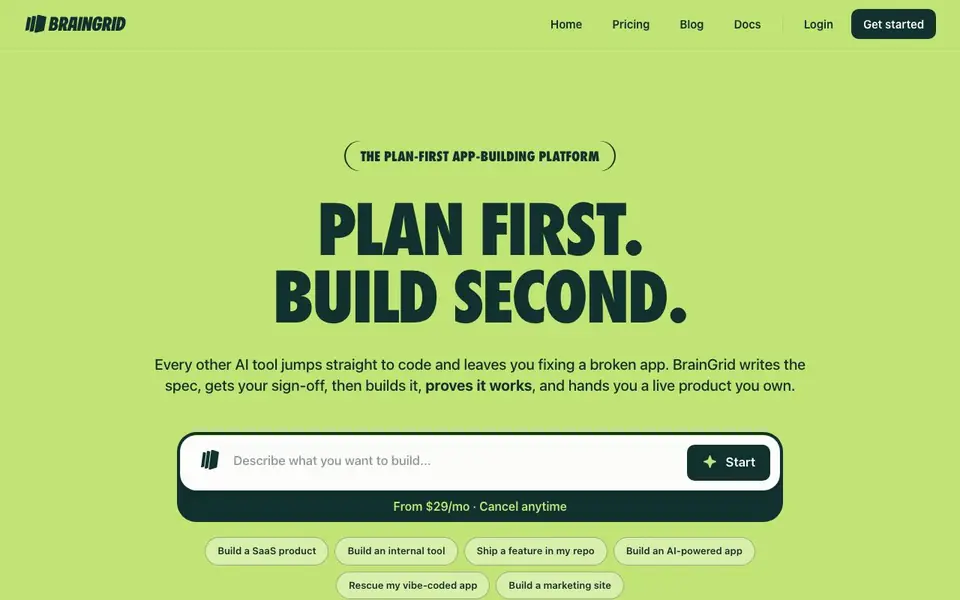
BrainGrid is an AI app builder that plans before it builds. You describe what you want, and it writes a real spec with acceptance criteria, a data model, and a readiness score. Nothing gets built until you sign off on the plan. This avoids the common problem of AI tools jumping straight to code and leaving you with a broken app.
You pick a job: build a SaaS product, an internal tool, an AI-powered app, a marketing site, or rescue a vibe-coded app. BrainGrid's Planning Agent asks clarifying questions, then the Builder Agent runs in a cloud sandbox using Claude Code. You can watch a live preview or close the tab and come back to a finished change. Every acceptance criterion is checked, with evidence like test runs, screenshots, and flow recordings attached.
When done, your product goes live on BrainGrid Cloud with hosting, sign-in, data, and email handled. You get a public URL and real users. If you're a developer, you can also pull the spec into Claude Code, Cursor, or Codex over MCP or CLI, keeping your own repo and environment with zero lock-in. Pricing starts at $29 per month, and you can cancel anytime.
BrainGrid features
- Planning Agent: Asks clarifying questions and writes acceptance criteria, a data model, and a readiness score before building.
- Cloud sandbox: Builder Agent runs Claude Code in a cloud environment with a live preview you can watch.
- Verification: Every acceptance criterion is checked with attached evidence like test runs, screenshots, and flow recordings.
- Cloud hosting: Handles hosting, sign-in, data, and email, giving your product a public URL and real users.
- MCP and CLI: Pull the spec into Claude Code, Cursor, or Codex to build in your own repo with zero lock-in.
What you can do with BrainGrid
- Turn your industry expertise into a SaaS product people pay for.
- Replace a spreadsheet or rented SaaS with an internal tool scoped to your team.
- Ship a feature in your existing repo using Claude Code or Cursor.
- Rescue a vibe-coded prototype that got messy and verify its features.
How to get started with BrainGrid
- Describe what you want to build on the BrainGrid website and pick your job type.
- Review the spec the Planning Agent writes, answer clarifying questions, and sign off.
- Let the Builder Agent build in the cloud or pull the spec into your own repo, then verify and go live.
Tips for better results with BrainGrid
- Answer the Planning Agent's clarifying questions thoroughly, since BrainGrid uses your answers to write acceptance criteria and a data model that determine what gets built.
- Review the readiness score and acceptance criteria before signing off, because BrainGrid won't build anything until you approve the plan, and changes after that cost time.
- Use BrainGrid's verification evidence, like test runs and screenshots, to confirm each feature works as you specified before you show the product to real users.
- If you're a developer, pull the spec into your own repo with BrainGrid's MCP or CLI to keep your environment and avoid lock-in, while still using the same planning loop.
BrainGrid pricing
BrainGrid is a paid product. Check braingrid.ai for current plans and whether a demo or trial is offered.
What to check before you rely on BrainGrid
- Check whether the $29 per month plan includes all features you need, since the website lists pricing but doesn't detail what each tier covers.
- Verify what happens to your app and data if you cancel, because the site says you can cancel anytime but doesn't state export or deletion policies.
- Confirm the hosting limits for BrainGrid Cloud, like user counts or storage, as the website doesn't specify any caps for the public URL and real users.
Who BrainGrid is for
BrainGrid suits entrepreneurs, developers, product managers and non-coders. If that is not you, the AI app builders below may fit better.
Similar tools compared with BrainGrid
| Tool | What it is | Pricing |
|---|---|---|
| BrainGrid | Plan-first AI app builder with verification | Paid |
| SiGameGen | AI game builder from one sentence | Freemium |
| Durable | AI business builder and website maker | Freemium |
| Lovable | AI app and website builder | Freemium |
| Replit | AI app and website builder | Freemium |
BrainGrid FAQ
What does BrainGrid do differently from other AI app builders?
BrainGrid plans before it builds. It writes a spec with acceptance criteria and a readiness score first, gets your sign-off, then builds and verifies each feature with evidence. This avoids the broken-app problem you often get when AI jumps straight to code.
How much does BrainGrid cost?
Pricing starts at $29 per month, and you can cancel anytime. The website does not list specific plan tiers or a free option, so check the Pricing page for details.
Can I use BrainGrid if I can't code?
Yes. The cloud option requires no setup, and the Planning Agent asks questions you might not think of. You describe your idea, review the spec, and get a live product. Developers can also build on their own computer with MCP or CLI.
What can I build with BrainGrid?
You can build a SaaS product, an internal tool, an AI-powered app, a marketing site, or rescue a vibe-coded app. You can also ship a feature in your own repo using Claude Code, Cursor, or Codex.
Does BrainGrid work on my computer or only in the cloud?
BrainGrid can build in its cloud sandbox by default, which requires no setup on your end. If you're a developer, you can also pull the spec into your own environment using Claude Code, Cursor, or Codex over MCP or CLI. The website doesn't mention a desktop app or offline mode, so check the docs for details.
Can I use BrainGrid to build a mobile app?
BrainGrid's website focuses on building SaaS products, internal tools, AI-powered apps, marketing sites, and rescuing vibe-coded apps. It doesn't specifically mention mobile apps or app store deployment. For the latest on supported output types, check the documentation or contact support.
What happens to my data and code when I use BrainGrid?
BrainGrid hosts your product on its cloud, handling hosting, sign-in, data, and email. The website doesn't detail data retention or security policies. For specifics on data handling, privacy, and ownership, review the terms and privacy policy linked in the footer.


