

What is Bigjpg?
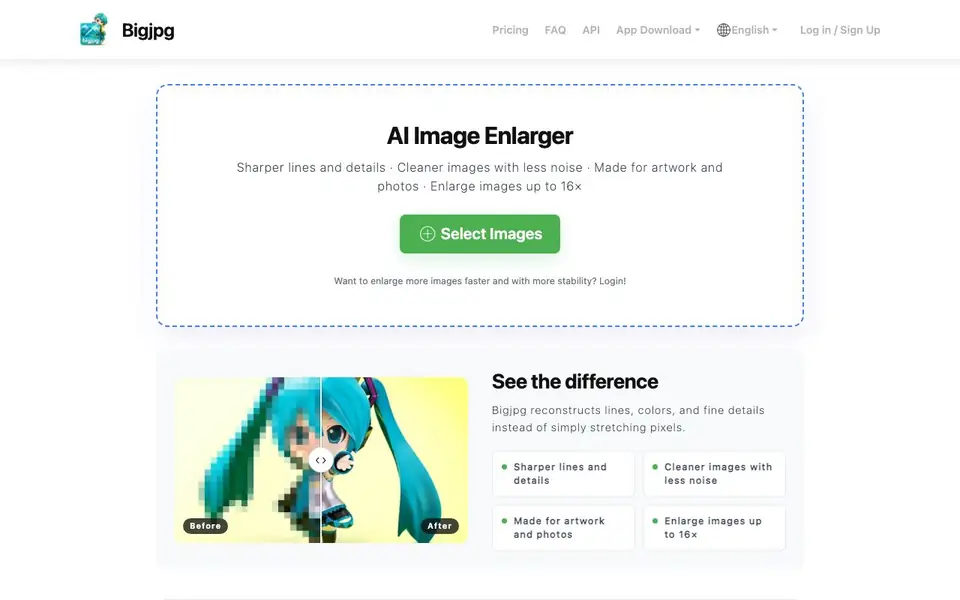
Bigjpg is an AI super-resolution tool that enlarges images without quality loss. It uses deep convolutional neural networks to reconstruct lines, colors, and fine details, making it ideal for anime-style artwork and photos. You can enlarge images up to 16×, with sharper lines and cleaner results with less noise.
To use Bigjpg, you select your images on the website and upload them. The AI processes the image, rebuilding details rather than simply stretching pixels. You can see a before-and-after comparison to check the difference. Logging in lets you enlarge more images faster and with more stability.
Bigjpg suits artists, designers, and anyone working with digital art or photos. The website also mentions an AI Magic Upscaler, AI Photo Restoration, and AI Video Enhancement as additional features. An API is available for developers who want to integrate upscaling into their own projects.
Bigjpg features
- Enlarge up to 16×: Increases image size significantly while preserving quality.
- Detail reconstruction: Rebuilds lines, colors, and fine details instead of stretching pixels.
- Noise reduction: Produces cleaner images with less visual noise.
- Anime and photo support: Works well for both anime-style artwork and regular photos.
- API access: Allows developers to integrate the upscaling service into their own applications.
What you can do with Bigjpg
- Upscale anime artwork for high-resolution prints or digital display.
- Enlarge old photos before restoration or sharing.
- Improve image quality for professional design projects.
- Integrate AI upscaling into your app or website via the API.
How to get started with Bigjpg
- Go to Bigjpg's website and click "Select Images" to choose your image file.
- Upload the image and let the AI process it, reconstructing details automatically.
- Compare the before-and-after result and download the enlarged version.
Tips for better results with Bigjpg
- Start with the highest-resolution source image you have, since Bigjpg reconstructs details from what you upload, so a clearer original gives better final results.
- Use Bigjpg on anime-style artwork first, as its neural networks are tuned for sharp lines and flat colors, then test photos separately to compare output quality.
- Compare the before-and-after preview carefully before downloading, and adjust your expectations for noisy or blurry originals, since Bigjpg reduces but may not eliminate all artifacts.
- Log in before batch processing if you have many images, because Bigjpg states that logging in lets you enlarge more images faster and with more stability.
Bigjpg pricing
Bigjpg’s homepage does not list prices. Check bigjpg.com for current plans.
What to check before you rely on Bigjpg
- Check whether Bigjpg's free tier covers the file size and number of images you need, since the website does not list any specific limits or quotas.
- Verify that the output format and resolution meet your project's requirements, because Bigjpg does not state which export formats or file types it supports.
- Review Bigjpg's privacy policy and terms of service before uploading sensitive or copyrighted images, as the website does not explain data retention or usage rights.
Who Bigjpg is for
Bigjpg suits digital artists, photographers, designers and developers. If that is not you, the AI photo editors below may fit better.
Similar tools compared with Bigjpg
| Tool | What it is | Pricing |
|---|---|---|
| Bigjpg | AI image enlarger and upscaler | See website |
| SiPhotoEditor | AI photo editor by description | Paid |
| SiImageGen | AI image generator and photo editor | Freemium |
| Clipdrop | AI photo editing and image generation suite | See website |
| Photoroom | AI photo editor for e-commerce product visuals | Freemium |
Bigjpg FAQ
What does Bigjpg do?
Bigjpg is an AI image enlarger that upscales images up to 16×. It uses deep convolutional neural networks to reconstruct lines, colors, and details, so images stay sharp instead of becoming pixelated when enlarged.
Is Bigjpg free to use?
The website does not state specific pricing details. You can try it by selecting images, but logging in is mentioned for faster and more stable processing of more images. Check the Pricing page on Bigjpg's website for exact costs.
Who is Bigjpg for?
Bigjpg is designed for anyone who needs to enlarge images without quality loss. It's particularly suited for anime-style artwork and photos, making it useful for digital artists, photographers, and designers who need high-resolution versions of their work.
Can I use Bigjpg for videos?
Yes, the website mentions an AI Video Enhancement feature. This suggests you can also enhance videos, not just images. However, the main focus is on image upscaling, and video enhancement may be a separate tool or feature.
What image formats can I upload to Bigjpg?
The Bigjpg website does not list the specific image formats it accepts. To find out which formats are supported, check the upload page or contact Bigjpg support directly.
Does Bigjpg have a mobile app?
The Bigjpg website mentions an App Download option in its menu, but the website does not specify which platforms it supports. Check the App Download section on the Bigjpg website for details on available devices.
Can I use Bigjpg without creating an account?
Yes, you can use Bigjpg without an account by selecting images on the website and uploading them. However, the site notes that logging in lets you enlarge more images faster and with more stability, so an account may offer additional benefits.


