

What is B12?
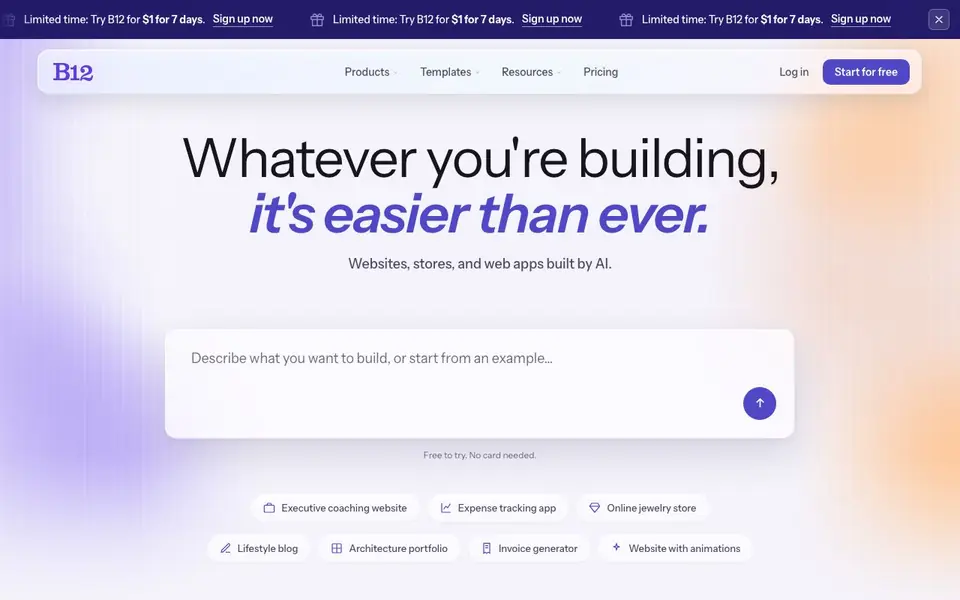
B12 is an AI website builder that lets you create websites, online stores, and web apps just by describing them. You type what you want in your own words, and the AI drafts a full site for you. You can then chat with the AI to change the design, rewrite sections, or add backend features like forms or payment.
To start, you describe your project or pick from example templates like an executive coaching site, expense tracker, or jewelry store. The AI builds a draft you can preview and remix. You can publish when ready, then keep improving the site by setting up skills and scheduled tasks.
B12 suits small business owners, freelancers, and teams who want a professional online presence without coding. It includes tools for client intake, contact management, email marketing, contracts, and eSignatures. The site mentions over 4 million sites created with B12 and a 4.5 out of 5 Trustpilot rating.
B12 features
- AI Agent: Builds your site from a prompt and lets you chat to edit it
- Templates: Start from proven layouts for portfolios, stores, blogs, and apps
- Backends: Add forms, payments, and other functionality without coding
- SEO tools: On-page SEO features help your site rank better
- Client engagement: Includes intake forms, contact manager, and email automation
What you can do with B12
- Create a professional website for your coaching or consulting business
- Build an online store to sell products or services
- Launch a web app like an expense tracker or invoice generator
- Set up a portfolio site to showcase your work
How to get started with B12
- Describe what you want to build in your own words, or pick an example template
- Review the AI-generated draft and chat with the AI to make changes
- Publish your site, then add skills and scheduled tasks to keep improving it
Tips for better results with B12
- Describe your project in specific detail, naming your business type, services, and audience, so B12's AI builds a more accurate first draft for you to refine.
- Use B12's chat feature to request targeted edits like changing colors, rewriting headlines, or adding sections, rather than rebuilding the whole site from scratch.
- Start with one of B12's example templates, like an expense tracker or coaching site, to see how the AI structures features, then remix it to fit your needs.
- After publishing, set up B12's skills and scheduled tasks to automate updates, like sending follow-up emails or refreshing content, to keep your site active without manual work.
B12 pricing
B12 offers a free trial before you pay. Check b12.io for current plans.
What to check before you rely on B12
- Check the trial terms carefully, as B12 advertises a $1 for 7 days offer, but the website does not state what happens after the trial ends or the full plan price.
- Verify if B12's free tier includes all features you need, since the site says 'free to try' but does not list limits on storage, pages, or bandwidth for free accounts.
- Review B12's data and privacy policy to confirm how your site content and client data are stored, as the website does not explicitly state data handling practices.
Who B12 is for
B12 suits small business owners, freelancers, consultants and entrepreneurs. If that is not you, the AI app builders below may fit better.
Similar tools compared with B12
| Tool | What it is | Pricing |
|---|---|---|
| B12 | AI website and web app builder | Free trial |
| SiGameGen | AI game builder from one sentence | Freemium |
| Durable | AI business builder and website maker | Freemium |
| Lovable | AI app and website builder | Freemium |
| Replit | AI app and website builder | Freemium |
B12 FAQ
What does B12 do?
B12 is an AI website builder. You describe what you want, and it generates a website, online store, or web app. You can then edit it by chatting with the AI, and publish it when ready.
Is B12 free to use?
The site says you can try B12 for $1 for 7 days. It also mentions 'Start for free' and 'Free to try. No card needed,' but the pricing page details are not shown.
Who is B12 for?
B12 is aimed at people who want a professional website without coding, like small business owners, freelancers, and consultants. It also offers templates for industries like law, insurance, and consulting.
What can I build with B12?
You can build websites, online stores, and web apps. Examples on the site include an executive coaching website, expense tracking app, online jewelry store, lifestyle blog, and architecture portfolio.
Can B12 connect to third-party tools like email marketing or payment processors?
B12 mentions third-party integrations as a product feature, so you can likely connect external services. The website does not list specific integrations, so check the B12 Help Center or pricing page for details on which tools are supported and how to set them up.
Does B12 require a credit card to start the free trial?
No, B12 says the trial is free to try with no card needed. The current offer is $1 for 7 days, but the site also says 'Start for free' and 'Free to try. No card needed.' You can begin without entering payment details, and you will only pay if you continue after the trial.
What devices or platforms does B12 run on?
B12 is a web-based tool, so you can use it on any device with a browser, like a laptop, tablet, or smartphone. The website does not mention dedicated mobile apps, but you can access and edit your site from any modern web browser. Check the Help Center for browser compatibility details.


