

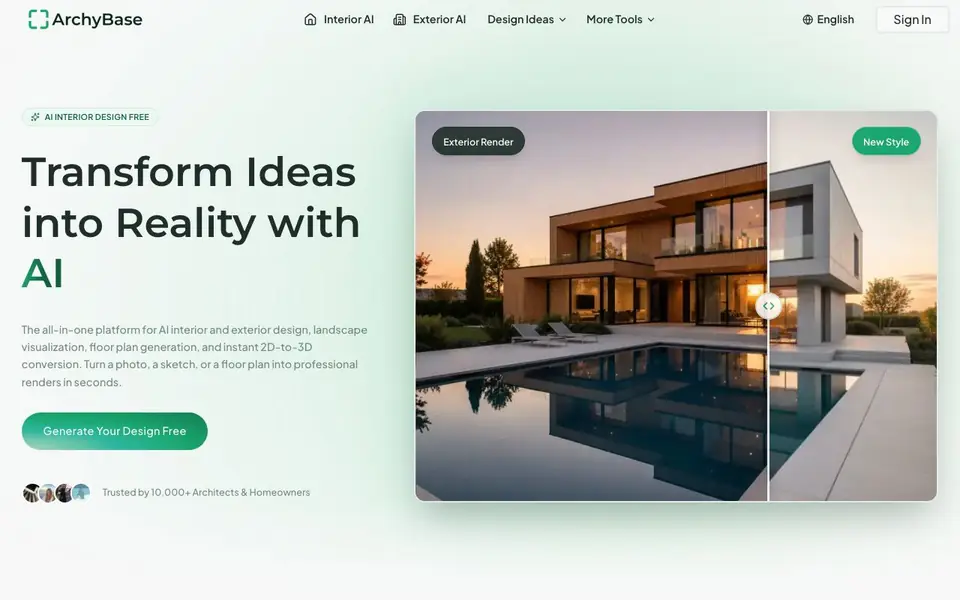
What is ArchyBase?
ArchyBase is an all-in-one AI design platform for architects and homeowners. It covers interior design, exterior home redesign, landscape visualization, floor plan generation, and 2D-to-3D conversion. You can start from a photo, a sketch, or a floor plan and get professional renders quickly.
To use it, you upload an image or draw a sketch. The AI reads the existing structure, lighting, and materials, then applies the style you choose. You can pick from 30+ styles like Modern, Scandinavian, or Industrial. The platform also turns rough floor plans into clean 2D drawings or furnished 3D models.
The site says every core feature is free to try without a credit card. It is trusted by 10,000+ architects and homeowners. Renders come in under 10 seconds at 4K quality. You can browse design ideas for inspiration and turn any one into your own design.
ArchyBase features
- AI Interior Design: Furnish empty rooms or restyle existing spaces with 30+ styles like Modern and Scandinavian.
- Sketch to Render: Turn napkin sketches or CAD drawings into photorealistic architecture renders instantly.
- AI Landscape Generator: Visualize gardens, pools, and patios from a photo of your outdoor space.
- AI Exterior Home Design: Change facades, materials, and lighting on your house with high precision.
- Floor Plan to 3D: Convert flat 2D floor plans into furnished 3D models to see the space come together.
What you can do with ArchyBase
- Furnish an empty room with a chosen style before buying furniture.
- Show a client a photorealistic render from a rough sketch in a meeting.
- Visualize a backyard pool or patio before calling a landscaper.
- Experiment with new siding or paint colors on your home's exterior.
How to get started with ArchyBase
- Upload a photo, sketch, or floor plan of your space.
- Choose a style or design option from the available tools.
- Generate your render and review the result in seconds.
Tips for better results with ArchyBase
- Upload a clear, well-lit photo of your room or exterior so ArchyBase can accurately read the structure, lighting, and materials before applying your chosen style.
- Start with a simple sketch or floor plan and let ArchyBase generate a base render, then refine the style or details in a second pass for better results.
- Use ArchyBase's Design Ideas gallery to pick a starting point, then customize it with your own photo or sketch to speed up your workflow and get a design that fits your space.
- For floor plan conversions, provide a clean, flat 2D layout without heavy shading so ArchyBase can produce a more accurate furnished 3D model in one click.
ArchyBase pricing
ArchyBase has a free way to start, with paid plans for heavier use. Check archybase.com for current limits and prices.
What to check before you rely on ArchyBase
- Check whether the free tier includes all core features you need, since the site says every core feature is free but does not specify any limits on usage or exports.
- Verify if ArchyBase offers export formats like PNG, JPEG, or CAD files for your renders and plans, as the website does not list specific download options.
- Review the privacy policy for how your uploaded photos and floor plans are stored or used, because the site does not state data handling details.
Who ArchyBase is for
ArchyBase suits architects, homeowners, interior designers and landscapers. If that is not you, the AI design tools below may fit better.
Similar tools compared with ArchyBase
| Tool | What it is | Pricing |
|---|---|---|
| ArchyBase | AI interior, exterior, and landscape design platform | Freemium |
| Looka | AI logo maker and brand identity platform | Freemium |
| Uizard | AI-powered UI design and prototyping tool | Freemium |
| Clipdrop | AI photo editing and image generation suite | See website |
| Interior AI | AI interior design and virtual staging app | Freemium |
ArchyBase FAQ
Is ArchyBase free to use?
Yes, the website says every core feature is free to try without a credit card. This means you can test interior, exterior, and landscape design tools without paying upfront. There may be paid plans for more advanced features, but the site does not specify them.
What can I create with ArchyBase?
You can create interior designs, exterior home redesigns, landscape visualizations, floor plans, and 3D models from 2D plans. You can also turn sketches into photorealistic renders. The platform supports 30+ design styles.
Who is ArchyBase for?
It is designed for both architects and homeowners. Architects can use it for client presentations and early concept renders. Homeowners can use it to explore remodeling ideas before spending money on construction or furniture.
How fast are the renders?
The website states that renders are generated in under 10 seconds with no rendering queues. Results are photorealistic and available in 4K quality, suitable for client presentations or printed portfolios.
Can ArchyBase export my designs or connect to other apps?
The ArchyBase website does not mention specific export formats or integrations with other apps. It focuses on generating renders and floor plans within the platform. For details on exporting your work or connecting to tools you use, check the site's help or contact page.
Does ArchyBase work on mobile devices or only on desktop?
The ArchyBase website does not specify which devices or platforms the tool runs on. It is a web-based platform, so you can likely access it through a browser on any device. For the best experience, check the site for any system requirements or mobile app availability.
What does ArchyBase's free plan include, and are there limits?
ArchyBase's free plan lets you try every core feature without a credit card. That includes interior design, sketch to render, landscape, exterior design, and floor plan tools. The site doesn't mention specific limits on the number of renders or projects, so check the pricing page for details on what's included in the free tier.


