

What is Alloy?
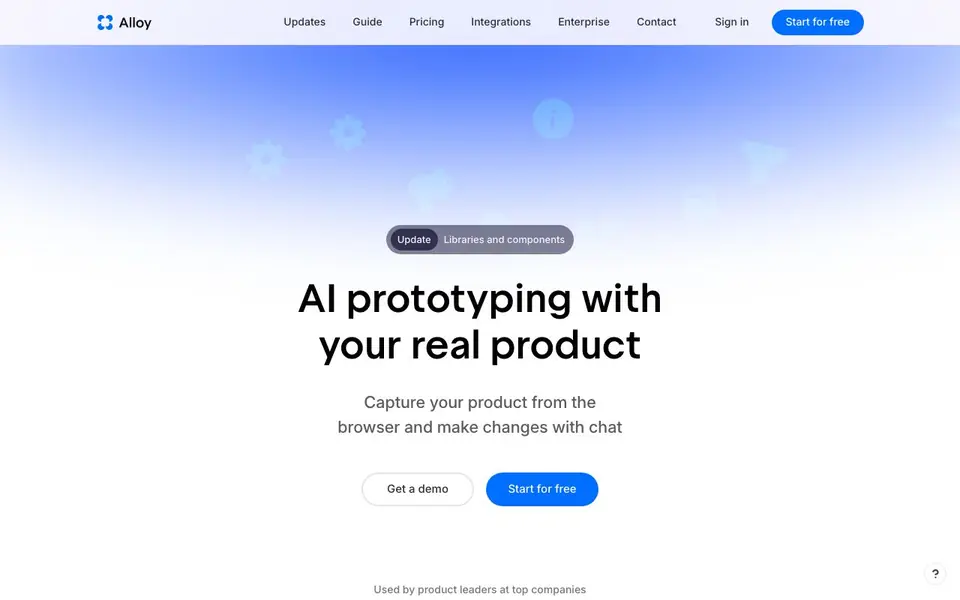
Alloy is an AI prototyping tool for product managers. It lets you start from your existing product, not a blank canvas. You can connect your codebase or use a browser extension to capture your web app. Then you make changes by chatting, and Alloy writes production-ready code that fits your design system.
To get started, you either add the browser extension with no setup or connect your codebase, which takes about 15 minutes and admin permissions. Once connected, you prompt changes like adding a bulk select feature. Alloy runs your app in a sandbox so you can preview changes live. You can share sessions with teammates or customers via a link, and every session lives in the cloud.
Alloy suits product managers, designers, and teams who want to explore ideas quickly without leaving their real product. It integrates with over 20 tools for ideas and feedback. You can export sessions to Figma or push them as pull requests to GitHub. The website does not list specific pricing details, but you can start for free.
Alloy features
- Real product capture: Use a browser extension or connect your codebase to start from your actual app.
- Chat-based changes: Prompt new features or tweaks and see them applied instantly in a sandbox.
- Cloud sessions: Share prototypes with teammates or customers via a link, no local setup needed.
- Production-ready code: Export sessions, access via MCP, or convert to a GitHub pull request.
- Design system awareness: Understands your component library and design system for on-brand results.
What you can do with Alloy
- Prototype a new feature on your existing web app without coding.
- Share a high-fidelity prototype with stakeholders for quick feedback.
- Turn customer requests from integrations into working product changes.
- Push a prototype as a pull request to your GitHub repository.
How to get started with Alloy
- Start for free on Alloy's website and sign in.
- Add the browser extension to capture your product instantly, or connect your codebase with admin permissions.
- Prompt changes, preview them live in the sandbox, and share the session or push to GitHub.
Tips for better results with Alloy
- Connect your codebase rather than using only the browser extension so Alloy can run your full app and write production code that matches your design system.
- Start each session with a specific, focused change like adding a bulk select feature, and review the live sandbox preview before sharing the link with stakeholders.
- Use Alloy's chat to iterate on a prototype by prompting small tweaks one at a time, which helps the tool apply changes cleanly and keeps the session easy to follow.
- Share your Alloy session link with teammates or customers for feedback early, then push the final version as a pull request to GitHub when it's ready to ship.
Alloy pricing
Alloy has a free way to start, with paid plans for heavier use. Check alloy.app for current limits and prices.
What to check before you rely on Alloy
- Check the pricing page for plan limits and costs, since the website lists a free start but does not state specific pricing details or what the freemium tier includes.
- Verify that your codebase connection works with your admin permissions and that Alloy's sandbox can run your app, as setup takes about 15 minutes.
- Confirm your data and privacy needs are met, as the website mentions security standards but does not detail specific compliance or data handling policies.
Who Alloy is for
Alloy suits product managers, designers, development teams and product leaders. If that is not you, the AI app builders below may fit better.
Similar tools compared with Alloy
| Tool | What it is | Pricing |
|---|---|---|
| Alloy | AI prototyping tool for product managers | Freemium |
| SiGameGen | AI game builder from one sentence | Freemium |
| Durable | AI business builder and website maker | Freemium |
| Lovable | AI app and website builder | Freemium |
| Replit | AI app and website builder | Freemium |
Alloy FAQ
How do I use my existing product in Alloy?
You can either connect your codebase or add the browser extension. Connecting your codebase lets Alloy run your entire app and write production code, while the extension is for instant visual prototyping.
Is there any setup required?
The browser extension requires no setup and captures your product instantly. Connecting your codebase requires admin permissions and about 15 minutes of setup time.
Can I import from Figma?
Not right now, but the team is working on it. You'll get the best results by capturing your actual web app. You can export your Alloy prototype to Figma at any time.
Does Alloy generate code I can use?
Yes, every session can be exported, accessed via MCP, or converted to a pull request in GitHub. The code is production-ready and fits your design system.
Can I export my Alloy session to Figma or GitHub?
Yes, Alloy lets you export sessions to Figma or push them as pull requests to GitHub. You can also access sessions via MCP. This makes it easy to move from prototype to design or code review.
What does the free plan of Alloy include?
Alloy's website says you can start for free, but it does not list specific free plan features. To know exactly what the free plan includes, check the pricing page on alloy.app.
Does Alloy work on mobile devices or only on desktop?
Alloy's website does not mention specific device support. It focuses on capturing web apps via a browser extension or connecting your codebase, so it likely works in a desktop browser. For mobile support details, check the website or contact Alloy.


