

What is AIVector?
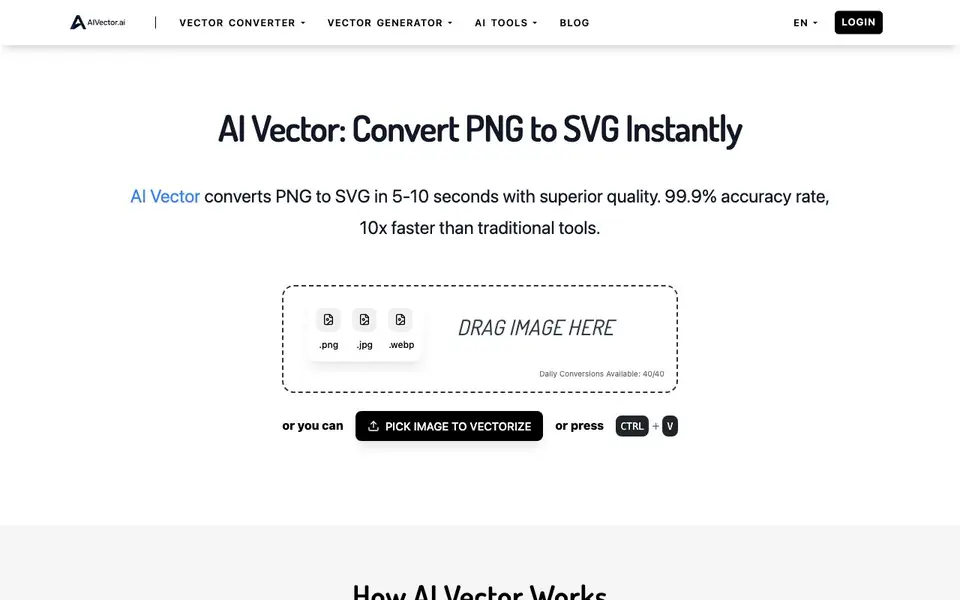
AI Vector is an online tool that turns raster images like PNG, JPG, and WebP into crisp SVG vector files. It uses AI to detect shapes, colors, and patterns, producing clean lines and smooth curves. You get professional-quality results in about 5-10 seconds, much faster than traditional vectorization tools.
To use it, you drag and drop an image onto the page or paste one with Ctrl+V. The tool accepts files up to 5MB with dimensions between 256px and 4096px. After a few seconds of processing, you download the SVG file. There are no watermarks, no registration, and no hidden costs.
This tool suits designers, marketers, and creators who need scalable graphics for logos, print materials, web images, or digital art. The website mentions a daily conversion limit of 40 images per day. It also states your files are never stored or shared, and the SVG output can be used commercially.
AIVector features
- Fast conversion: Turns images into SVG vectors in about 5-10 seconds.
- High accuracy: Claims 99.9% accuracy with cleaner lines than traditional tools.
- No sign-up needed: Start converting immediately without creating an account.
- Free to use: Download SVG files with no watermarks or hidden costs.
- Privacy first: Your uploaded images are never stored or shared.
What you can do with AIVector
- Convert PNG logos into scalable SVG files for branding materials.
- Turn digital artwork into editable vector graphics for illustrations.
- Create high-resolution SVG files for brochures and large-format printing.
- Generate scalable graphics for websites and social media posts.
How to get started with AIVector
- Go to the AI Vector website and drag your PNG, JPG, or WebP image onto the page.
- Wait 5-10 seconds while the AI processes the image and creates SVG paths.
- Download your SVG file instantly, free and without registering.
Tips for better results with AIVector
- Use AIVector for logos and simple graphics with clear shapes, since the AI detects shapes and patterns best when the website image is clean and uncluttered.
- Keep your PNG files under 5MB and between 256px and 4096px, because AIVector rejects files outside those limits, so check dimensions before uploading.
- Paste an image directly with Ctrl+V to skip the drag-and-drop step, which speeds up your workflow when you have multiple files to convert in a session.
- Review the SVG output in a vector editor after conversion, since AIVector's 99.9% accuracy claim means some complex images may still need minor manual cleanup.
- Plan your conversions around the 40-image daily limit, because AIVector counts each conversion against that quota, so batch your work to stay within it.
AIVector pricing
AIVector is free to use according to its website.
What to check before you rely on AIVector
- Confirm the daily conversion limit still applies to your usage, since the website states 40 images per day but also claims unlimited conversions elsewhere.
- Verify that your source image meets the size and dimension requirements, because AIVector only accepts files up to 5MB and between 256px and 4096px.
- Check whether the free plan includes commercial use of the SVG output, as the website says files are never stored but does not explicitly state licensing terms.
Who AIVector is for
AIVector suits designers, marketers, content creators and print professionals. If that is not you, the AI design tools below may fit better.
Similar tools compared with AIVector
| Tool | What it is | Pricing |
|---|---|---|
| AIVector | AI PNG to SVG converter | Free |
| Looka | AI logo maker and brand identity platform | Freemium |
| Uizard | AI-powered UI design and prototyping tool | Freemium |
| Clipdrop | AI photo editing and image generation suite | See website |
| Interior AI | AI interior design and virtual staging app | Freemium |
AIVector FAQ
How does the AI conversion work?
The AI analyzes your uploaded image in real time, detecting shapes, colors, and patterns. It then creates SVG paths from those elements, giving you a clean, scalable vector file in seconds.
Is this really completely free?
Yes, the website states it is completely free with no watermarks, no registration, and no hidden costs. There is a daily limit of 40 conversions per day.
What file formats can I upload?
You can upload PNG, JPG, and WebP files. The maximum file size is 5MB, and dimensions should be between 256px and 4096px.
Can I use the SVG files commercially?
Yes, the website says you can use the SVG files commercially. It also notes that your uploaded files are never stored or shared, so your designs stay private.
Does AIVector offer a paid plan or is it completely free with no limits?
AIVector is free to use, and the website states there are no hidden costs. It mentions a daily conversion limit of 40 images per day, but does not specify any paid plans or additional limits. For the most current details, check the AIVector website directly.
Can I use AIVector on my mobile phone or tablet?
The AIVector website does not specify whether it is optimized for mobile devices. Since it is an online tool, you can likely access it through a mobile browser, but for the best experience, check the AIVector site for any device-specific information.
What happens to my uploaded images after I use AIVector?
AIVector states that your uploaded files are never stored or shared. The processing is done in real-time, and after you download the SVG, your image is not kept on their servers. For more details on data handling, refer to the AIVector privacy policy on their website.


