

What is AIUpscaler - Image Enhangcer?
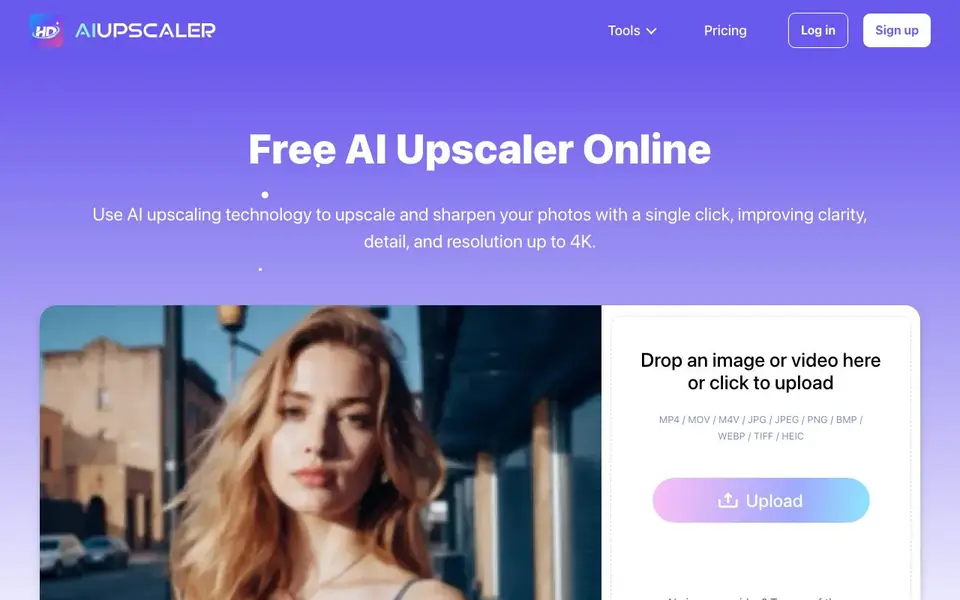
AIUpscaler is an online tool that uses AI to enlarge and enhance your images and videos. It improves clarity, detail, and resolution, with support for up to 4K output. You can fix blurry pictures, restore textures, and keep original colors intact.
You start by uploading a file from your browser. The tool accepts common image formats like JPG, PNG, and WEBP, plus video formats like MP4 and MOV. After a single click, the AI processes your file, and you can download the high-quality result. No software installation is needed.
The tool suits social media creators, photographers, and anyone with low-resolution content. The website mentions it is free to use and that uploads undergo security processing. It also offers a video enhancer for frame-by-frame upscaling to HD and 4K.
AIUpscaler - Image Enhangcer features
- One-click upscaling: Enlarge and sharpen images or videos with a single action, no manual selection needed.
- 4K resolution support: Increase your files' resolution up to 4K for clearer, more detailed visuals.
- Blurry photo fix: Restore sharpness to out-of-focus pictures while preserving original colors.
- Browser-based processing: Enhance files directly in your browser without downloading or installing software.
- Wide format support: Works with JPG, PNG, WEBP, TIFF, and HEIC images, plus MP4, MOV, and M4V videos.
What you can do with AIUpscaler - Image Enhangcer
- Enhance vacation photos to make them crisp and detailed before printing or sharing.
- Upscale low-resolution Instagram clips to look professional and gain more engagement.
- Restore old or blurry images to bring back texture and sharpness.
- Convert standard videos to 4K quality for better viewing on large screens.
How to get started with AIUpscaler - Image Enhangcer
- Go to the AIUpscaler website and click the upload area to select an image or video file.
- Wait for the AI to process and enhance your file automatically.
- Download the upscaled, high-resolution result from your browser.
Tips for better results with AIUpscaler - Image Enhangcer
- Upload the highest resolution version you have, even if it is small, because AIUpscaler works best when it has more original detail to work with.
- Use AIUpscaler on blurry photos before printing or sharing, since it restores texture and sharpness while keeping original colors intact.
- For videos, pick MP4, MOV, or M4V files and let AIUpscaler process frame by frame, which helps maintain smooth motion during upscaling.
- Test AIUpscaler on a single image first to see if the output quality meets your needs, then batch your other files accordingly.
AIUpscaler - Image Enhangcer pricing
AIUpscaler - Image Enhangcer has a free way to start, with paid plans for heavier use. Check aiupscaler.ai for current limits and prices.
What to check before you rely on AIUpscaler - Image Enhangcer
- Check whether the free plan has upload size or file count limits, since the website mentions it is free but does not state any specific caps.
- Verify if your intended commercial use is allowed, as the FAQ asks about it but the website does not clearly state the policy.
- Confirm that your file format is supported, like JPG or MP4, since AIUpscaler lists many types but does not guarantee every variant works.
Who AIUpscaler - Image Enhangcer is for
AIUpscaler - Image Enhangcer suits social media creators, photographers and casual users with low-res photos. If that is not you, the AI photo editors below may fit better.
Similar tools compared with AIUpscaler - Image Enhangcer
| Tool | What it is | Pricing |
|---|---|---|
| AIUpscaler - Image Enhangcer | AI image and video upscaler | Freemium |
| SiPhotoEditor | AI photo editor by description | Paid |
| SiImageGen | AI image generator and photo editor | Freemium |
| Clipdrop | AI photo editing and image generation suite | See website |
| Photoroom | AI photo editor for e-commerce product visuals | Freemium |
AIUpscaler - Image Enhangcer FAQ
Is AIUpscaler free to use?
Yes, the website states the tool is free to use. It highlights 'free AI image upscaler' and 'Try Now for Free' options. However, it also mentions subscription cancellation, so there may be paid plans for additional features.
What file formats does AIUpscaler support?
For images, it supports JPG, JPEG, PNG, BMP, WEBP, TIFF, and HEIC. For videos, it works with MP4, MOV, and M4V formats. You can upload these directly from your browser.
Can I use the generated images and videos for commercial purposes?
The website lists this question in its FAQ section, but the visible text does not provide a direct answer. You would need to check the site's terms of use or contact support for clarification.
Are there any upload limits?
The website mentions upload limits in its FAQ section, but the visible text does not specify exact numbers. For details on file size or quantity limits, you should check the site's FAQ or contact their support team.
Does AIUpscaler require creating an account or installing software?
AIUpscaler runs entirely in your browser, so you don't need to install any software. The website doesn't mention whether an account is required for uploading or downloading. For the most accurate information about account requirements, check the sign-up or login options on the site.
What devices or browsers are compatible with AIUpscaler?
AIUpscaler is a browser-based tool, so it works on any device with a modern web browser, including desktops, laptops, and mobile devices. The website doesn't specify any particular browser or operating system requirements. For best performance, use an up-to-date browser.
How does AIUpscaler handle my uploaded files in terms of privacy and security?
AIUpscaler states that all files uploaded undergo rigorous security processing to protect your information. The website doesn't provide details about data retention or deletion policies. For specific privacy questions, review the site's privacy policy or contact their support.


