

What is aiPDF?
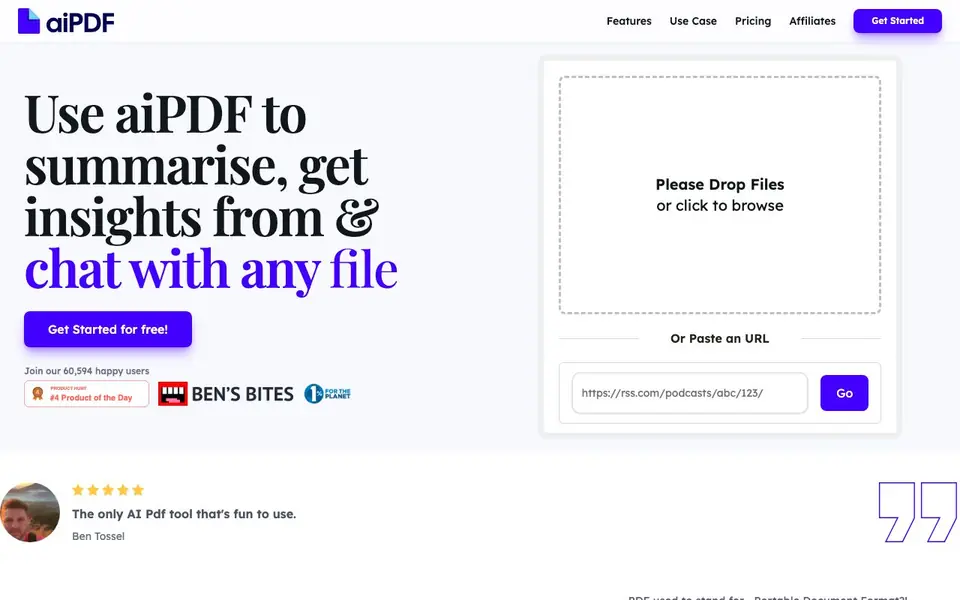
aiPDF is an AI-powered tool that lets you upload documents and start asking questions right away. It works with PDFs, EPUB books, website URLs, and even YouTube videos. You can summarize entire books, extract key insights, and get detailed answers with references pulled from your uploaded files.
To use it, you drop a file or paste a link. The AI preprocesses your document, and you can start chatting while summaries generate. It matches your questions to relevant sections, so answers are based only on the document's content. It supports all languages and responds in the language you ask in.
It suits students, researchers, professionals, and anyone dealing with long documents. The site mentions it's fun to use and gives back to environmental charities. There are file size limits depending on your subscription tier, and documents auto-delete after a month for the free tier.
aiPDF features
- Multi-format input: Upload PDFs, EPUBs, URLs, and YouTube links for chat and summarization.
- Instant answers: Ask questions and get responses with detailed references from your documents.
- Full-book summarization: Rapidly summarize entire books while considering their full context.
- Language support: Works in all languages and replies in the language of your query.
- Privacy controls: Delete documents manually or rely on auto-deletion after one month on the free tier.
What you can do with aiPDF
- Summarize a lengthy financial report to get key numbers quickly.
- Chat with an academic essay to clarify arguments and extract citations.
- Extract insights from a podcast episode by pasting its YouTube link.
- Review a massive ebook by asking targeted questions instead of reading fully.
How to get started with aiPDF
- Go to aiPDF's website and click 'Get Started' or drop a file directly.
- Upload a PDF, EPUB, or paste a URL to a webpage or YouTube video.
- Start asking questions or request a summary while the AI processes your document.
Tips for better results with aiPDF
- Upload a complete PDF or EPUB instead of a partial file so aiPDF can match your questions against the full context and give references from the right sections.
- Ask follow-up questions in the same language you started with, since aiPDF replies in the language of your query and works across all languages.
- Paste a YouTube link directly into aiPDF to extract insights from a podcast or video, then ask targeted questions instead of watching the whole thing.
- Start chatting while aiPDF generates the summary, but wait for the preprocessing to finish before asking detailed questions to get the most accurate references.
aiPDF pricing
aiPDF has a free way to start, with paid plans for heavier use. Check aipdf.ai for current limits and prices.
What to check before you rely on aiPDF
- Check the file size limit for your subscription tier before uploading, since the website does not list specific size caps for free versus paid plans.
- Confirm how long your documents stay stored, because the free tier auto-deletes after one month, but the site does not state retention for paid plans.
- Verify whether your data is kept only as documents and login info, as the website says it stores only essentials but does not detail external database policies.
Who aiPDF is for
aiPDF suits students, researchers, professionals and lifelong learners. If that is not you, the AI research tools below may fit better.
Similar tools compared with aiPDF
| Tool | What it is | Pricing |
|---|---|---|
| aiPDF | AI PDF chat and summarizer | Freemium |
| OpenSI | AI model comparison and pricing tool | See website |
| ChatPDF | AI chat and summarizer for PDFs | Freemium |
| Consensus | AI search engine for research papers | See website |
| Scite | AI research assistant with smart citations | Free trial |
aiPDF FAQ
What types of documents can I upload?
You can upload PDFs, EPUB books, website URLs, and YouTube videos. The site says they are expanding to more document types over time.
Is my document data secure?
The site says your documents are stored on encrypted databases, never accessed by the team, and excluded from external model training. Data is deleted from external databases like OpenAI's weekly.
Can I delete my documents?
Yes, you can manually delete documents anytime. Also, documents auto-delete after one month for the free tier, after six months for the Dynamic tier, and are stored indefinitely for Flagship tier unless you delete them.
Is there a file size limit?
Yes, there are limits on file sizes that vary by subscription tier. The site says they accommodate large documents with any number of pages, but you should check the pricing page for exact limits.
Does aiPDF have a free plan and what does it include?
aiPDF offers a freemium pricing model. The free tier lets you upload documents and ask questions, but it has file size limits and your documents auto-delete after one month. For higher limits and longer retention, you would need to upgrade to a paid subscription.
Can aiPDF export my chat answers or summaries to a file?
The aiPDF website does not mention any export options for your chat answers or summaries. It focuses on in-app Q&A and summarization. If you need to save your results, you would need to copy them manually. Check the pricing or features pages for any updates on export capabilities.
Does aiPDF work on mobile devices or only on desktop?
The aiPDF website does not specify which devices or platforms it runs on. It appears to be a web-based tool, so you likely access it through a browser on any device, including phones and tablets. For confirmation, try opening aipdf.ai on your mobile browser or check their help section.


