

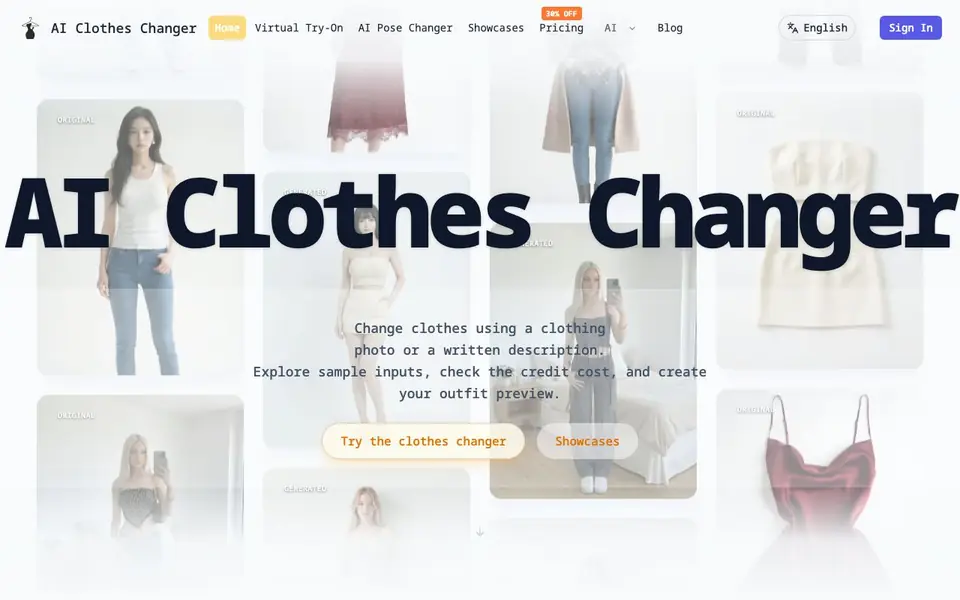
What is AI Clothes Changer.ai?
AI Clothes Changer is a tool that edits clothing in photos. You upload a person photo and either a clothing reference image or a text description of an outfit. The AI then generates a new image of the person wearing that outfit. It works as a visual preview, not a measurement of size or fit.
To use it, you sign in, upload your person photo, and add a clothing reference or describe the outfit in text. You can include optional instructions for details. After generating, you review the result at full size, checking the face, hands, seams, and background. The tool notes that AI can change small details or invent fabric folds, so a convincing picture does not guarantee an exact product match.
This tool suits people exploring outfit ideas, sellers showing clothes on models, or anyone wanting to preview a look. It requires an account and credits for each generation. Different models cost different credits, and output resolution varies. There is no visible watermark on downloaded images, but provider-generated marks are not removed.
AI Clothes Changer.ai features
- Clothing reference upload: Use one clear photo of a garment or outfit to guide the AI in changing clothes.
- Text prompt mode: Describe the outfit, material, and color in words to generate a new look.
- Optional instructions: Add custom details to refine the outfit description or auto-replace clothes.
- Multiple AI models: Choose from models like Nano Banana 2, GPT Image 2.5 Flare, or Flux 2 Pro, each with different credit costs.
- No visible watermark: Downloaded images do not include a watermark from the tool itself.
What you can do with AI Clothes Changer.ai
- Try on a specific clothing item you have a photo of.
- Explore new outfit styles by describing them in text.
- Preview how clothes look on a person photo before buying.
- Showcase garments on models for online stores.
How to get started with AI Clothes Changer.ai
- Sign in to your account and ensure you have enough credits.
- Upload a person photo and either a clothing reference image or a text description.
- Click Generate, then review the result at full size before downloading.
Tips for better results with AI Clothes Changer.ai
- Upload one clear, flat-lay photo of the garment in good light, avoiding collages or cropped hems, so AI Clothes Changer can match the silhouette and color accurately.
- Describe the outfit in text mode with specific material and color words, then add optional instructions for details like sleeve length or pattern to guide the generation.
- Review each AI Clothes Changer result at full size, checking the face, hands, seams, and background before downloading, since the AI can alter small details or invent fabric folds.
- Start with a simple outfit description or single garment reference, then refine after seeing the first result, rather than loading many details at once.
AI Clothes Changer.ai pricing
AI Clothes Changer.ai is a paid product. Check aiclothes.ai for current plans and whether a demo or trial is offered.
What to check before you rely on AI Clothes Changer.ai
- Check the credit cost per model before generating, since different models like Nano Banana 2 or Flux 2 Pro use different credits, and the site does not list all prices.
- Verify the output resolution for your chosen model and aspect ratio, as the website states resolution varies but does not specify exact sizes.
- Confirm the tool does not measure fit or guarantee product match, and note that the site does not state data retention or privacy policies for uploaded photos.
Who AI Clothes Changer.ai is for
AI Clothes Changer.ai suits online shoppers, fashion enthusiasts, e-commerce sellers and content creators. If that is not you, the AI photo editors below may fit better.
Similar tools compared with AI Clothes Changer.ai
| Tool | What it is | Pricing |
|---|---|---|
| AI Clothes Changer.ai | AI clothes changer for photos | Paid |
| SiPhotoEditor | AI photo editor by description | Paid |
| SiImageGen | AI image generator and photo editor | Freemium |
| Clipdrop | AI photo editing and image generation suite | See website |
| Photoroom | AI photo editor for e-commerce product visuals | Freemium |
AI Clothes Changer.ai FAQ
How does AI Clothes Changer work?
You upload a person photo and either a clothing reference photo or a text description of an outfit. The AI generates a new image of the person wearing that outfit. You can add optional instructions for details.
Is AI Clothes Changer free?
No, generation requires credits. You need to sign in and purchase a credit plan. The website mentions a 30% off promotion and has a pricing page for details.
Who is AI Clothes Changer for?
It is for anyone who wants to change clothes in photos, such as shoppers trying outfits, sellers showcasing garments, or people exploring style ideas. It is not for measuring physical fit.
What can I create with AI Clothes Changer?
You can create edited photos of a person wearing a different outfit, either from a clothing reference or a text description. The tool also has a pose changer for altering poses, but the website does not detail its features.
What image formats can I upload to AI Clothes Changer.ai?
AI Clothes Changer.ai accepts common image formats for the person photo and clothing reference, but the website does not list specific file types. For best results, use a clear photo in good light. Check the upload dialog or contact support if you need a specific format confirmed.
Does AI Clothes Changer.ai work on mobile devices?
AI Clothes Changer.ai runs in a web browser, so you can use it on any device with internet access, including phones and tablets. The website does not mention dedicated mobile apps, but the interface is accessible from a mobile browser. For the best experience, use a device with a large screen to review details.
Can I use AI Clothes Changer.ai without creating an account?
No, you need to sign in to use AI Clothes Changer.ai. The website states that sign-in is required to generate images, and credits are tied to your account. You can explore sample inputs without signing in, but generating results requires an account and credits.


