
What is To Teach?
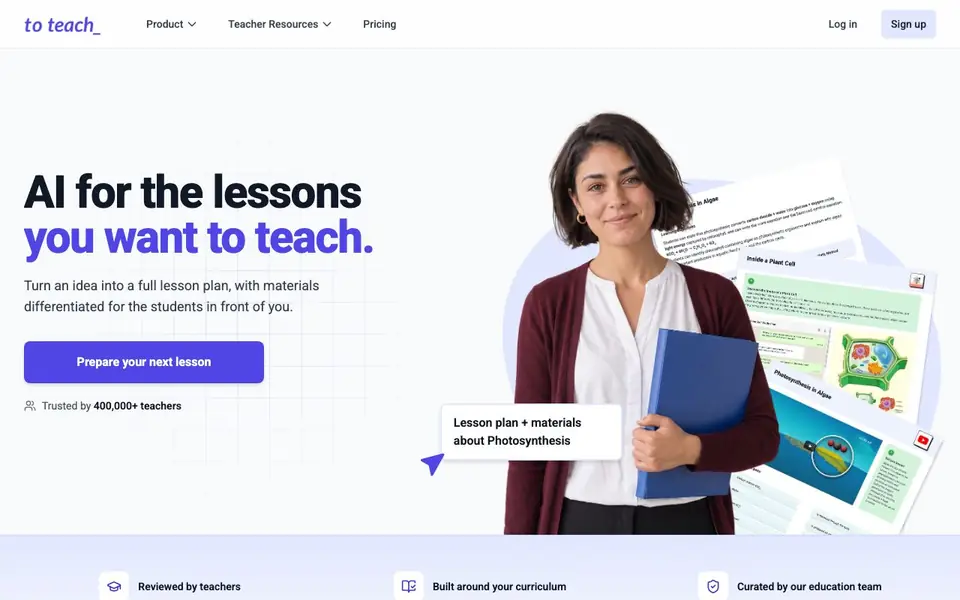
To Teach is an AI-powered platform that helps teachers create lesson plans, worksheets, and interactive activities. You start by telling it your topic, subject, and student level. It then generates a structured lesson plan with learning objectives and a sequence of activities you can review and adjust.
You can turn your own resources into worksheets, or even convert a YouTube video into a worksheet for your class. The tool offers a range of activity types, including gap-fill, multiple-choice, and true-or-false questions. You can edit texts and tasks afterwards to adapt them to your students' needs.
Teachers use To Teach to save preparation time while creating high-quality, differentiated materials. You can export your content as PDF, H5P, or DOCX, or send it directly to platforms like fobizz, Canva, and Google Classroom. The site mentions an education team that curates and creates resources, with over 10,000 resources available to explore.
To Teach features
- Lesson plan generation: Creates a structured plan with objectives and activities from your topic.
- Worksheet creation: Turns your own resources or YouTube videos into worksheets for your class.
- Activity variety: Offers gap-fill, multiple-choice, true-or-false, and other interactive activities.
- Differentiation: Adapts materials for different student levels and groups.
- Export options: Sends content to PDF, H5P, DOCX, fobizz, Canva, and Google Classroom.
What you can do with To Teach
- Plan a media-literacy lesson with objectives and activities.
- Convert a YouTube video into a worksheet for a cover lesson.
- Create differentiated worksheets for lower-attaining groups.
- Export an H5P activity to upload to your Moodle platform.
How to get started with To Teach
- Sign up for an account on the To Teach website.
- Enter your topic, subject, and student level to generate a lesson plan.
- Review and adjust the plan, then create worksheets or activities and export them.
Tips for better results with To Teach
- Start with a specific topic, subject, and student level in To Teach so the generated lesson plan and activities match your class closely from the first attempt.
- After To Teach creates a worksheet from your resource or a YouTube video, edit the text and tasks to fit your students' needs before exporting or sharing it.
- Use To Teach to create differentiated materials for lower-attaining groups by adjusting the difficulty of activities like gap-fill and multiple-choice questions.
- Export your finished materials from To Teach as PDF, H5P, or DOCX, or send them directly to Canva or Google Classroom to save extra steps.
- Explore the 10,000+ curated resources in To Teach to find ready-made materials from the education team, then adapt them for your own lessons.
To Teach pricing
To Teach’s homepage does not list prices. Check to-teach.ai for current plans.
What to check before you rely on To Teach
- Check whether To Teach's free plan or trial limits the number of lesson plans or worksheets you can create, since the website does not list pricing details.
- Verify what data you can upload to To Teach, like your own resources or YouTube videos, and how the platform handles privacy for student information.
- Confirm that the export formats you need, such as H5P for Moodle, work with your school's systems before relying on To Teach for real lessons.
Who To Teach is for
To Teach suits teachers, educators, tutors and homeschoolers. If that is not you, the AI tools for students below may fit better.
Similar tools compared with To Teach
| Tool | What it is | Pricing |
|---|---|---|
| To Teach | AI lesson plan and worksheet maker | See website |
| Gauth | AI homework helper with step-by-step answers | Freemium |
| Khanmigo | AI teaching assistant and tutor | Freemium |
| ChatPDF | AI chat and summarizer for PDFs | Freemium |
| Jenni AI | AI academic writing and research assistant | Freemium |
To Teach FAQ
What can I create with To Teach?
You can create lesson plans, worksheets, quizzes, presentations, and interactive videos. You can also turn your own resources or YouTube videos into worksheets.
Can I adapt materials for different student levels?
Yes, To Teach lets you differentiate materials for the students in front of you. You can edit texts and tasks afterwards to suit different groups, such as lower-attaining students.
How do I export or share my materials?
You can export your content as PDF, H5P, or DOCX, or send it directly to fobizz, Canva, and Google Classroom. This makes it easy to use in your existing workflow.
Is To Teach free to use?
The website does not state pricing details. You can check the Pricing page on their site for information about plans and any free options.
Does To Teach work on my phone or tablet?
To Teach is a web-based platform, so you can access it from any device with a browser, including phones and tablets. The website does not mention dedicated mobile apps, so for the best experience, use a current browser on your device. Check the site for any updates on app availability.
Can To Teach connect to my learning management system like Moodle?
To Teach lets you export content as H5P, which you can upload to platforms like Moodle. The website mentions direct integration with fobizz, Canva, and Google Classroom, but does not list Moodle as a direct connection. You can still use the H5P export to bring activities into Moodle.
What does the free plan of To Teach include?
The To Teach website does not specify what the free plan includes. It shows a pricing page, but the details are not provided in the information available. To find out what you get for free, visit the pricing section on the To Teach website or sign up to see the plan options.


