

What is Sybill?
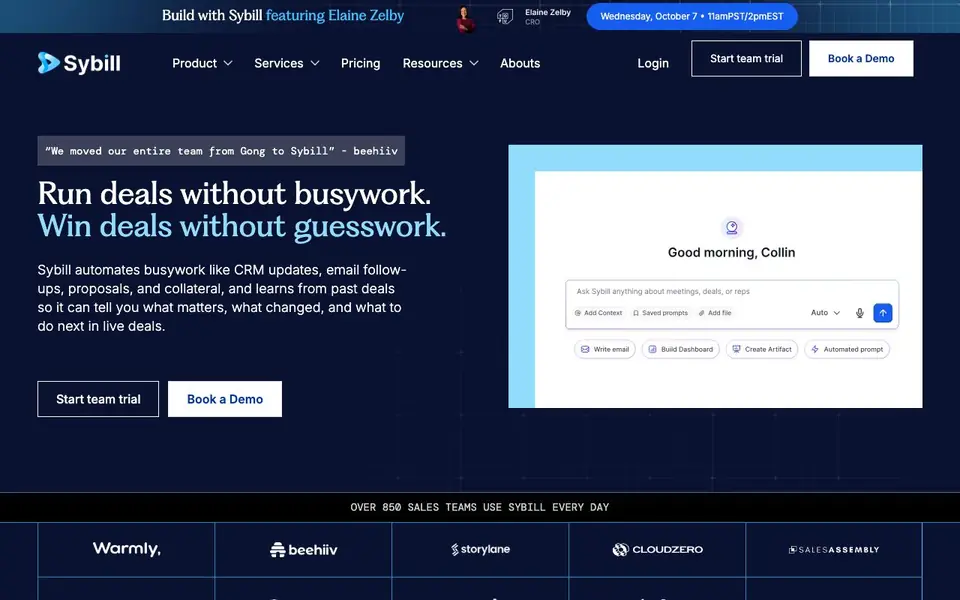
Sybill is an AI sales assistant built for revenue teams. It records and analyzes your calls, meetings, emails, and Slack threads, then uses that information to handle busywork for you. It updates your CRM fields automatically, writes follow-up emails, and prepares meeting summaries, so you can spend less time on admin and more time selling.
You start by connecting Sybill to your sales tools and calendar. After each conversation, it fills in your CRM, drafts follow-ups, and creates call summaries without you asking. You can also ask Sybill questions in plain English about any deal, like what changed or what risks exist, and it answers with citations from your own records.
Sybill suits sales reps, managers, CROs, and RevOps teams. It claims to save reps over 10 hours a week and achieve a 75% no-edit rate on emails. The website says over 850 sales teams use it, but it does not list specific pricing or integrations beyond CRM and Slack.
Sybill features
- Auto CRM updates: Fills every CRM field after each sales conversation, so your records stay complete without manual work.
- Plain English Q&A: Ask about any deal, buyer, or risk and get instant answers with citations from your data.
- Email follow-ups: Drafts personalized follow-up emails that match your tone, with a high no-edit rate.
- Call summaries: Creates accurate summaries of sales calls, including key takeaways and next steps.
- Deal recommendations: Learns from past wins and losses to suggest next-best actions in live deals.
What you can do with Sybill
- Update your CRM automatically after every sales call without typing notes.
- Ask Sybill for a summary of a deal's history before a customer meeting.
- Generate follow-up emails for each meeting stage with your team's templates.
- Spot risks and blockers across your pipeline by asking in plain English.
How to get started with Sybill
- Start a team trial or book a demo on Sybill's website.
- Connect Sybill to your CRM, calendar, and communication tools.
- Let it record conversations and auto-update fields, then ask it questions or use its templates.
Tips for better results with Sybill
- Connect Sybill to your calendar and CRM first, then run a few live calls to let it learn your tone and deal structure before relying on its outputs.
- Ask Sybill specific questions about deal risks or changes using plain English, and review the citations it provides to verify the answers against your actual records.
- Use Sybill's customizable templates for follow-up emails so drafts match your team's style, then edit only where needed to keep the 75% no-edit rate realistic for your workflow.
- Check Sybill's auto-updated CRM fields after each conversation to catch any mislabeled contacts or opportunities early, since it fills every field without prompting you.
Sybill pricing
Sybill’s homepage does not list prices. Check sybill.ai for current plans.
What to check before you rely on Sybill
- Verify whether Sybill's free trial or paid plans include limits on call recording minutes, CRM integrations, or team seats, since the website does not list specific pricing.
- Confirm which CRM platforms and Slack versions Sybill supports beyond the general claims, as the website does not enumerate exact integrations or setup requirements.
- Review Sybill's data retention and privacy policies for recorded calls and emails, because the site does not state how long your conversation data is stored or who can access it.
Who Sybill is for
Sybill suits sales reps, sales managers, CROs and VPs and RevOps teams. If that is not you, the AI business tools below may fit better.
Similar tools compared with Sybill
| Tool | What it is | Pricing |
|---|---|---|
| Sybill | AI sales assistant for revenue teams | See website |
| Tidio | AI customer service and sales platform | Freemium |
| Chatbase | AI customer experience and support agents | Free trial |
| Copy.ai | AI-native go-to-market platform | See website |
| Harvey | AI platform for legal and professional services | See website |
Sybill FAQ
What does Sybill do exactly?
Sybill records your sales calls, meetings, emails, and Slack threads. It then auto-updates your CRM, writes follow-up emails, creates call summaries, and answers questions about deals with citations. It also recommends next actions based on past wins and losses.
Is Sybill free or does it cost money?
The website does not state pricing details. It offers a team trial and a demo booking, but you need to contact them to learn about plans and costs. Check the Pricing page on their site for more.
Who is Sybill for?
Sybill is built for sales teams. It helps reps save time on admin, gives managers visibility into deals, supports CROs with pipeline health, and helps RevOps improve data quality. Each role gets tailored features.
Can Sybill integrate with my CRM and Slack?
Yes, Sybill mentions updating CRM fields and tracking Slack threads. It works with your existing sales tools, but the website does not list specific CRM names. You can check their integrations or book a demo to confirm compatibility.
Does Sybill record and analyze phone calls or only video meetings?
Sybill records calls, meetings, emails, and Slack threads, so it covers both phone calls and video meetings. The website does not specify which exact platforms it supports for recording, so check the Sybill website or contact their team for the full list of compatible tools.
Can Sybill export data or reports to tools other than CRM and Slack?
Sybill’s website mentions CRM and Slack integrations, but it does not list other export options like spreadsheets or BI tools. To find out if Sybill can export to your specific tools, check the integrations page on sybill.ai or ask their support team directly.
Does Sybill require you to have an account before you can try it?
Sybill offers a team trial and a demo, but the website does not specify whether you need to create an account to start the trial. You can likely sign up through the trial button on sybill.ai, but for exact requirements, check the trial page or contact Sybill’s sales team.


