

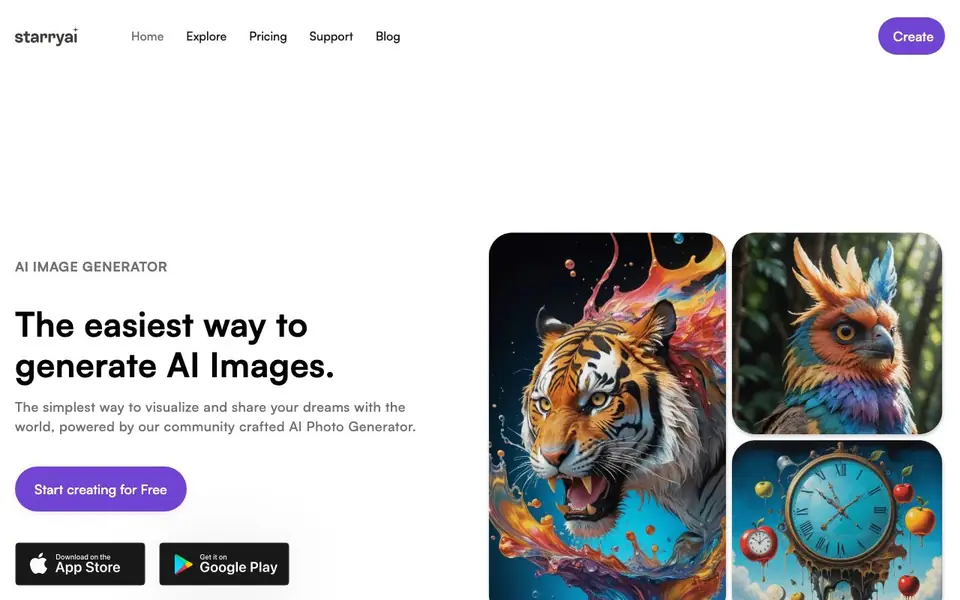
What is starryai?
starryai is an AI image generator that turns your words, emojis, or uploaded photos into high-quality visuals. It is designed to be simple, with a community-crafted AI photo generator that produces beautiful, dream-like images. You can create portraits, technical drawings, children's book illustrations, and more.
Getting started takes under a minute. When you sign up, your account is topped up with 5 lumens, which equals 25 AI images. You can then pick from over 1,000 styles and models, type a prompt, and generate. The app also lets you reimagine existing images, enhance them, upscale them, or remove backgrounds.
starryai is free to use with daily free images that have no watermarks. You own everything you create, and you get commercial rights. The app has a 4.7/5 star rating from over 40,000 reviews and is available on the App Store. It suits hobbyists, artists, and anyone who wants to explore AI art on mobile.
starryai features
- Daily free images: Get free AI images every day without watermarks.
- Full ownership: You own every image you create with starryai.
- 1000+ styles: Choose from a vast library of styles and models for your creations.
- Image editing tools: Reimagine, enhance, upscale, or remove backgrounds from your photos.
- Commercial rights: Use your generated images for commercial purposes.
What you can do with starryai
- Create portraits and character art from text prompts.
- Turn your own photos into AI-enhanced artwork.
- Generate children's book illustrations with custom styles.
- Upscale and clean up images for printing or sharing.
How to get started with starryai
- Sign up for a free account in under a minute.
- Receive 5 lumens, enough for 25 AI images.
- Type a prompt or upload a photo, pick a style, and generate.
Tips for better results with starryai
- Start with the 5 free lumens you get at signup to experiment across different styles before committing to a daily free image routine.
- Write detailed prompts with specific subjects, lighting, and mood to get sharper results from starryai's 1,000-plus style library.
- Use starryai's reimagine and enhance tools on your best generations to refine details instead of starting from scratch each time.
- Test starryai's background removal and upscaling on your own photos to see which editing features give you the cleanest output for your projects.
starryai pricing
starryai has a free way to start, with paid plans for heavier use. Check starryai.com for current limits and prices.
What to check before you rely on starryai
- Confirm how many daily free images you actually receive, since the website doesn't list the exact number or the daily reset time.
- Check whether the free tier includes all 1,000-plus styles or if some require lumens, as the site doesn't specify style-level pricing.
- Verify the export formats and resolution available on the free plan, because the website doesn't state which file types or sizes you can download.
Who starryai is for
starryai suits hobbyist artists, content creators, mobile users and NFT creators. If that is not you, the AI image generators below may fit better.
Similar tools compared with starryai
| Tool | What it is | Pricing |
|---|---|---|
| starryai | AI image and video generator app | Freemium |
| SiImageGen | AI image generator and photo editor | Freemium |
| FreeSiTools | Free AI image prompt generator | Free |
| SiPhotoEditor | AI photo editor by description | Paid |
| Civitai | AI art community and model library | Freemium |
starryai FAQ
Is starryai free to use?
Yes, starryai is free to use. You get daily free AI images without watermarks. When you sign up, your account is topped up with 5 lumens, which equals 25 AI images.
Who owns the images I create?
You do. Once you create images with starryai, you are the owner. This includes commercial rights, so you can use your creations for business purposes.
What can I do with starryai?
You can generate images from text or emojis, upload photos to transform them, reimagine existing images, enhance them, upscale them, and remove backgrounds. There are over 1,000 styles to choose from.
Does starryai work on mobile?
Yes, starryai is available as an app on the App Store. Users mention using it on mobile when they can't access their desktop setup. The website does not list other platforms.
What image formats can starryai export or save my creations in?
The starryai website does not mention specific export formats. You can check the app's settings or help center after you create an image to see what saving options are available. The site focuses on generation and editing, not on file type details.
Does starryai require an account to use, and what does the free plan include?
Yes, starryai requires an account. When you sign up, you get 5 lumens, which equals 25 AI images. After that, you receive daily free images without watermarks. The free plan includes full ownership and commercial rights for everything you create.
Can I use starryai on a desktop or web browser, or is it only for mobile?
The starryai website mentions the App Store and mobile use, but it does not mention a desktop or web version. It appears to be designed for mobile devices. To confirm if a browser version exists, check the official website or app store listings for updates.


