

What is SonicCaption?
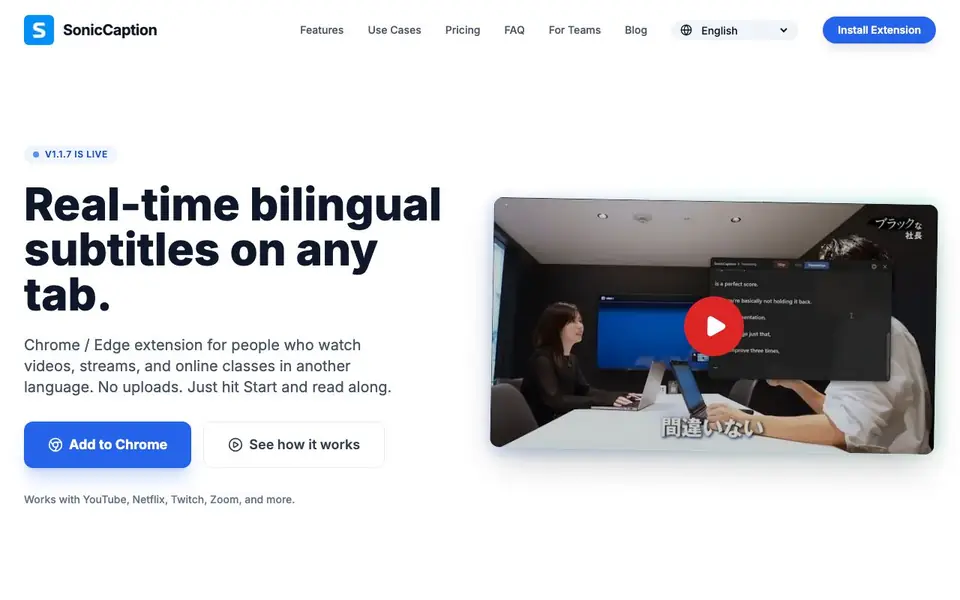
SonicCaption is a Chrome and Edge extension that gives you real-time bilingual subtitles on any tab. It listens to audio playing in your browser and shows the original language plus a translation. You can use it with YouTube, Netflix, Twitch, Zoom, Google Meet, online courses, and more. No uploads or exports are needed; everything happens directly in your browser.
To start, you install the extension and pin it to your browser bar. Then you open any tab with audio, hit Start, and pick your languages. SonicCaption listens and translates instantly. Subtitles appear in about half a second, which is fast enough for live streams. You see the original and translation together, so you can follow along without pausing.
The tool is built for language learners and non-native professionals. It helps you follow streams, stay present in meetings, and catch details in online classes. Audio stays in your tab; only text segments are processed, which keeps things privacy-aware. The site mentions a free plan with 20 minutes per month and paid plans with more hours, priority quality, and support.
SonicCaption features
- Real-time low-latency captions: Subtitles appear in about 0.5 seconds, suitable for live streams and calls.
- Dual subtitles: See the original audio and its translation at the same time on screen.
- Universal compatibility: Works on any tab that plays audio, including YouTube, Netflix, Twitch, and Zoom.
- No manual uploads: No files or exports needed; everything runs inside your browser.
- Privacy-aware processing: Audio stays in the tab; only text segments are processed for captions.
What you can do with SonicCaption
- Follow a Japanese stream with bilingual subtitles for anime or variety shows.
- Read real-time translations during Zoom or Google Meet calls to stay present.
- Catch every formula and term in online courses with dual subtitles.
- Practice a language by watching videos without pausing to look things up.
How to get started with SonicCaption
- Install the SonicCaption extension from the Chrome Web Store and pin it to your browser bar.
- Open any tab with audio, such as YouTube, Netflix, Zoom, or an online course.
- Hit Start, pick your languages, and read the real-time bilingual subtitles.
Tips for better results with SonicCaption
- Pin SonicCaption to your browser bar before starting, so you can quickly access the Start button and switch languages without interrupting the audio playback.
- Choose your source and translation languages before hitting Start on a live stream, because SonicCaption applies them instantly and changing mid-session may cause a brief delay.
- Test SonicCaption on a short YouTube clip first to confirm the subtitle speed and accuracy for your language pair, especially if you rely on it for a live meeting.
- Keep the tab with audio active and unmuted while using SonicCaption, since it listens to the browser's audio directly and won't work if the tab is muted or backgrounded.
SonicCaption pricing
SonicCaption has a free way to start, with paid plans for heavier use. Check soniccaption.com for current limits and prices.
What to check before you rely on SonicCaption
- Check whether your free 20 minutes per month resets monthly or accumulates, because the website does not state the reset policy clearly.
- Verify that SonicCaption supports your specific language pair, since the site lists features but does not enumerate all available source and translation languages.
- Confirm the extension works on your browser version and site, as the website mentions Chrome and Edge but does not specify minimum versions or all compatible platforms.
Who SonicCaption is for
SonicCaption suits language learners, non-native professionals, online course takers and stream viewers. If that is not you, the AI tools for students below may fit better.
Similar tools compared with SonicCaption
| Tool | What it is | Pricing |
|---|---|---|
| SonicCaption | Real-time bilingual subtitle browser extension | Freemium |
| Gauth | AI homework helper with step-by-step answers | Freemium |
| Khanmigo | AI teaching assistant and tutor | Freemium |
| ChatPDF | AI chat and summarizer for PDFs | Freemium |
| Jenni AI | AI academic writing and research assistant | Freemium |
SonicCaption FAQ
Does SonicCaption work with Zoom or Google Meet?
Yes. As long as audio is playing in the tab, SonicCaption can work. Open your Zoom or Meet call in the browser, start the meeting, then click Start in SonicCaption to see real-time subtitles and translation on top of the page.
Which languages are supported?
The website does not list the full set of supported languages. It offers the extension interface in English, Chinese (simplified and traditional), Japanese, Korean, French, German, Spanish, and Portuguese, so those are likely covered. Check the extension or contact support for the complete list.
Is there a free plan?
Yes. SonicCaption has a free plan with 20 minutes per month. It includes real-time captions on any site, bilingual subtitles, and standard caption quality. Paid plans start at $10 per month for 8 hours and go up to $79 for 120 hours.
Is my audio private?
The website says audio stays in your tab; only text segments are processed. This means your actual audio is not uploaded or exported. For more details, you can review the Privacy Policy linked on the site.
Can SonicCaption export or save the subtitles it generates?
SonicCaption does not mention any export or save feature for the subtitles it generates. The tool is designed to work entirely within your browser, showing captions in real time without uploading or exporting files. For details on any future export options, check the official SonicCaption website or contact their support.
Does SonicCaption work on mobile devices or tablets?
SonicCaption is a Chrome and Edge extension, so it only runs on desktop browsers that support these extensions. The website does not mention a mobile app or support for tablets. To use SonicCaption, you need to install it in a desktop version of Chrome or Edge.
What does the free plan of SonicCaption include besides 20 minutes per month?
The free plan of SonicCaption includes 20 minutes per month of real-time captions on any site, bilingual subtitles (source plus translation), and standard caption quality. It does not include priority caption quality or support, which are available in paid plans. You can upgrade anytime if you need more minutes or features.


