

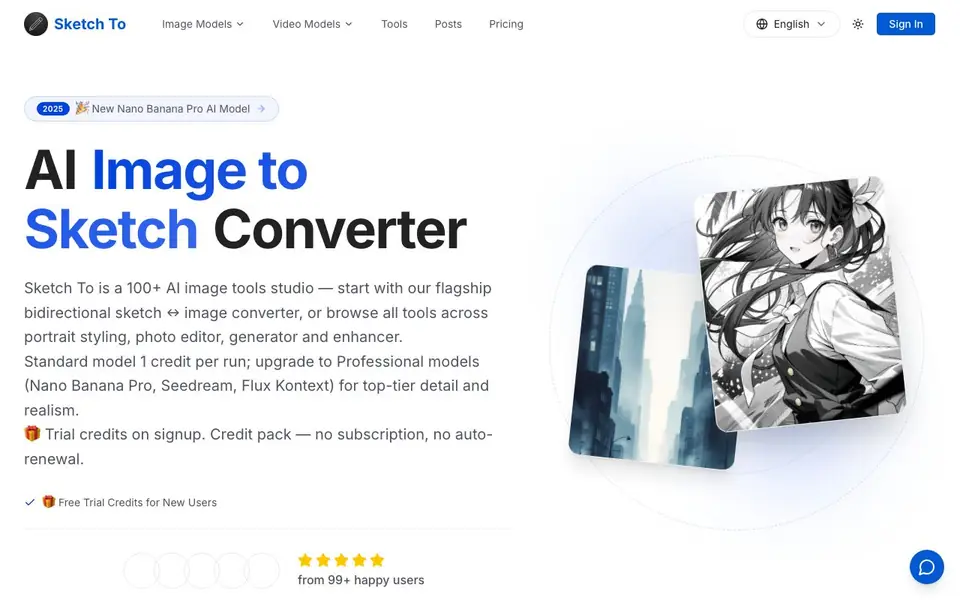
What is Sketch To?
Sketch To is an AI studio with over 100 tools, starting with a bidirectional sketch converter. You can turn photos into pencil, charcoal, ink, or watercolor sketches, and transform sketches back into detailed images. It also includes tools for portrait styling, photo editing, and image enhancement.
To use it, you upload an image file (up to 5MB), choose a style like Pencil Sketch or Comic Sketch, and pick a model. The Standard model uses 1 credit per run and is good for social media, hobbies, and school projects. The Professional models, like Nano Banana Pro, offer more realism and detail for commercial work.
New users get trial credits on signup. After that, you buy credit packs with no subscription or auto-renewal. Plans start at $95.88 per year for 2400 credits, and the Pro plan at $191.88 per year includes a commercial license. The site says it is trusted by over 500,000 creators and has processed over 5 million conversions.
Sketch To features
- Image to Sketch Conversion: Turns photos into pencil sketches with AI, perfect for artists and designers.
- Sketch to Image AI: Converts your sketches into realistic images with detail and accuracy using the Pro model.
- Multiple Artistic Styles: Choose from pencil, charcoal, ink, colored pencil, comic, concept, and watercolor effects.
- Instant Processing: Get your converted image in seconds thanks to cloud-based AI processing.
- High Resolution Output: Download your creations in high resolution, suitable for print and professional use.
What you can do with Sketch To
- Convert a photo of a friend into a pencil sketch for a gift.
- Turn a rough sketch into a realistic product image for a presentation.
- Create comic-style artwork from photos for social media posts.
- Enhance a sketch with watercolor or digital styles for a school project.
How to get started with Sketch To
- Upload your photo or sketch file by dragging and dropping it onto the canvas.
- Choose your desired artistic style and select a model, like Standard or Professional.
- Click Generate, preview the result, and download your high-resolution creation.
Tips for better results with Sketch To
- Start with the Standard model for social media, hobbies, or school projects to conserve credits while you learn the tool's style options.
- For commercial work, select a Professional model like Nano Banana Pro to get the realism and detail your project needs.
- Experiment with different styles such as Pencil Sketch, Comic Sketch, or Watercolor to find the look that best matches your intended use.
- Keep your source image under 5MB and use a clear, well-lit photo to improve the quality of the conversion with Sketch To.
Sketch To pricing
Sketch To has a free way to start, with paid plans for heavier use. Check sketchto.com for current limits and prices.
What to check before you rely on Sketch To
- Check your trial credit balance before starting, as the website does not state the exact number of trial credits you receive on signup.
- Verify the commercial license terms for the Pro plan, since the site does not list details on what the license covers beyond commercial use.
- Confirm the output file formats and resolution options, as the website does not specify which formats are available for download.
Who Sketch To is for
Sketch To suits artists, designers, hobbyists and social media creators. If that is not you, the AI image generators below may fit better.
Similar tools compared with Sketch To
| Tool | What it is | Pricing |
|---|---|---|
| Sketch To | AI image to sketch and sketch to image converter | Freemium |
| SiImageGen | AI image generator and photo editor | Freemium |
| FreeSiTools | Free AI image prompt generator | Free |
| SiPhotoEditor | AI photo editor by description | Paid |
| Civitai | AI art community and model library | Freemium |
Sketch To FAQ
What does Sketch To do?
Sketch To converts photos into sketches and sketches into images. You pick a style like pencil or charcoal, and it uses AI to transform your file. It also includes over 100 other AI tools for editing, generating, and enhancing images.
Is Sketch To free?
New users get trial credits on signup, so you can try it for free. After that, you buy credit packs. There is no subscription or auto-renewal. The site does not state if there is a permanent free plan beyond the trial credits.
Who is Sketch To for?
It is for hobbyists, artists, designers, and social media creators. The Standard model works well for personal projects like school work or social posts. The Pro model is aimed at professionals who need commercial use and high realism.
What can I make with Sketch To?
You can make pencil, charcoal, ink, colored pencil, comic, concept, figure, watercolor, and digital sketches from photos. You can also turn sketches into realistic images. The site also mentions portrait styling and photo enhancement tools.
What image formats can I upload to Sketch To?
Sketch To accepts multiple image formats for upload, but the file must be 5MB or smaller. The website does not list the specific formats, so check the upload page or contact support if you need a particular format confirmed.
Does Sketch To have a mobile app or is it only on the web?
Sketch To is an online tool that runs in your browser, so you can use it on any device with internet access, including phones and tablets. The website does not mention a dedicated mobile app, so check the site for the latest platform options.
Can I use Sketch To for commercial projects without buying a plan?
Sketch To gives you trial credits on signup, but for commercial use you need the Pro plan, which includes a commercial license. The free trial credits are for exploring the tool, not for commercial work. Check the pricing page for full details.


