

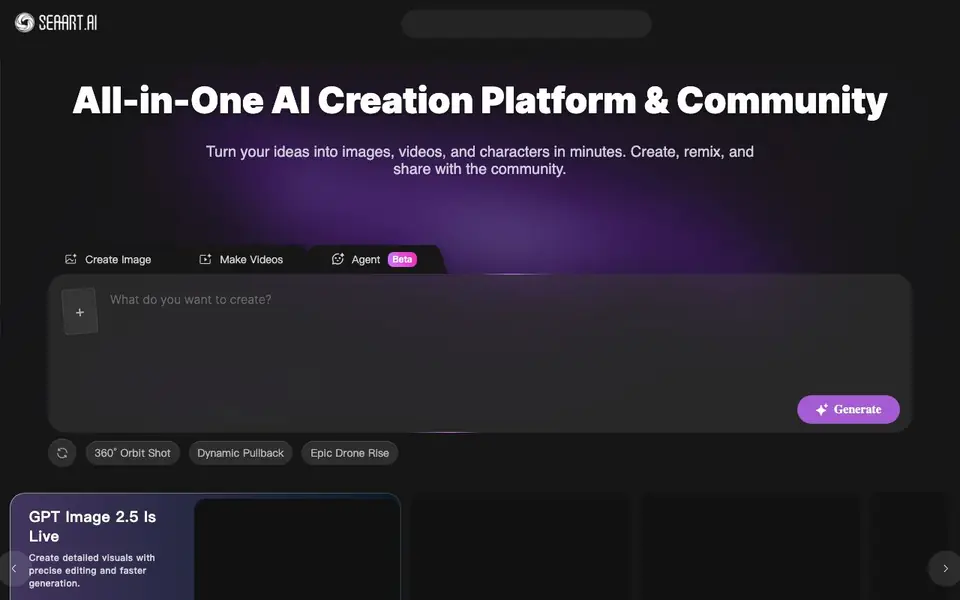
What is Seaart.ai?
SeaArt AI is an all-in-one platform where you can turn ideas into images, videos, and characters in minutes. It combines creation tools with a community space, so you can make, remix, and share your work with others. The platform supports a range of models, including GPT Image 2.5, Seedance 2.5, MiniMax H3, Wan 3.0, and Seedream 5.0 Pro, giving you options for different creative tasks.
To get started, you pick a tool like image generation, video creation, or an agent. You can use templates and one-click effects, such as background removal, image upscaling, filters, and erasers. For video, there are tools for lip sync, face dance effects, and multi-angle camera movements. You can also remix creations from other users in the community gallery, which is a quick way to learn and get inspired.
SeaArt AI suits creators who want both powerful tools and a social space to share work. The website mentions a mobile app and tutorials for beginners, but it does not state pricing details or whether free plans exist. If you need commercial use, check the site's FAQ for specifics, as the homepage does not cover that directly.
Seaart.ai features
- AI Image Generator: Create detailed visuals from text prompts with precise editing options.
- AI Video Generator: Make cinematic stories with tools like lip sync, face dance, and camera movements.
- Community Gallery: Explore and remix creations from other users to spark new ideas.
- One-Click Effects: Apply filters, background removal, erasers, and upscalers to images fast.
- Model Variety: Access multiple AI models like GPT Image 2.5, Seedance, and MiniMax H3 for different tasks.
What you can do with Seaart.ai
- Generate images for social media posts or marketing visuals.
- Create short videos with effects like bullet time or glitch.
- Remix community creations to learn new techniques.
- Edit photos by removing backgrounds or upscaling them.
How to get started with Seaart.ai
- Go to SeaArt AI's website and choose a tool like image or video generation.
- Pick a model or template, then enter your prompt or upload a reference.
- Generate your creation, then remix, edit, or share it in the community gallery.
Tips for better results with Seaart.ai
- Start with the community gallery and remix existing creations to learn prompt styles and techniques before generating from scratch with SeaArt AI.
- Choose the specific model like Seedance 2.5 for video or GPT Image 2.5 for images to match your task, since SeaArt AI offers different strengths per model.
- Use one-click effects like background removal or upscaling after generating to refine your output quickly, saving time on manual edits in SeaArt AI.
- Experiment with video tools like lip sync or face dance on short clips first, then adjust camera angles to see what SeaArt AI handles best before committing to longer projects.
Seaart.ai pricing
Seaart.ai’s homepage does not list prices. Check seaart.ai for current plans.
What to check before you rely on Seaart.ai
- Check the FAQ for whether free plans exist and what limits apply, since the website does not state pricing or free tier details.
- Verify commercial use rights in the FAQ before using SeaArt AI for client work, as the homepage does not cover licensing specifics.
- Confirm whether your creations can be kept private, since the community gallery is public and the website does not explain privacy controls clearly.
Who Seaart.ai is for
Seaart.ai suits digital artists, content creators, social media marketers and hobbyists. If that is not you, the AI image generators below may fit better.
Similar tools compared with Seaart.ai
| Tool | What it is | Pricing |
|---|---|---|
| Seaart.ai | All-in-one AI creation platform and community | See website |
| SiImageGen | AI image generator and photo editor | Freemium |
| FreeSiTools | Free AI image prompt generator | Free |
| SiPhotoEditor | AI photo editor by description | Paid |
| Civitai | AI art community and model library | Freemium |
Seaart.ai FAQ
What is SeaArt AI?
SeaArt AI is an all-in-one AI creation platform where you can make images, videos, and characters. It also has a community where you can share, remix, and get inspired by others' work.
Is SeaArt AI free to use?
The website does not state whether SeaArt AI is free or has paid plans. Check the pricing section on the site or the FAQ for details, as the homepage does not mention costs.
Is SeaArt AI only an image generator?
No, it also offers video generation, audio tools, and AI chats. You can create images, videos, and characters, plus use tools like lip sync and face swap.
Can I keep my creations private on SeaArt AI?
The website mentions a community gallery and sharing, but it does not specify privacy settings. Check the FAQ on the site for information about keeping creations private.
What file formats can SeaArt AI export images and videos in?
The SeaArt AI website does not specify the exact file formats for exports. To find this information, check the platform's help center or documentation after you start using the tool. The homepage focuses on creation features rather than technical export details.
Does SeaArt AI require an account to use its tools?
The SeaArt AI website does not explicitly state whether an account is required. Typically, platforms like this ask for an account to save and share your work, but you should verify by visiting the site and attempting to use a tool. Check the sign-up or login prompts for clarity.
Can I use SeaArt AI on my phone or tablet?
Yes, SeaArt AI has a mobile app, as mentioned on the website. The app is available for download, and it lets you create and explore on the go. The site does not specify if it works on tablets, but the app likely supports both phones and tablets. Check the app store for compatibility details.


