

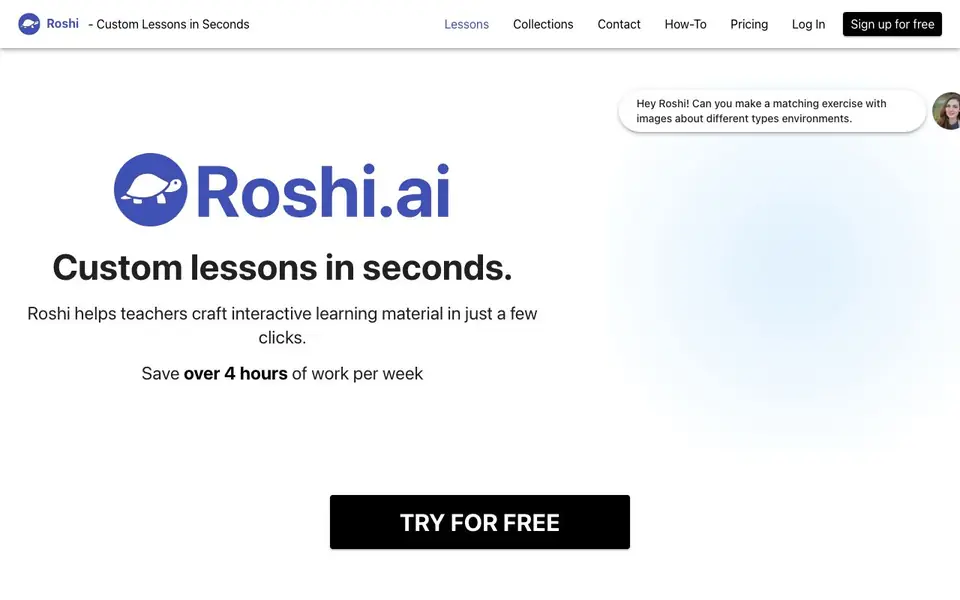
What is Roshi?
Roshi is an AI tool built for teachers who want to create custom learning materials quickly. You describe what you need, and Roshi generates interactive content like dialogues, images, brochures, and targeted activities. It’s designed to save you hours of prep work each week.
To use Roshi, you start by typing a prompt that describes your desired learning material. For example, you could ask for a matching exercise with images about different environments. Roshi’s AI then creates the material, which you can review and adjust. Finally, you share the finished content directly to platforms like Moodle or Google Classroom.
Roshi suits teachers of languages, subjects, or specialized programs like CLB. It offers fully voiced dialogues with custom voices and pronunciation, plus visuals and activities based on your criteria. The website highlights a free sign-up, so you can try it without commitment. It doesn’t mention specific limits, so you’ll need to check the pricing page for plan details.
Roshi features
- Custom dialogues: Generate fully voiced dialogues with custom voices and pronunciation for your lessons.
- Visual creation: Make images, brochures, and other visual documents from your prompts.
- Targeted activities: Build activities based on specialized criteria like CLB levels.
- Quick generation: Turn a simple description into complete learning material in just a few clicks.
- Platform sharing: Send your content to Moodle, Google Classroom, and other learning platforms.
What you can do with Roshi
- Create a matching exercise with images about different environments for your class.
- Generate a voiced dialogue for language learners with specific pronunciation needs.
- Build a brochure or visual document to support a lesson topic.
- Design activities aligned to CLB criteria for adult learners.
How to get started with Roshi
- Sign up for free on the Roshi website.
- Describe your desired learning material using a prompt.
- Watch Roshi generate the material, then share it to your learning platform.
Tips for better results with Roshi
- Write detailed prompts that specify the topic, level, and format you want, like a matching exercise with images about environments for beginner learners, to get precise results from Roshi.
- Review and adjust the generated material before sharing it, since Roshi creates content quickly but may need tweaks to match your teaching style and student needs.
- Use Roshi to create voiced dialogues with custom voices and pronunciation for language lessons, and then share them directly to Moodle or Google Classroom to save prep time.
- Experiment with different prompt phrasings and criteria like CLB levels to see how Roshi adapts the activities, and refine your requests based on what works best for your classes.
Roshi pricing
Roshi has a free way to start, with paid plans for heavier use. Check roshi.ai for current limits and prices.
What to check before you rely on Roshi
- Check the pricing page for plan limits, since the website mentions a free sign-up but does not state specific usage caps or feature restrictions.
- Verify whether your required export formats are supported, as the site only lists sharing to Moodle and Google Classroom without detailing other options.
- Confirm data and privacy policies before using Roshi with student information, because the website does not clearly explain how uploaded prompts or generated content are handled.
Who Roshi is for
Roshi suits teachers, language instructors and curriculum developers. If that is not you, the AI tools for students below may fit better.
Similar tools compared with Roshi
| Tool | What it is | Pricing |
|---|---|---|
| Roshi | AI lesson and activity maker | Freemium |
| Gauth | AI homework helper with step-by-step answers | Freemium |
| Khanmigo | AI teaching assistant and tutor | Freemium |
| ChatPDF | AI chat and summarizer for PDFs | Freemium |
| Jenni AI | AI academic writing and research assistant | Freemium |
Roshi FAQ
What can I create with Roshi?
You can create interactive learning materials like dialogues, visuals such as images and brochures, and targeted activities. For example, you can ask for a matching exercise with images about different environments.
Is Roshi free to use?
The website offers a free sign-up option, so you can start using Roshi without paying. It doesn’t state whether there are paid plans, so check the Pricing page for details.
Who is Roshi for?
Roshi is for teachers who want to craft interactive learning material quickly. It’s especially useful for language teachers and those working with specialized criteria like CLB.
Can I share my lessons to other platforms?
Yes, you can share your content to Moodle, Google Classroom, and other learning platforms. The website mentions these integrations, but doesn’t list all supported platforms.
Does Roshi require an account to use it?
Yes, you need to sign up for a free account to use Roshi. The website offers a free sign-up option, and you can try it without commitment. For details on what the free plan includes, check the pricing page on roshi.ai.
What platforms can Roshi share lessons to?
Roshi can share your finished lessons directly to platforms like Moodle and Google Classroom. The website also mentions other learning platforms, but it does not list them all. For a complete list, check the how-to or contact sections on roshi.ai.
Can Roshi create lessons for subjects other than languages?
Yes, Roshi is designed for teachers of languages, subjects, or specialized programs like CLB. You can create dialogues, visuals, and activities for any subject by describing what you need. The website does not specify subject limitations, so you can try it for your own teaching context.


