

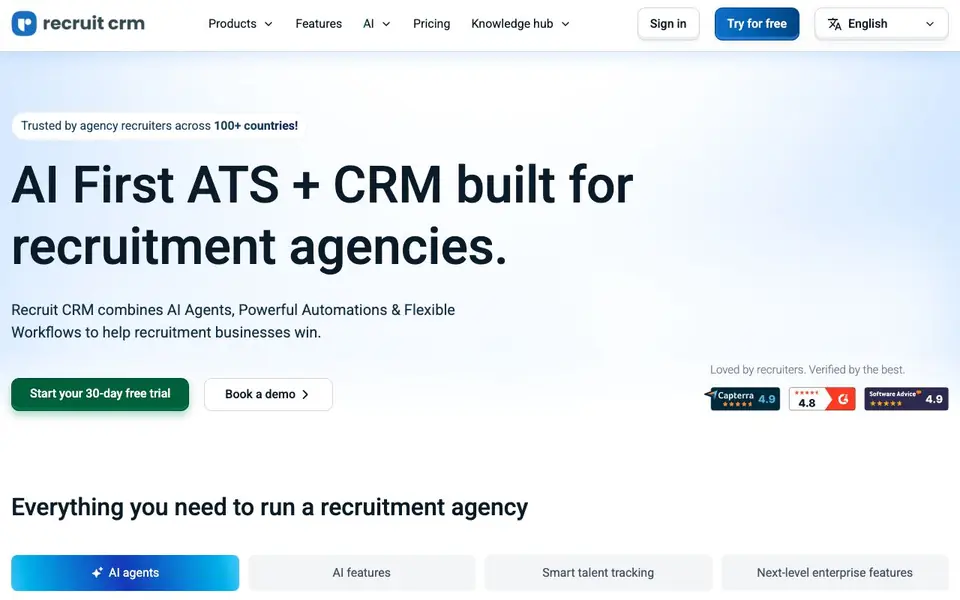
What is Recruit CRM?
Recruit CRM is an all-in-one applicant tracking system and client relationship manager built for recruitment agencies. It combines AI agents, automation, and flexible workflows to help you run your business. The platform handles tasks like resume formatting, candidate submissions, and email replies automatically, saving you hours each week.
You start with a 30-day free trial. You can then use AI agents for tasks like parsing custom fields from resumes, crafting candidate lists for submission, generating formatted resumes as PDFs, and writing branded candidate pitch emails. AI sourcing lets you find candidates across the internet using natural language, and AI candidate matching analyzes qualifications against roles.
The tool also includes timesheets for automating invoicing and contractor pay, a website builder for career pages, and integrations with other tools. It tracks job changes and alerts you to backdoor hires, helping you recover fees. It suits contract staffing, permanent staffing, and executive search firms, with enterprise features for scaling.
Recruit CRM features
- AI agents: Handle email replies, candidate submissions, resume formatting, and sourcing strategies automatically.
- Custom Field Parsing Agent: Trains to recognize custom fields in resumes and populates them into candidate profiles.
- Candidate Submission Agent: Crafts polished candidate lists ready for email submission to clients.
- Resume/CV Formatting Agent: Generates AI-formatted resumes on the spot and saves them as PDFs.
- Job Change Alert: Monitors candidate moves via LinkedIn and alerts you to backdoor hires to recover fees.
What you can do with Recruit CRM
- Automate resume formatting and candidate submissions for faster placements.
- Source candidates across the internet using natural language queries.
- Track candidate job changes and catch backdoor hires to protect fees.
- Manage contractor timesheets, invoicing, and pay in one place.
How to get started with Recruit CRM
- Sign up for a 30-day free trial on the website.
- Set up your ATS and CRM with candidate and client data.
- Deploy AI agents to automate resume parsing, formatting, and candidate submissions.
Tips for better results with Recruit CRM
- Train the Custom Field Parsing Agent on your specific resume formats first, so Recruit CRM accurately populates candidate profiles and reduces manual data cleanup.
- Use Recruit CRM's AI Sourcing with detailed natural language queries, like specifying skills and location, to narrow candidate results and speed up your shortlisting process.
- Test the Candidate Submission Agent on a few real roles, then review its output for tone and accuracy before relying on it for client-facing emails.
- Set up Job Change Alerts in Recruit CRM to monitor candidate moves, and act quickly on backdoor hire notifications to protect your fees.
Recruit CRM pricing
Recruit CRM offers a free trial before you pay. Check recruitcrm.io for current plans.
What to check before you rely on Recruit CRM
- Check whether the 30-day trial includes all AI agent features or if some require a paid plan, since the website does not list pricing details.
- Verify that Recruit CRM's integrations cover your existing email, calendar, and job board tools, as the website lists integrations but not specific options.
- Confirm how candidate and client data is handled, including export formats and deletion policies, because the website does not state data privacy specifics.
Who Recruit CRM is for
Recruit CRM suits recruitment agencies, contract staffing firms, executive search consultants and permanent placement recruiters. If that is not you, the AI business tools below may fit better.
Similar tools compared with Recruit CRM
| Tool | What it is | Pricing |
|---|---|---|
| Recruit CRM | AI-powered ATS and CRM for recruiters | Free trial |
| Tidio | AI customer service and sales platform | Freemium |
| Chatbase | AI customer experience and support agents | Free trial |
| Copy.ai | AI-native go-to-market platform | See website |
| Harvey | AI platform for legal and professional services | See website |
Recruit CRM FAQ
What does Recruit CRM do?
It is an AI-powered ATS and CRM for recruitment firms. It manages candidate tracking, client relationships, timesheets, invoicing, and outreach, with AI agents handling repetitive tasks like resume formatting and email replies.
Is there a free trial or free plan?
The website offers a 30-day free trial. It does not state whether a permanent free plan exists, so check the pricing page for current options.
Who is Recruit CRM for?
It is built for recruitment agencies, including contract staffing, permanent staffing, and executive search firms. It also offers enterprise features for scaling larger recruitment businesses.
What AI features are included?
AI agents handle custom field parsing, candidate submissions, resume formatting, and candidate pitching. There is also AI sourcing, AI candidate matching, and outreach sequencing for email, SMS, and LinkedIn.
What integrations does Recruit CRM offer?
Recruit CRM supports integrations with top tools to enhance your workflow, as mentioned on its website. The site lists integrations generally but does not specify each one. To see the full list, check the Integrations section on the Recruit CRM website.
Does Recruit CRM have a mobile app?
The Recruit CRM website does not mention a dedicated mobile app. It focuses on web-based features like AI agents, timesheets, and a website builder. For the most current information about mobile access, check the Recruit CRM website or contact their support team.
Can I use Recruit CRM for free beyond the trial?
Recruit CRM offers a 30-day free trial, but the website does not mention a permanent free plan. After the trial, you would need to subscribe to continue using the platform. For specific pricing details, visit the Pricing page on the Recruit CRM website.


