

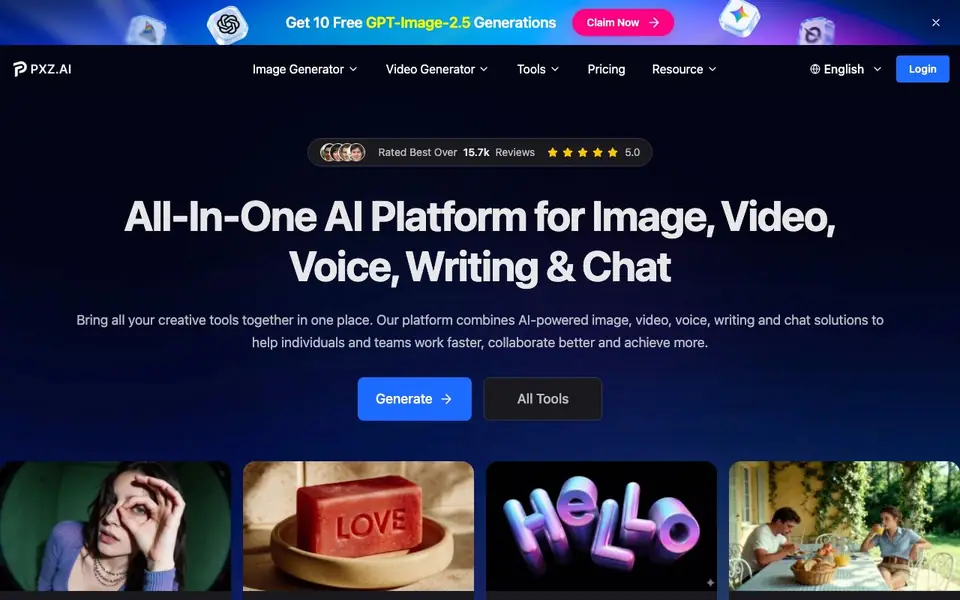
What is PXZ AI?
PXZ AI is an all-in-one platform that brings together AI tools for images, videos, voice, writing, and chat. You can generate photorealistic images, turn text or images into videos, apply artistic filters, and even create consistent characters across scenes. It is built for individuals and teams who want to move from idea to final output without switching between many apps.
To start, you pick a model from the available options, such as Seedream 5 for images or Kling 3.0 for videos. You describe what you want in plain language or upload an image, and the tool renders the result. For video, you can convert static images into motion, transform existing footage into different styles, or generate a kissing video from two portraits.
The platform also includes over 150 photo and video effects, like face filters, age calculators, and character makers. You can try it for free, and there is a Pro plan that unlocks better models and more tools. The website highlights features like high-resolution output, model comparison, and preserving original motion in video edits.
PXZ AI features
- Text to Image Generator: Connect to models like Midjourney and Nano Banana, and describe anything in plain language to get an image.
- Image to Video Generator: Upload a static image, add your vision, and generate cinematic movement with models like Sora 2 and Veo 3.1.
- Video to Video Generator: Transform any video into 20+ styles, from anime to vintage film, while keeping the original motion.
- AI Kissing Generator: Upload two portraits and create a photorealistic romantic moment with AI face animation.
- Consistent Character AI Video: Generate multiple scenes from one image where your subject stays identical for campaigns or branded content.
What you can do with PXZ AI
- Create marketing visuals with consistent characters across multiple scenes.
- Turn a static product photo into a short cinematic video for social media.
- Apply artistic filters like Studio Ghibli or oil painting to your photos.
- Generate a romantic kissing video from two portrait photos for fun or gifts.
How to get started with PXZ AI
- Go to the PXZ AI website and sign up or log in.
- Choose a tool like AI Image or AI Video from the creation menu.
- Select a model, enter your prompt or upload an image, and generate your output.
Tips for better results with PXZ AI
- Start with Seedream 5 for images and Kling 3.0 for videos to get the best quality, then compare results across models to find the style you prefer.
- Describe your scene in plain language with specific details like lighting, mood, and camera angle to help PXZ AI render closer to what you imagine.
- Upload a clear, high-resolution image when using image-to-video or video-to-video, since the tool preserves original motion and works better with sharp input.
- Use the consistent character feature to generate multiple scenes from one image, which keeps your subject identical across campaigns or branded content.
PXZ AI pricing
PXZ AI has a free way to start, with paid plans for heavier use. Check pxz.ai for current limits and prices.
What to check before you rely on PXZ AI
- Check the free plan limits before starting, since the website lists freemium pricing but does not state how many generations or which models are included for free.
- Verify the Pro plan price and what it unlocks, as the site mentions better models and more tools but does not list a specific cost or feature breakdown.
- Review the export formats and resolution options for your final files, because the website highlights high resolution but does not specify available file types or sizes.
Who PXZ AI is for
PXZ AI suits creators, marketers, businesses and content teams. If that is not you, the AI image generators below may fit better.
Similar tools compared with PXZ AI
| Tool | What it is | Pricing |
|---|---|---|
| PXZ AI | All-in-one AI creation platform | Freemium |
| SiImageGen | AI image generator and photo editor | Freemium |
| FreeSiTools | Free AI image prompt generator | Free |
| SiPhotoEditor | AI photo editor by description | Paid |
| Civitai | AI art community and model library | Freemium |
PXZ AI FAQ
What can I create with PXZ AI?
You can generate images from text, turn images into videos, apply video effects, create voiceovers, write content, and chat with AI. The platform also offers over 150 photo and video effects like face filters and character makers.
Is PXZ AI free to use?
The website offers a free trial, including 10 free GPT-Image-2.5 generations. There is also a Pro plan that unlocks better models and more tools. Pricing details for the Pro plan are not stated on the site.
Who is PXZ AI for?
It is built for creators, businesses, and teams who need to produce images, videos, and other content quickly. The platform is designed to help you work faster and collaborate better in one place.
What AI models does PXZ AI support?
For images, it supports models like Seedream 5, Nano Banana Pro, and Nano Banana 2. For videos, it includes Kling 3.0, Sora 2, and Veo 3.1. You can compare models instantly to choose the best one for your task.
What can I export from PXZ AI and to which platforms?
PXZ AI lets you generate images and videos, and you can download them to your device. The website does not mention direct export to social media or other platforms. To see if sharing options are available, check the tool's interface after you create something.
Does PXZ AI have a mobile app or is it only web-based?
PXZ AI is accessible through its website, and the site does not mention a dedicated mobile app. You can likely use it on a mobile browser, but for the best experience, check the site's responsiveness on your phone or look for app links in the footer or help section.
What does the free plan on PXZ AI include?
PXZ AI offers a free plan that lets you try its tools, including image and video generation. The website highlights that you can 'try for free' and mentions a Pro plan that unlocks better models and more tools. For exact free limits, check the pricing page on pxz.ai.


