

What is PortfolioPilot?
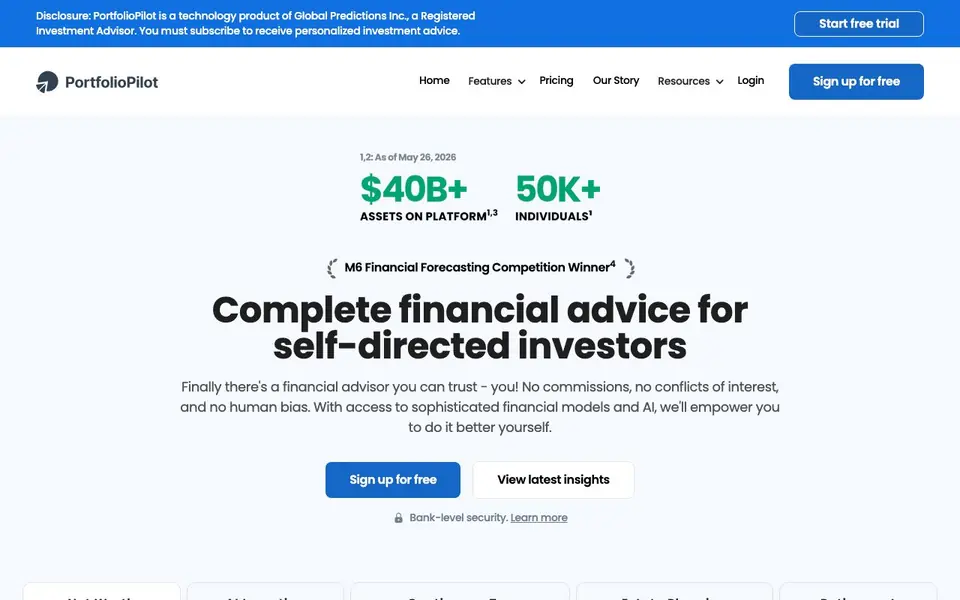
PortfolioPilot is an AI-powered financial advisor platform for self-directed investors. It aggregates your net worth across brokerages, banks, crypto wallets, and more, then analyzes your portfolio with a proprietary engine inspired by hedge fund technology. You get personalized investment advice, tax optimization, and risk alerts without human bias or commissions.
To start, you connect your accounts securely — the platform syncs with over 12,000 financial institutions. Then you receive a portfolio assessment that scores your allocation and flags risks. The AI assistant reviews your holdings and suggests adjustments, which you review and approve before acting. You can also run scenario models to test how different decisions might impact your portfolio over time.
PortfolioPilot suits US and Canada investors who want professional-grade tools without paying typical advisor fees. It includes estate planning checklists, a retirement planner, and continuous tax optimization. The free plan covers net worth tracking and planning tools, while paid tiers add personalized recommendations and unlimited AI access.
PortfolioPilot features
- Net worth tracking: Visualize all your assets in one platform, including brokerage, 401K, IRA, crypto, cash, and real estate.
- AI investment advice: Get personalized recommendations based on your specific holdings and economic models.
- Continuous tax optimization: Identify tax-saving opportunities and hidden fees to improve your after-tax returns.
- Scenario modeling: Test potential outcomes for different investment strategies and see how decisions could impact your portfolio.
- Risk monitoring: Receive notifications when economic risks come up in your portfolio.
What you can do with PortfolioPilot
- Track your full net worth across multiple accounts in one dashboard.
- Optimize your portfolio with AI-driven recommendations you review before acting.
- Plan for retirement with scenario modeling and future simulations.
- Protect your assets with estate planning checklists and tax-efficient advice.
How to get started with PortfolioPilot
- Sign up for a free account on PortfolioPilot's website.
- Connect your brokerage, bank, and crypto accounts securely.
- Get a free 1-minute assessment and review your portfolio score and recommendations.
Tips for better results with PortfolioPilot
- Connect all your accounts, including crypto and real estate, so PortfolioPilot's net worth tracking and risk alerts reflect your complete financial picture.
- Use PortfolioPilot's scenario modeling to test different investment decisions before you act, and compare outcomes side by side to choose the best path.
- Review each AI recommendation from PortfolioPilot against your own goals and risk tolerance, then approve only the changes that make sense for you.
- Check PortfolioPilot's risk monitoring regularly to catch economic alerts early, and adjust your holdings when the platform flags a problem area.
PortfolioPilot pricing
PortfolioPilot has a free way to start, with paid plans for heavier use. Check portfoliopilot.com for current limits and prices.
What to check before you rely on PortfolioPilot
- Verify which features are included in the free plan versus paid tiers, since the website lists freemium pricing but does not state specific limits or costs.
- Confirm that PortfolioPilot supports all your financial institutions, as it syncs with over 12,000 but may not cover every bank or broker you use.
- Review the privacy and security policies for your connected account data, since the site mentions bank-level security but does not detail data handling practices.
Who PortfolioPilot is for
PortfolioPilot suits self-directed investors, long-term investors and US and Canada residents. If that is not you, the AI business tools below may fit better.
Similar tools compared with PortfolioPilot
| Tool | What it is | Pricing |
|---|---|---|
| PortfolioPilot | AI financial advisor for self-directed investors | Freemium |
| Tidio | AI customer service and sales platform | Freemium |
| Chatbase | AI customer experience and support agents | Free trial |
| Copy.ai | AI-native go-to-market platform | See website |
| Harvey | AI platform for legal and professional services | See website |
PortfolioPilot FAQ
What does PortfolioPilot do?
It's an AI financial advisor that tracks your net worth, analyzes your portfolio, and gives personalized investment and tax advice. You connect your accounts, and the platform scores your allocation and suggests adjustments you can approve.
Is PortfolioPilot free?
There's a free plan that includes net worth tracking, retirement planning, and portfolio assessment. Paid tiers start at $20/month (Gold) and $49/month (Platinum) when billed annually, with a 10-day free trial.
Who is PortfolioPilot for?
It's built for self-directed investors in the US and Canada who want professional-grade tools without paying typical advisor fees. The site says it's used by over 50,000 individuals managing more than $40 billion in assets.
What accounts can I connect?
You can connect over 12,000 brokerages, banks, and crypto wallets. This includes brokerage accounts, 401Ks, IRAs, crypto, cash, student loans, real estate, private equity, and precious metals.
What devices or platforms can I use PortfolioPilot on?
PortfolioPilot is a web-based platform, so you can access it through any modern web browser on your computer, tablet, or smartphone. The website does not mention dedicated mobile apps, but you can log in from your device's browser. Check the site for any updates on app availability.
Does PortfolioPilot offer a free plan and what does it include?
Yes, PortfolioPilot has a free plan that covers net worth tracking and planning tools. This includes visualizing your assets and using the retirement planner. Paid tiers add personalized recommendations and unlimited AI access. For exact details on what the free plan includes, visit the pricing page on the website.
Can PortfolioPilot export my portfolio data or connect to other tools?
PortfolioPilot connects to over 12,000 financial institutions to sync your holdings. The website does not mention exporting data or integrating with other apps. For specific export or integration options, check the FAQ or support section on the site.


