

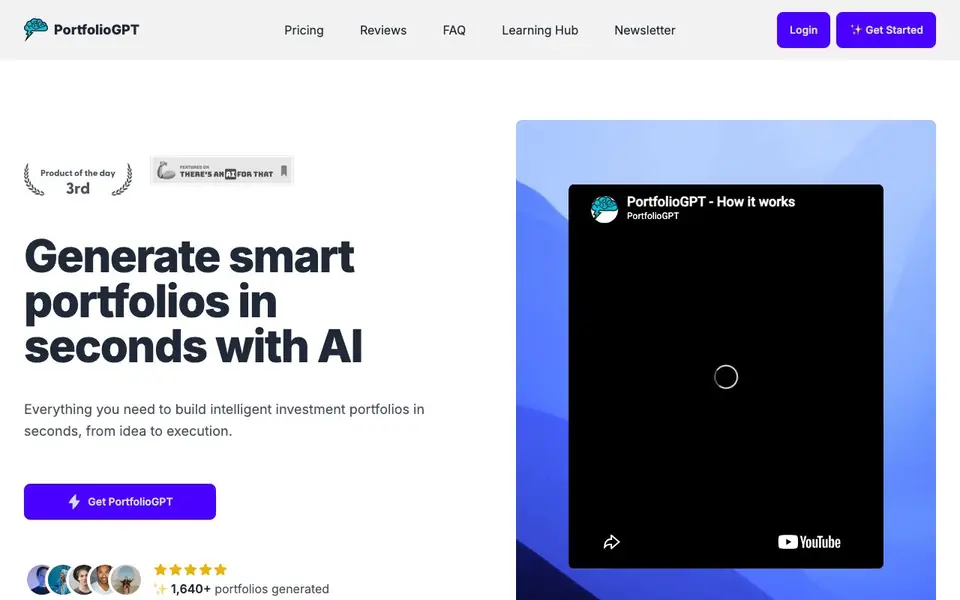
What is PortfolioGPT?
PortfolioGPT is an AI-powered tool that builds investment portfolios for you. It uses OpenAI's algorithms to generate suggestions based on your risk tolerance, investment amount, duration, and goals. You can choose from conservative to aggressive strategies. The tool covers stocks, ETFs, real estate, and crypto.
To get started, you enter your desired investment amount, risk level, investment duration, and goal. The AI then provides portfolio recommendations optimized for your financial objectives. You can also use the preferred assets option to focus on specific sectors or base currencies. The interface is simple and returns results quickly.
The free plan gives you 5 daily credits and includes the Portfolio GPT, retirement calculator, interest calculator, and budgeting calculator. Paid plans start at $3 per month and offer unlimited credits, additional tools like Index GPT and Sector GPT, Yahoo! Finance data, backtesting, and forward guidance. The annual plan costs $27 per year. The website does not state any specific limitations beyond the plan features.
PortfolioGPT features
- AI-Powered Portfolio Generation: Automatically creates investment portfolios using OpenAI's algorithms based on your risk tolerance and amount.
- Personalized Risk Profiling: Tailors portfolios to your risk preferences, from conservative to aggressive strategies.
- Instant Portfolio Suggestions: Provides portfolio recommendations in seconds, optimized for your financial goals and capital.
- Simple User Input: Just enter your investment amount, risk level, duration, and goal — the AI handles the rest.
- Multiple Asset Classes: Supports stocks, ETFs, real estate, and crypto in portfolio generation.
What you can do with PortfolioGPT
- Generate a diversified portfolio based on your risk tolerance and investment amount.
- Get quick portfolio suggestions for your financial goals and capital.
- Use the retirement calculator to plan your long-term savings.
- Explore different investment strategies with unlimited credits on paid plans.
How to get started with PortfolioGPT
- Go to PortfolioGPT's website and click Get Started.
- Enter your investment amount, risk level, duration, and goal.
- Receive your AI-generated portfolio suggestions instantly.
Tips for better results with PortfolioGPT
- Enter your exact investment amount, risk level, duration, and goal to get tailored portfolio suggestions from PortfolioGPT, as vague inputs lead to generic results.
- Use the preferred assets option in PortfolioGPT to focus on specific sectors or base currencies, giving you more control over the generated portfolio.
- Compare PortfolioGPT's suggestions across conservative and aggressive strategies by adjusting your risk level, helping you see how different profiles affect the recommended assets.
- Start with the free plan's 5 daily credits to test PortfolioGPT's portfolio generation and calculators before upgrading, ensuring it fits your workflow.
PortfolioGPT pricing
PortfolioGPT has a free way to start, with paid plans for heavier use. Check portfoliogpt.xyz for current limits and prices.
What to check before you rely on PortfolioGPT
- Check if the free plan's 5 daily credits are enough for your testing, as the website does not state how many portfolios you can generate per credit.
- Verify whether PortfolioGPT's paid plans include the data sources you need, since the website only mentions Yahoo! Finance data for paid tiers.
- Confirm that PortfolioGPT exports or saves your portfolio results in a format you can use, as the website does not list any export options.
Who PortfolioGPT is for
PortfolioGPT suits new investors, seasoned investors and financial planners. If that is not you, the AI business tools below may fit better.
Similar tools compared with PortfolioGPT
| Tool | What it is | Pricing |
|---|---|---|
| PortfolioGPT | AI portfolio generator for investors | Freemium |
| Tidio | AI customer service and sales platform | Freemium |
| Chatbase | AI customer experience and support agents | Free trial |
| Copy.ai | AI-native go-to-market platform | See website |
| Harvey | AI platform for legal and professional services | See website |
PortfolioGPT FAQ
What does PortfolioGPT do?
It generates personalized investment portfolios using AI. You input your risk tolerance, investment amount, duration, and goals, and it suggests a portfolio of stocks, ETFs, real estate, or crypto tailored to you.
Is PortfolioGPT free?
Yes, there is a free plan with 5 daily credits. It includes the Portfolio GPT and basic calculators. Paid plans start at $3 per month for unlimited credits and more tools.
Who is PortfolioGPT for?
It's for both beginners and seasoned investors. Beginners can use the simple input to get started, while experienced investors can use advanced features like backtesting and market context on paid plans.
What assets can I include in my portfolio?
The tool supports stocks, ETFs, real estate, and crypto. You can also use the preferred assets option to focus on specific sectors or base currencies, as mentioned in user reviews.
Does PortfolioGPT offer a free plan, and what does it include?
Yes, PortfolioGPT has a free plan that gives you 5 daily credits. With those credits, you can use the Portfolio GPT, retirement calculator, interest calculator, and budgeting calculator. The website does not mention any other limitations beyond the plan features, so you can start using it without paying.
Can I use PortfolioGPT on my mobile device or desktop?
PortfolioGPT is a web-based tool, so you can access it from any device with an internet connection, including smartphones, tablets, and computers. The website does not specify dedicated apps for iOS or Android, but you can use it through your browser. Check the site for any platform-specific details.
What integrations or export options does PortfolioGPT support?
The PortfolioGPT website does not mention specific integrations with brokers or export features. It focuses on generating portfolio suggestions and includes tools like retirement and budgeting calculators. For details on connecting to external platforms or exporting data, you would need to check the website or contact support.


