

What is Pixlio AI?
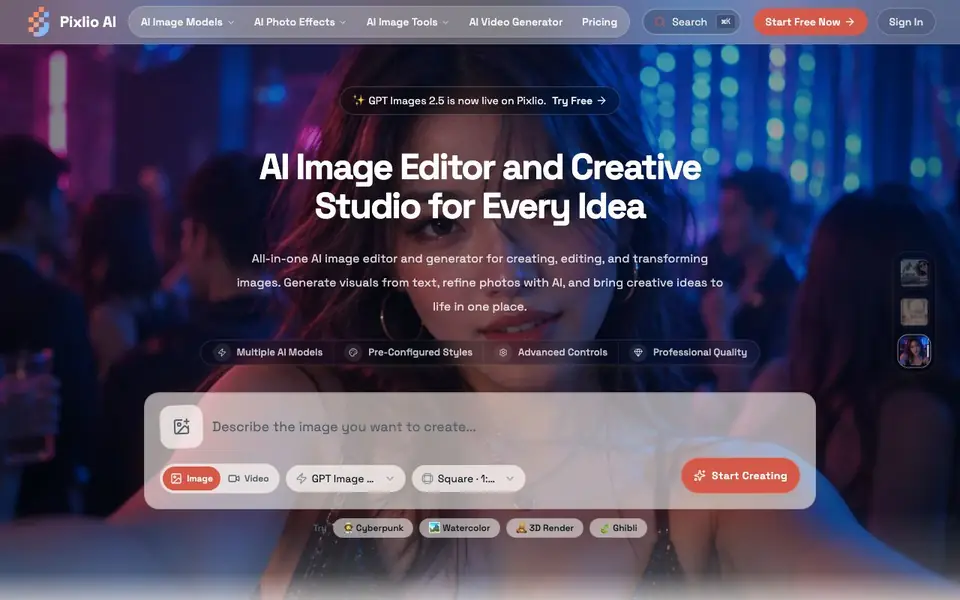
Pixlio AI is an all-in-one AI image editor and generator. It lets you create visuals from text, refine photos, and transform images using multiple AI models. The platform includes pre-configured styles, advanced controls, and professional quality output. You can also generate short video clips from your images.
To get started, you pick a model and a style preset, then describe what you want. You can generate images from text, edit existing photos by removing or adding objects and text, or change backgrounds. The editor understands context and semantics for natural-looking edits. You can also adjust aspect ratios, set seed values for reproducibility, and use negative prompts.
Pixlio AI suits creators, marketers, and anyone who needs quick visuals. You can create portraits, polish product shots, refine everyday photos, and make opening frames for videos. The website mentions models like GPT Image 2.5, Seedream 5.0 Pro, and Nano Banana 2. It offers a free start, with paid plans available for more advanced use.
Pixlio AI features
- AI Image Generation: Create original images from text descriptions using multiple cutting-edge models.
- Intelligent Photo Editing: Remove or change backgrounds, add or remove objects and text, and enhance quality.
- Professional Styles & Presets: Apply pre-configured styles like Ghibli anime, Pixar 3D, pixel art, and photorealistic.
- Advanced Customization: Control prompts, aspect ratios, seed values, and negative prompts for precise results.
- AI Video Generator: Turn your generated images into short video clips within the same platform.
What you can do with Pixlio AI
- Create social graphics and ad visuals for your next campaign.
- Reuse a photo by clearing old text or adding a new caption.
- Move a portrait, pet, or product into a better setting.
- Make product photos ready to sell with lifestyle settings and lighting.
How to get started with Pixlio AI
- Choose an AI model and a style preset from the available options.
- Describe the image you want or upload a photo to edit.
- Adjust details like aspect ratio and seed value, then generate or refine your image.
Tips for better results with Pixlio AI
- Start with a style preset like Ghibli or photorealistic, then describe your subject in detail. Pixlio AI handles context better when you specify lighting, mood, and composition.
- Use negative prompts in Pixlio AI to block unwanted elements like blurry edges or extra objects. This gives you cleaner results without regenerating multiple times.
- Set a fixed seed value in Pixlio AI when you want reproducible outputs. Keep the same seed and tweak only the prompt to explore variations systematically.
- For video clips, generate a strong base image first, then animate it. Pixlio AI produces smoother motion when the starting frame has clear subject separation and simple backgrounds.
Pixlio AI pricing
Pixlio AI has a free way to start, with paid plans for heavier use. Check pixlio.net for current limits and prices.
What to check before you rely on Pixlio AI
- Check the free plan's generation limits and watermarks before using Pixlio AI for client work. The website labels it freemium but does not list specific quotas.
- Verify which AI models are available on your plan. Pixlio AI mentions GPT Image 2.5, Seedream 5.0 Pro, and Nano Banana 2, but the website does not state model access per tier.
- Confirm your export options and file formats before relying on Pixlio AI for final deliverables. The site does not list supported download types or resolution limits.
- Review the privacy policy for how your uploaded images are stored and used. The website does not state whether your photos are used to train models or kept private.
Who Pixlio AI is for
Pixlio AI suits creators, marketers, product photographers and content designers. If that is not you, the AI image generators below may fit better.
Similar tools compared with Pixlio AI
| Tool | What it is | Pricing |
|---|---|---|
| Pixlio AI | All-in-one AI image editor and generator | Freemium |
| SiImageGen | AI image generator and photo editor | Freemium |
| FreeSiTools | Free AI image prompt generator | Free |
| SiPhotoEditor | AI photo editor by description | Paid |
| Civitai | AI art community and model library | Freemium |
Pixlio AI FAQ
What AI models does Pixlio support?
Pixlio supports multiple models including GPT Image 2.5, Seedream 5.0 Pro, Seedream 5 Lite, Seedream 4.5, and Nano Banana 2. The website says GPT Images 2.5 is now live on the platform.
Can I edit existing photos with Pixlio?
Yes, Pixlio is an AI photo editor. You can remove or change backgrounds, add or remove objects and text, enhance quality, adjust lighting, and apply filters. The editor understands context for natural-looking edits.
Is Pixlio free to use?
The website says you can try it for free and there is a 'Start Free Now' option. This suggests a free plan or free credits are available, with paid plans for more features.
Can I create videos with Pixlio?
Yes, Pixlio includes an AI video generator. You can create an image and then turn it into a short clip. The site shows examples like 'Retro kitchen suspense' and 'Studio sports coupe' as video creations.
What can Pixlio AI export, and does it connect to other apps?
Pixlio AI lets you use your finished images anywhere, including in video projects, but the website does not mention specific export formats or integrations with other apps. To see if a particular export option or connection is available, check the app's export or sharing options after you create something.
Does Pixlio AI work on mobile devices or only in a web browser?
The Pixlio AI website does not specify whether it runs on mobile devices or only in a web browser. You can access it through a browser on any device, but for a dedicated mobile app, check the website's download or app store links. If none appear, it may be browser-only.
What does the free plan of Pixlio AI include, and are there limits?
Pixlio AI offers a free start, but the website does not list exactly what the free plan includes or its limits. You can try it without paying, and paid plans are available for more advanced use. For specific details on free credits or feature restrictions, check the pricing page.


