

What is PixieBrix?
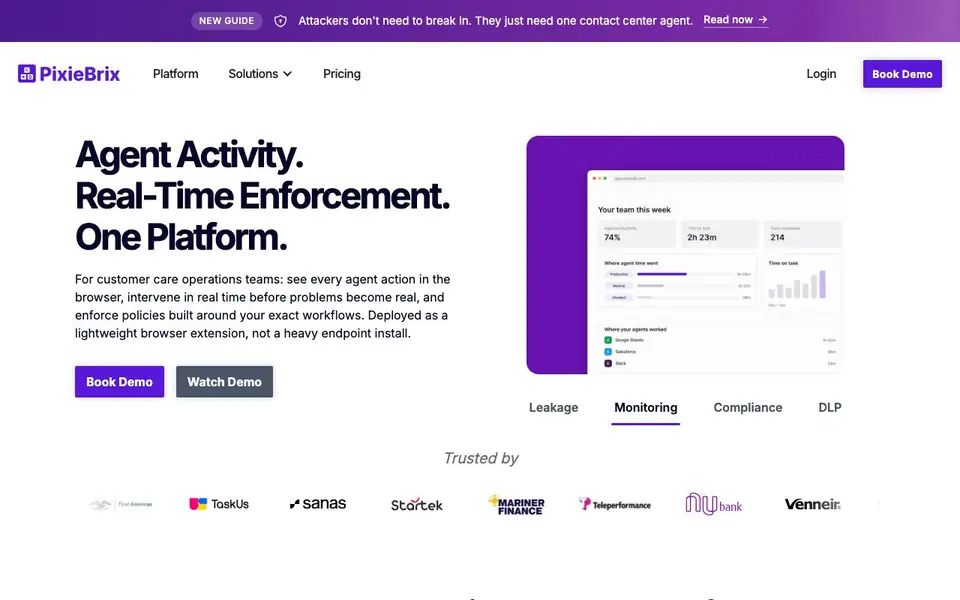
PixieBrix is a browser extension for customer care operations teams. It gives you visibility into every agent action across web apps, from refunds and discounts to copy-paste and record edits. You can set granular rules to monitor, warn, or block specific actions, helping you catch revenue leakage, account abuse, and data loss as they happen.
Getting started is quick. You deploy the lightweight extension on Chrome, Edge, or Island, and it works with the web apps you already use—no migration or heavy endpoint install. In minutes, you can configure policy controls tailored to your workflows, including custom logic for multi-step processes and cross-tab matching, like linking a live call to a lookup.
PixieBrix suits contact centers, BPOs, public sector, BFSI, and healthcare teams. It helps with fraud detection, compliance, quality assurance, and coaching. The website highlights an early adopter partnership with TaskUs and mentions over 10,000 agents onboarded with 100% compliance, but it does not detail pricing plans.
PixieBrix features
- Browser-level insight: See every action in any web app, not just URLs, including refunds, copy/paste, and record edits.
- Granular policy engine: Configure rules to monitor, warn, or block agent actions, with custom logic for multi-step workflows.
- Cross-tab logic: Match transactions across tabs, like correlating a live call with a real-time lookup.
- Audit log: Get a detailed record of agent actions to prove compliance when auditors ask.
- MCP data access: Expose data as MCP to correlate with other datasets for deeper analysis.
What you can do with PixieBrix
- Monitor refund and discount actions to prevent revenue leakage.
- Flag reused shipping addresses to catch fraud patterns.
- Rate-limit record opens to stop snooping on VIP accounts.
- Detect unusual data exports or clipboard activity after hours.
How to get started with PixieBrix
- Deploy the lightweight browser extension on Chrome, Edge, or Island.
- Configure policy rules to monitor, warn, or block specific agent actions.
- Use the dashboard to see real-time activity and intervene before issues escalate.
Tips for better results with PixieBrix
- Start by mapping your highest-risk workflows, like refunds or VIP account views, then configure PixieBrix rules to monitor those actions first before expanding to other processes.
- Use PixieBrix's cross-tab logic to link related actions, such as a live call with a lookup, so you catch fraud patterns that span multiple tabs or steps.
- Test your policy rules in monitor mode for a few days to see what PixieBrix flags, then adjust thresholds and warnings before switching to block actions.
- Review the audit log regularly to spot trends in agent behavior, and use PixieBrix's MCP data access to correlate those logs with other datasets for deeper analysis.
PixieBrix pricing
PixieBrix’s homepage does not list prices. Check pixiebrix.com for current plans.
What to check before you rely on PixieBrix
- Check whether PixieBrix's pricing fits your budget, since the website does not list any plan costs or tiers.
- Verify that PixieBrix works on the specific web apps your team uses daily, as the site only mentions general browser compatibility.
- Confirm data privacy and security policies, because the website does not detail how agent activity data is stored or protected.
Who PixieBrix is for
PixieBrix suits customer care operations teams, fraud and risk managers, quality assurance teams and vendor and outsourcing managers. If that is not you, the AI business tools below may fit better.
Similar tools compared with PixieBrix
| Tool | What it is | Pricing |
|---|---|---|
| PixieBrix | Browser extension for agent activity monitoring | See website |
| Tidio | AI customer service and sales platform | Freemium |
| Chatbase | AI customer experience and support agents | Free trial |
| Copy.ai | AI-native go-to-market platform | See website |
| Harvey | AI platform for legal and professional services | See website |
PixieBrix FAQ
What does PixieBrix do?
It monitors every agent action in the browser across web apps, letting you set rules to watch, warn, or block actions like refunds, copy-paste, and record edits. It helps catch fraud, data loss, and policy violations in real time.
Is PixieBrix free or paid?
The website does not state pricing details. It offers a demo and a watch demo option, but you would need to contact the team for specific plan costs.
Who is PixieBrix for?
It targets customer care operations teams in contact centers, BPOs, public sector, BFSI, and healthcare. It is also useful for fraud and risk managers, quality assurance, and vendor oversight.
How is PixieBrix deployed?
It is a lightweight browser extension for Chrome, Edge, or Island. There is no desktop agent or endpoint install, and it works with your existing web apps without migration.
What browsers and operating systems does PixieBrix support?
PixieBrix runs as a lightweight browser extension on Chrome, Edge, and Island. It works on any operating system because it doesn't require a desktop agent. You can deploy it quickly on these browsers and it will work with the web apps you already use.
Does PixieBrix integrate with other tools or export data?
PixieBrix can expose data as MCP (Model Context Protocol) to correlate with other datasets for deeper analysis. The website does not mention specific integrations or export formats beyond that. For details on integrations, check the platform documentation or contact their team.
What does the free plan of PixieBrix include?
The PixieBrix website does not mention any free plan or trial details. Pricing information is not publicly listed. To find out what's included in any free tier, you would need to reach out to PixieBrix directly or request a demo through their site.


