

What is Pixfy AI?
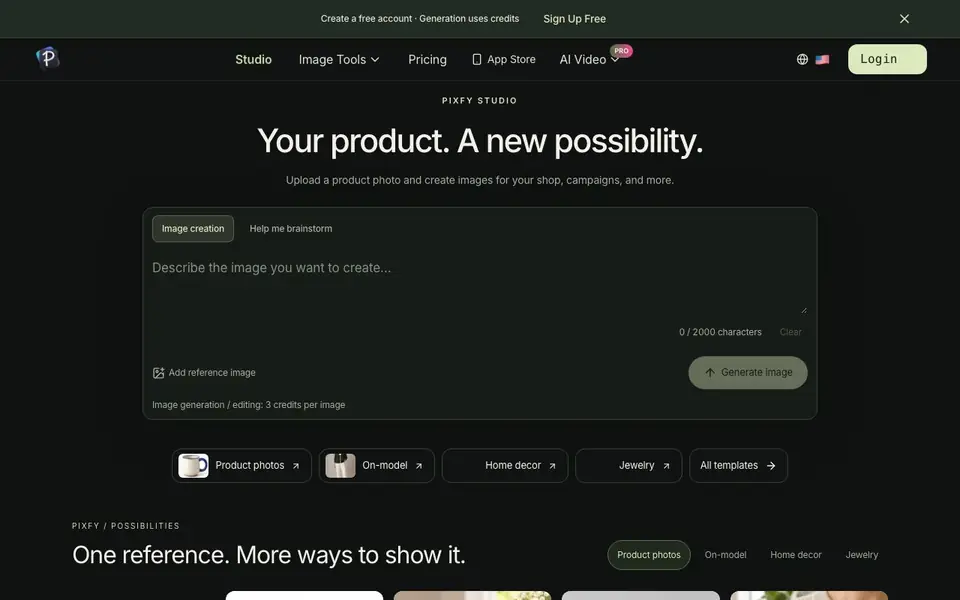
Pixfy AI is a creative studio that turns a single product photo into a range of images for your shop or brand. You can create clean listing shots, on-model looks, home decor scenes, and jewelry close-ups. It also supports a character studio where you keep one consistent identity across outfits, poses, scenes, and even videos.
To get started, you upload a clear reference photo of your product. Then you pick a direction, like a template or a custom description of the setting, lighting, and composition. After generating an image, you can select it and describe the next change to refine it further. You can return to your project anytime to keep editing.
Pixfy suits e-commerce sellers, marketers, and creators who need multiple visuals from one product. The site notes that demo images illustrate creative directions, not verified template results. Generation uses credits, and you can create a free account to begin.
Pixfy AI features
- Product photos: Generate clean listing images, detail views, and everyday settings for your products.
- On-model: Show garments on a model, from studio styling to street scenes.
- Home decor: Place furniture and decor in interiors that help customers picture them at home.
- Jewelry: Create close-ups, styled compositions, and on-body imagery to highlight details.
- Character consistency: Reuse the same character identity across images, looks, scenes, and videos.
What you can do with Pixfy AI
- Create product listing images for your online shop.
- Show clothing on a model without a photoshoot.
- Visualize furniture in different room settings.
- Generate styled jewelry shots for campaigns.
How to get started with Pixfy AI
- Create a free account on Pixfy AI.
- Upload a clear reference photo of your product.
- Choose a template or describe your desired setting, then generate and refine your image.
Tips for better results with Pixfy AI
- Upload a clear, well-lit reference photo of your product so Pixfy AI can preserve the important details across generated images.
- Start with a template to see the creative direction, then refine by selecting a generated image and describing the exact change you want.
- Use Pixfy AI's character studio to keep one identity consistent across outfits and scenes, which saves time when building a campaign.
- Return to your project anytime to continue editing, and describe changes in specific terms like lighting, angle, or background to get closer results.
Pixfy AI pricing
Pixfy AI has a free way to start, with paid plans for heavier use. Check pixfy.io for current limits and prices.
What to check before you rely on Pixfy AI
- Check your credit balance before starting, since Pixfy AI charges 3 credits per image and the free account limits are not stated on the site.
- Confirm whether the free plan includes enough credits for your project, as the website does not list specific free tier limits.
- Review Pixfy AI's privacy policy and terms to see how your uploaded product photos are stored or used, since this is not detailed on the main page.
Who Pixfy AI is for
Pixfy AI suits e-commerce sellers, marketers, brand creators and small business owners. If that is not you, the AI image generators below may fit better.
Similar tools compared with Pixfy AI
| Tool | What it is | Pricing |
|---|---|---|
| Pixfy AI | AI product photo and character generator | Freemium |
| SiImageGen | AI image generator and photo editor | Freemium |
| FreeSiTools | Free AI image prompt generator | Free |
| SiPhotoEditor | AI photo editor by description | Paid |
| Civitai | AI art community and model library | Freemium |
Pixfy AI FAQ
What can I create with Pixfy AI?
You can generate product photos, on-model images, home decor scenes, and jewelry shots from a single reference photo. You can also create a consistent character for use across images and videos.
Is Pixfy AI free to use?
You can create a free account, but generation uses credits. The site does not detail the free credit amount or pricing tiers, so check the pricing page for specifics.
How does the character consistency feature work?
You create one reusable character identity, then keep every image, look, scene, and video connected in Pixfy Character Studio. This lets you reuse the same character across different contexts.
Will every product detail stay exact in generated images?
The site does not guarantee exact product details. It notes that demo images illustrate creative directions, not verified template results, so some variation may occur.
Does Pixfy AI have a mobile app?
Pixfy AI mentions an App Store link on its website, which suggests there may be an iOS app available. However, the site does not explicitly state whether it runs on Android or other platforms. To confirm, check the App Store listing or contact support.
What can I export from Pixfy AI and to which platforms?
Pixfy AI does not specify export formats or direct integrations with platforms like Shopify or Etsy on its website. You can generate images and download them, but for details on export options or integrations, review the site's documentation or contact support.
Does Pixfy AI require an account to use it?
Yes, Pixfy AI requires you to create a free account to start generating images. The website states 'Create a free account' and mentions that generation uses credits. You can sign up for free and begin using the tool.


