What is Pcdealcheck?
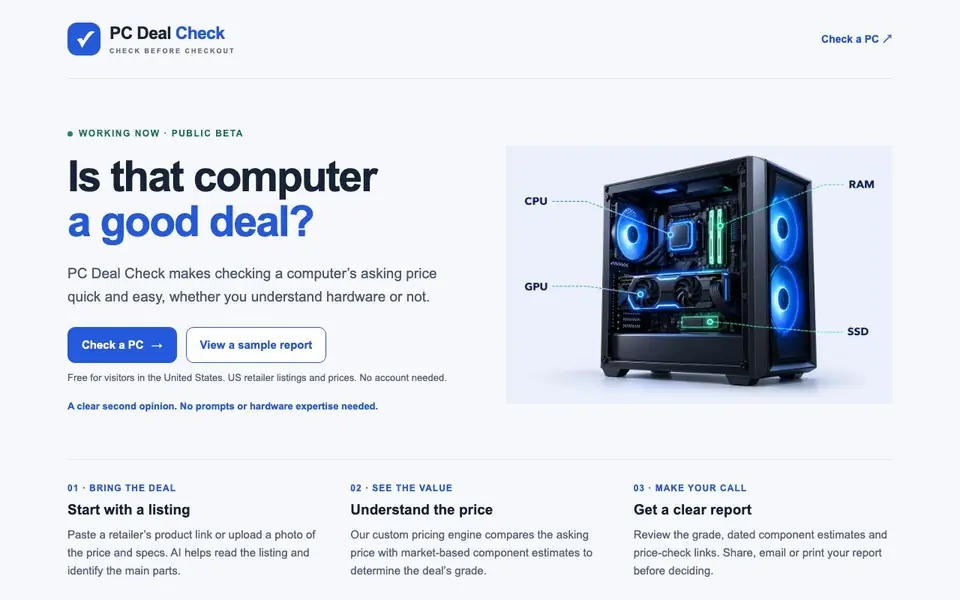
PC Deal Check gives you a second opinion on a computer's asking price before you checkout. It is a free public beta for US visitors, and you do not need to know hardware specs. The tool reads retailer listings or photos of price and specs, then compares the asking price with market-based component estimates to assign a deal grade.
To use it, you paste a retailer's product link or upload a photo. AI helps identify the main parts from the listing. The custom pricing engine then calculates a grade, like an A for a good deal, and provides dated component estimates and price-check links. You can review, share, email, or print the report before deciding.
It suits anyone shopping for a computer in the US, from beginners to experienced buyers. The site notes it is a price reference, not a performance test, and confirms details with the seller. Features and scoring may change as the service improves, and it is currently in beta.
Pcdealcheck features
- Listing input: Paste a retailer link or upload a photo of price and specs.
- AI listing reader: AI helps identify the main parts from the listing.
- Pricing engine: Custom engine compares asking price with market-based component estimates.
- Deal grade: Get a clear grade like A, B, or C for the deal.
- Report sharing: Share, email, or print your report before deciding.
What you can do with Pcdealcheck
- Check if a laptop deal is worth buying before checkout.
- Verify a desktop's price against component estimates.
- Get a second opinion on a used PC listing.
- Compare a retailer's price with market-based estimates.
How to get started with Pcdealcheck
- Go to PC Deal Check and click 'Check a PC'.
- Paste a retailer's product link or upload a photo of the price and specs.
- Review the grade, component estimates, and price-check links in the report.
Tips for better results with Pcdealcheck
- Paste a full retailer product link rather than a short URL so the AI can read the complete listing and identify the main parts accurately.
- Upload a clear, well-lit photo of the price and specs page, making sure all text is readable, to help PC Deal Check extract the components correctly.
- Use PC Deal Check as a price reference only, and always confirm the listed specs and condition with the seller before you commit to a purchase.
- Review the dated component estimates and price-check links in your report, since PC Deal Check grades can change as market prices shift over time.
Pcdealcheck pricing
Pcdealcheck is free to use according to its website.
What to check before you rely on Pcdealcheck
- Check that the retailer listing or photo shows the full specs and price, since PC Deal Check relies on that information to grade the deal.
- Verify the report date and component estimates, as the site notes pricing is market-based and may change after your check.
- Confirm the tool is limited to US visitors and US retailer listings, and note the site does not state any plan limits or data retention policies.
Who Pcdealcheck is for
Pcdealcheck suits US shoppers, PC buyers and Budget-conscious consumers. If that is not you, the AI business tools below may fit better.
Similar tools compared with Pcdealcheck
| Tool | What it is | Pricing |
|---|---|---|
| Pcdealcheck | AI-powered computer deal checker | Free |
| Tidio | AI customer service and sales platform | Freemium |
| Chatbase | AI customer experience and support agents | Free trial |
| Copy.ai | AI-native go-to-market platform | See website |
| Harvey | AI platform for legal and professional services | See website |
Pcdealcheck FAQ
Is PC Deal Check free to use?
Yes, it is free for visitors in the United States, and you do not need an account. It is currently in public beta.
How does PC Deal Check work?
You paste a retailer's product link or upload a photo of price and specs. AI reads the listing, and a custom pricing engine compares the asking price with market-based component estimates to give a grade.
Who is PC Deal Check for?
It is for anyone in the US who wants a quick, easy price check on a computer, whether you understand hardware or not. No prompts or hardware expertise are needed.
What does the report include?
The report shows a deal grade, dated component estimates, and price-check links. You can share, email, or print it before making a decision.
Does PC Deal Check work on any device or platform?
PC Deal Check is a web-based tool, so you can use it on any device with a browser, like a laptop, desktop, tablet, or phone. The website does not mention specific operating system requirements. For the best experience, use a current browser version.
What can I do with the report from PC Deal Check after I get it?
After PC Deal Check generates your report, you can review the grade, dated component estimates, and price-check links. You can also share, email, or print the report before making your final decision. This helps you keep a record or get a second opinion from someone else.
Does PC Deal Check require me to create an account or sign up?
No, PC Deal Check does not require an account. The website states that no account is needed to use the service. You can simply paste a retailer link or upload a photo to get your report. If you have questions, you can email contact@pcdealcheck.com.


