

What is ParakeetAI?
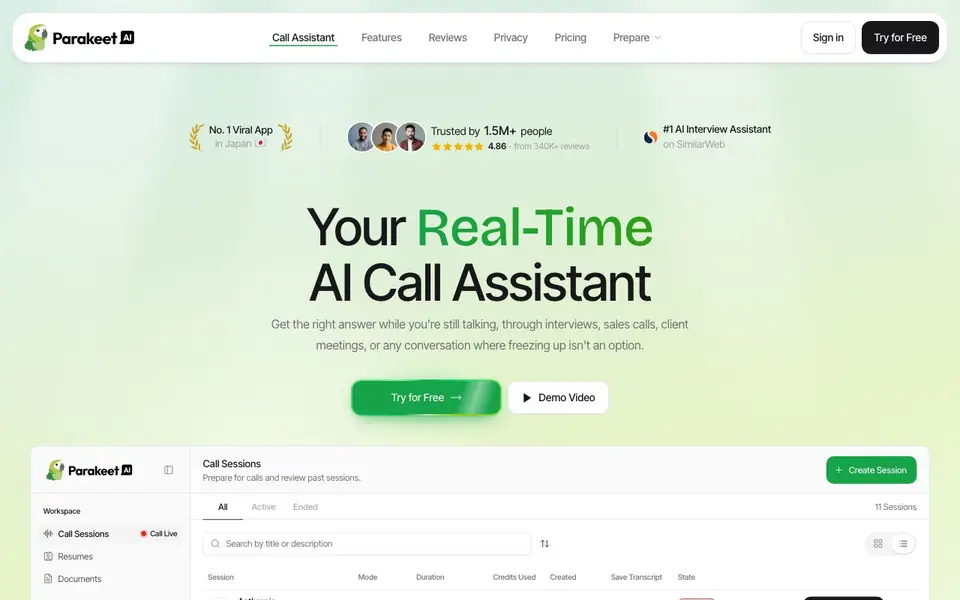
ParakeetAI is a real-time AI call assistant designed to give you the right answer while you're still talking. It works through interviews, sales calls, client meetings, and any conversation where freezing up isn't an option. The tool listens to the conversation, provides instant answers, and supports coding questions by reading code shared on your screen.
To use it, you start a call session from your workspace. ParakeetAI transcribes speech with high accuracy and speed, then offers AI-generated answers based on the best available LLMs. During technical calls, it can walk you through coding approaches while the call is still happening. You can save transcripts of past sessions for review.
The app stays invisible on screen share and hidden from the Dock, so others won't see it. It also includes preparation tools like a question bank, mock interviews, resume maker, and headshots. A free plan offers a 10-minute session, and you can buy credits for full-length calls. Trusted by over 1.5 million people with a 4.86 rating from 340K+ reviews.
ParakeetAI features
- Real-time answers: Get instant AI responses during live calls, from interviews to sales pitches.
- Full coding support: Listens for coding questions and reads code on your screen to guide your approach.
- Blazing fast transcription: Uses a state-of-the-art model for highly accurate, speedy speech recognition.
- Invisible on screen share: Stays completely hidden from others when you share your screen.
- Question bank: Browse real candidate questions by company, ranked by frequency of appearance.
What you can do with ParakeetAI
- Prepare for job interviews with real-time answer support during the call.
- Handle sales calls with confidence by getting instant product or pricing answers.
- Navigate client meetings with live guidance on technical or business questions.
- Practice with mock interviews that feature an AI interviewer responding back.
How to get started with ParakeetAI
- Sign up and start a free 10-minute session or buy credits for full-length calls.
- Create a call session and join your interview or meeting while ParakeetAI listens.
- Receive real-time answers and coding support, then review the saved transcript afterward.
Tips for better results with ParakeetAI
- Start a short practice call with ParakeetAI before your real session to test how it handles your voice and the background noise in your room.
- During coding interviews, share your screen and ask ParakeetAI to read the code aloud so it can give you a step-by-step approach while you talk.
- Save the transcript after every ParakeetAI session, even short ones, so you can review what you missed and spot patterns in the questions you struggled with.
- Use ParakeetAI's question bank to filter by company and frequency, then run a mock interview to rehearse the exact questions you expect to face.
ParakeetAI pricing
ParakeetAI has a free way to start, with paid plans for heavier use. Check parakeet-ai.com for current limits and prices.
What to check before you rely on ParakeetAI
- Check whether the free 10-minute session is enough for your typical call length, since full-length calls require buying credits and the pricing per credit is not stated on the site.
- Verify that ParakeetAI works on your operating system and video conferencing platform, because the website does not list supported OS versions or integrations.
- Review the privacy policy to confirm how your call audio and transcripts are stored and whether they are used to train models, as this is not detailed on the main pages.
Who ParakeetAI is for
ParakeetAI suits job seekers, sales professionals, consultants and technical candidates. If that is not you, the AI business tools below may fit better.
Similar tools compared with ParakeetAI
| Tool | What it is | Pricing |
|---|---|---|
| ParakeetAI | Real-time AI call assistant for interviews | Freemium |
| Tidio | AI customer service and sales platform | Freemium |
| Chatbase | AI customer experience and support agents | Free trial |
| Copy.ai | AI-native go-to-market platform | See website |
| Harvey | AI platform for legal and professional services | See website |
ParakeetAI FAQ
Is ParakeetAI free to use?
Yes, there is a free plan that starts with a 10-minute session. For full-length calls, you can buy credits. The website doesn't list specific credit prices, so check the pricing page for details.
Can ParakeetAI help with coding interviews?
Yes, it provides full coding support. It listens for coding questions, reads code shared on your screen, and talks through the approach with you while the call is still happening.
Will others see ParakeetAI during a screen share?
No, the app is designed to be invisible on screen share and stays hidden from the Dock with no icon or activity indicator, so it remains undetectable to others.
What preparation tools does ParakeetAI offer?
It includes a question bank with real candidate questions by company, mock interviews with an AI interviewer, a resume maker tailored to your role, and headshot generation for LinkedIn and resumes.
Does ParakeetAI work on both Mac and Windows?
ParakeetAI is a desktop app, and the website shows it running on a Mac with a Dock. It does not mention Windows support, so check the site's system requirements or contact support to confirm if it works on your device.
Can ParakeetAI export transcripts or connect to other apps?
ParakeetAI lets you save transcripts of past sessions for review, but the website does not mention exporting them to files or integrating with other tools like calendars or CRMs. For specific export or integration options, check the app's settings or contact support.
What exactly does the free plan of ParakeetAI include?
The free plan gives you one 10-minute session, and your first mock interview is also free. After that, you buy credits for full-length calls. The website does not list other free features, so check the pricing page for the latest details.


