

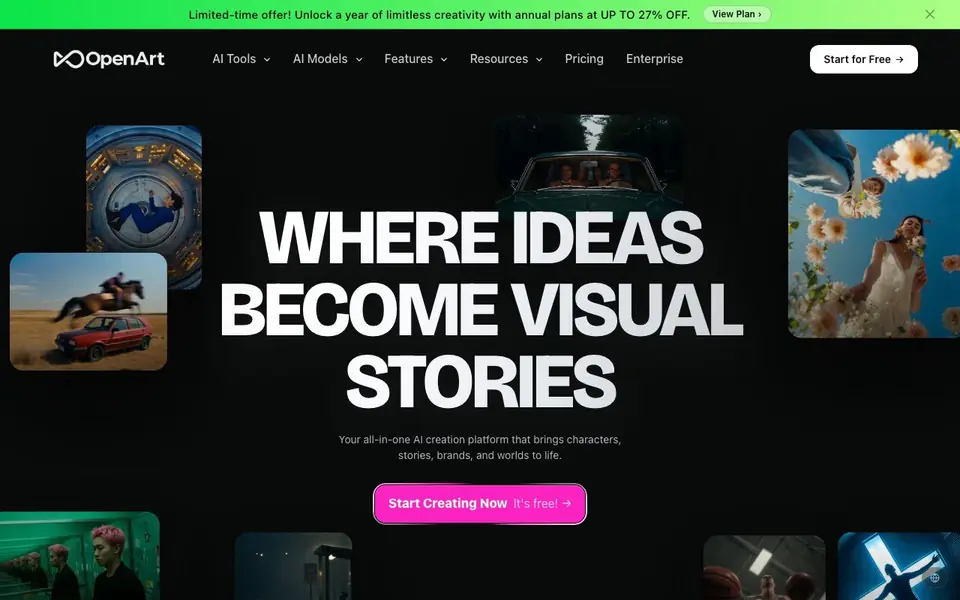
What is OpenArt?
OpenArt is a single platform where you can create images, videos, voiceovers, music, and even 3D worlds. It brings together top AI models like Google Veo 3, Sora 2, and GPT Image 2, so you can switch between them without leaving the site. You can start with a text prompt or a reference image, then refine and edit your results in the same canvas.
To begin, you type a prompt or drop in an image. For video, you can create clips up to 15 seconds long in up to 4K resolution. For images, you can generate, erase, expand, swap backgrounds, restyle, or upscale. You can also build consistent characters using reference images or text briefs, save them to your library, and reuse them across generations.
OpenArt also lets you create persistent 3D worlds from a single prompt, add characters and objects, and export them to specialized tools. Audio features include voiceovers in 30+ languages with lip-sync, original music in any genre, and sound effects. The platform is used by over 10 million creators, brands, and studios. It offers a free plan to start, with annual paid plans available at a discount.
OpenArt features
- Multi-model access: Use top models like Veo 3, Sora 2, and GPT Image 2 in one place.
- Image editing canvas: Erase, expand, swap backgrounds, restyle, or upscale images to 4K.
- Character consistency: Build characters from reference images or text and reuse them across generations.
- 3D world generation: Create navigable 3D environments from a single prompt, with objects and characters.
- Audio suite: Generate voiceovers in 30+ languages, original music, and sound effects, exportable as WAV or MP3.
What you can do with OpenArt
- Create short films or music videos by directing with chat prompts.
- Produce UGC ads, product ads, or branding content for social media.
- Generate consistent characters for a comic, game, or story series.
- Build a 3D world for a game or virtual environment and export it.
How to get started with OpenArt
- Sign up for a free account on OpenArt's website.
- Choose a tool like image, video, or character creation and enter a prompt or upload a reference image.
- Generate your asset, then edit or combine it with other media in the same platform.
Tips for better results with OpenArt
- Start with a detailed text prompt or a reference image, then use the editing canvas to refine the result. OpenArt keeps your original and edits in one place.
- Build a character once from a reference image or text brief, save it to your library, and tag it in future generations. This keeps faces consistent across OpenArt videos and images.
- For video, specify the duration and resolution in your prompt, then switch between models like Veo 3.1 or Sora 2 to compare outputs. OpenArt lets you test different styles without leaving the page.
- Use the Director feature to chat about your storyboard and refine each shot. This gives you granular control over the final sequence, which is useful for short films or ads.
OpenArt pricing
OpenArt has a free way to start, with paid plans for heavier use. Check openart.ai for current limits and prices.
What to check before you rely on OpenArt
- Check the free plan's generation limits and watermarks before relying on OpenArt for client work. The website does not state specific free-tier quotas.
- Verify whether your required export formats, like MP4 for video or specific 3D file types, are supported. The site mentions WAV and MP3 for audio but not others.
- Review OpenArt's data and privacy policy to see how your uploaded reference images are used or stored. The website does not clearly state this information.
Who OpenArt is for
OpenArt suits creators, brands, studios and marketers. If that is not you, the AI image generators below may fit better.
Similar tools compared with OpenArt
| Tool | What it is | Pricing |
|---|---|---|
| OpenArt | All-in-one AI art and media platform | Freemium |
| SiImageGen | AI image generator and photo editor | Freemium |
| FreeSiTools | Free AI image prompt generator | Free |
| SiPhotoEditor | AI photo editor by description | Paid |
| Civitai | AI art community and model library | Freemium |
OpenArt FAQ
Is OpenArt free to use?
Yes, OpenArt offers a free plan to start creating. There are also paid annual plans available, currently offered at up to 27% off. The website doesn't detail exactly what the free plan includes, so check the pricing page for specifics.
What AI models can I use on OpenArt?
OpenArt gives you access to multiple leading models, including Google Veo 3, Sora 2, Kling 3.0, Seedance 2.0, GPT Image 2, Nano Banana Pro, and Seedream 5.0. You can switch between them for different outputs like video, image, or editing.
Can I create consistent characters across images and videos?
Yes, OpenArt lets you build a Character using reference images or a text brief. You save it to your library and then tag it in future generations to keep the face and style consistent across images and videos.
What can I make with OpenArt?
You can make images, videos up to 15 seconds long in up to 4K, voiceovers in 30+ languages, music, sound effects, and 3D worlds. It's designed for projects like short films, ads, social content, and explainer videos.
Can I export my OpenArt 3D worlds to other tools?
OpenArt lets you export your 3D worlds to specialized tools, as stated on the site. The exact list of supported export formats or target applications is not mentioned on the website. To see what export options are available, check the OpenArt Worlds section or your account settings after creating a world.
Does OpenArt offer a free plan and what does it include?
OpenArt has a free plan that you can start with, as mentioned on the site. The website does not detail the specific limits or features of the free plan, such as the number of generations or access to all models. For exact free plan details, visit the OpenArt pricing page or sign up to see what's included.
Can I use OpenArt on my mobile device or does it require a desktop?
OpenArt is a web-based platform, so you can access it from any device with a browser, including mobile phones and tablets. The website does not specifically mention dedicated mobile apps, but the platform is designed to work online. For the best experience, use a modern browser on your preferred device.


