

What is Novi AI?
Novi AI, from iMyFone, is a collection of desktop utilities for iOS and Android devices, Windows PCs, and Macs. It focuses on practical phone solutions: recovering lost data, bypassing screen locks, repairing system glitches, and managing personal data. The suite includes tools like D-Back for data recovery, LockWiper for unlocking, Fixppo for system repair, and iMyTrans for WhatsApp transfers.
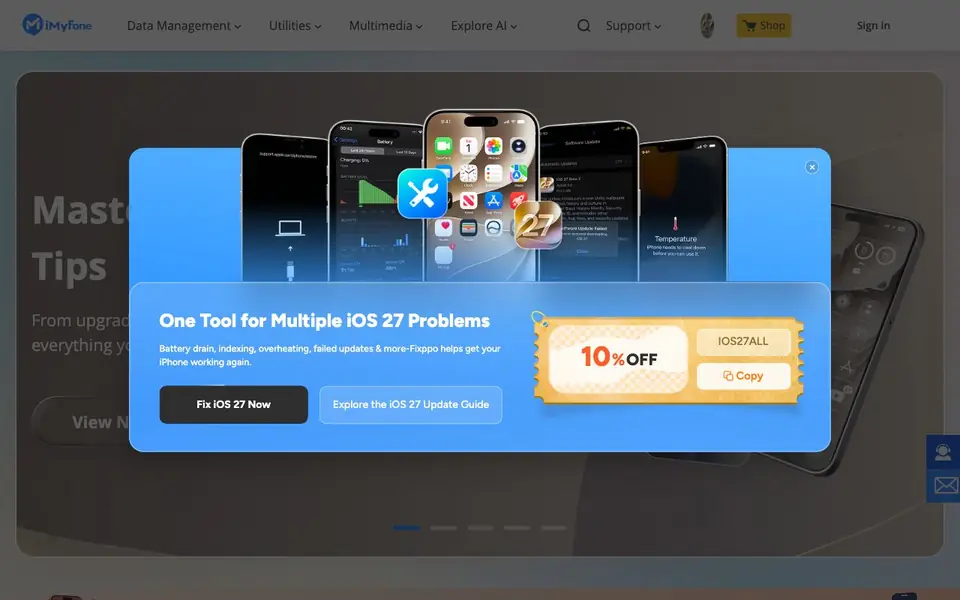
You pick the tool that matches your problem. For example, D-Back scans your device or computer and restores 38+ file types, including photos, messages, and app data. LockWiper removes Apple IDs, screen passcodes, MDM, and Screen Time restrictions. Fixppo fixes stuck, frozen, or black screen issues without data loss, and can downgrade iOS in one click. iMyTrans transfers, backs up, and restores WhatsApp data across platforms.
These tools suit anyone dealing with a locked, broken, or data-losing phone. The website highlights ease of use and cross-platform compatibility. It also offers guides on topics like recovering deleted photos, spoofing GPS locations, and fixing iOS update issues. The site does not state specific pricing details, so you would need to check each tool's page for costs.
Novi AI features
- Data recovery: Restores 38+ file types from iOS, Android, and PC, including photos and messages.
- Screen unlock: Removes Apple IDs, passcodes, MDM, and Screen Time restrictions quickly.
- System repair: Fixes iOS glitches like stuck screens and update issues without data loss.
- WhatsApp transfer: Moves, backs up, and restores WhatsApp data across iOS and Android in one click.
- GPS spoofing: Changes your device's location and adds a joystick for games or privacy.
What you can do with Novi AI
- Recover deleted photos or messages from your iPhone without a backup.
- Unlock your phone when you forget the passcode or Apple ID.
- Fix a black screen or boot loop on your iPhone or iPad.
- Transfer WhatsApp history from an old iPhone to a new Android phone.
- Spoof your GPS location for Pokemon GO or to pause location tracking apps.
How to get started with Novi AI
- Visit the iMyFone website and choose the tool that matches your problem, like D-Back or LockWiper.
- Download and install the tool on your Windows PC or Mac.
- Connect your device, follow the on-screen steps to scan, fix, or transfer, and complete the process.
Tips for better results with Novi AI
- Choose the specific Novi AI tool that matches your exact problem, like D-Back for data recovery or LockWiper for unlocking, before starting any process.
- Run a scan with Novi AI's D-Back on your device or computer first to see which of the 38+ file types are recoverable before committing to a full recovery.
- Use Novi AI's Fixppo to repair system glitches like black screens or boot loops, and verify it supports your exact iOS version before starting the fix.
- For WhatsApp transfers, use Novi AI's iMyTrans to back up your data to a computer first, then restore it to your new device to avoid losing messages.
Novi AI pricing
Novi AI’s homepage does not list prices. Check imyfone.com for current plans.
What to check before you rely on Novi AI
- Check the specific tool's page for pricing, since the main website does not state any costs or subscription details for Novi AI products.
- Verify that the Novi AI tool you need supports your exact device model and iOS or Android version, as compatibility is not fully detailed on the main page.
- Confirm the data recovery or unlock process won't void your warranty or violate your device's terms, as the website does not mention legal or warranty implications.
Who Novi AI is for
Novi AI suits iPhone and Android users, People with lost or locked devices and Users switching phones. If that is not you, the AI business tools below may fit better.
Similar tools compared with Novi AI
| Tool | What it is | Pricing |
|---|---|---|
| Novi AI | IOS and Android device utility suite | See website |
| Tidio | AI customer service and sales platform | Freemium |
| Chatbase | AI customer experience and support agents | Free trial |
| Copy.ai | AI-native go-to-market platform | See website |
| Harvey | AI platform for legal and professional services | See website |
Novi AI FAQ
What does Novi AI do?
Novi AI is a suite of utilities from iMyFone for iOS and Android devices. It helps you recover lost data, unlock screen locks, repair system issues, transfer WhatsApp chats, and spoof GPS locations. Each tool handles a specific problem.
Is Novi AI free?
The website does not state whether the tools are free or paid. You would need to visit each tool's page or the shop section to see pricing and any free trial options.
Who is Novi AI for?
It's for anyone with a phone problem: recovering deleted photos, unlocking a forgotten passcode, fixing a stuck screen, or moving WhatsApp data to a new device. The tools are designed to be easy for beginners and experts.
Can I use Novi AI on both iPhone and Android?
Yes. The website mentions compatibility with iOS and Android devices, as well as Windows PCs and Macs. For example, D-Back works with iOS, Android, and PC, and iMyTrans supports iOS and Android transfers.
Does Novi AI work on Windows and Mac, or only on phones?
Novi AI includes desktop utilities that run on both Windows PCs and Macs, and it also supports iOS and Android devices. The website highlights cross-platform compatibility, so you can use the tools on your computer to manage or fix your phone. Check each tool's page for specific system requirements.
Can Novi AI recover data from an Android phone, or is it only for iPhone?
Yes, Novi AI's D-Back tool can recover lost data from Android devices as well as iOS devices and PCs. It restores 38+ file types, including photos, messages, and app data. The website states it is compatible with both platforms, so you can use it for Android data recovery.
Does Novi AI require an account or subscription to use?
The Novi AI website does not mention whether an account or subscription is required. Pricing details are not stated on the main page, so you would need to visit each individual tool's page to see if it requires a purchase or account. Check there for the most accurate information.


