

What is Nolej?
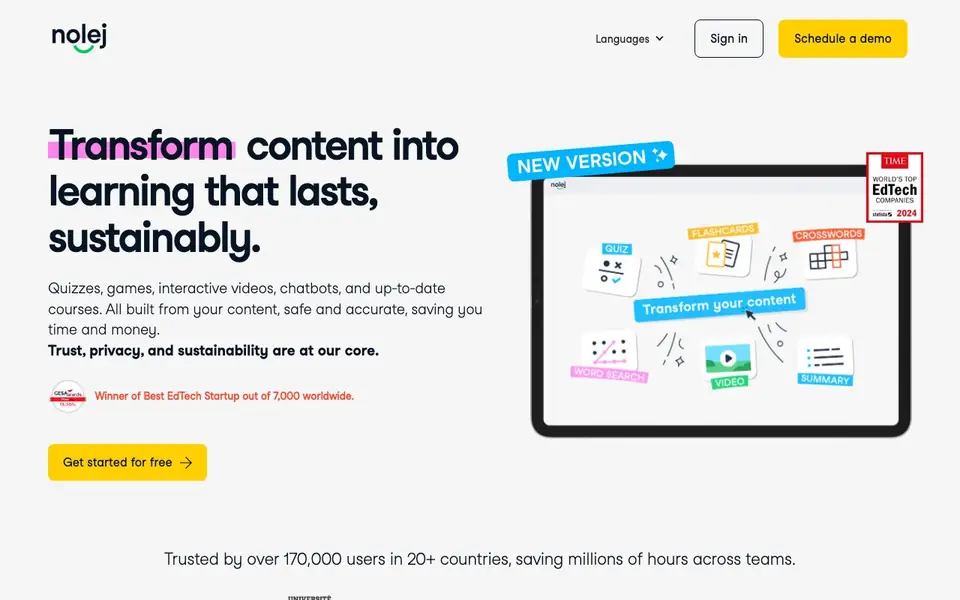
Nolej is a learning platform that converts your existing content into interactive educational materials. You can create quizzes, games, interactive videos, chatbots, and complete courses. It is designed for teachers, trainers, and organizations that want to save time while keeping content accurate and secure.
You start by uploading your material, such as text or documents. Nolej then generates over 15 ready-to-use learning activities from that content. You can set learning goals, themes, and difficulty levels to match your audience. You can also edit, add, or remove content at any time with full control.
Nolej is used by over 170,000 people in more than 20 countries. It offers security features like EU hosting and on-premise options. It also includes accessibility features like FALC and a Dys add-on. The platform integrates with Moodle, making it useful for schools and training centers.
Nolej features
- Content conversion: Turns your uploaded material into over 15 different learning activities automatically.
- Custom chatbot: Build a no-code chatbot from your knowledge base for learners to interact with.
- Full editing control: Add, modify, or remove generated content with unlimited edits and real-time changes.
- Accessibility options: Includes FALC feature and Dys add-on to make content inclusive for all learners.
- Moodle integration: Works directly with Moodle, as mentioned by several users on the site.
What you can do with Nolej
- Create quizzes and interactive videos from your lecture notes for student review.
- Build a custom chatbot from your training manual to answer employee questions.
- Generate lesson plans and modules aligned with specific learning goals and difficulty levels.
- Develop accessible course materials using the FALC feature for diverse learners.
How to get started with Nolej
- Sign up for a free account on Nolej's website.
- Upload your content, such as documents or text, into the platform.
- Set learning goals and difficulty, then generate activities and share them with your learners.
Tips for better results with Nolej
- Upload clean, well-structured source documents to Nolej so the generated activities stay accurate and require fewer edits before you share them with learners.
- Set learning goals, themes, and difficulty levels in Nolej before generating activities, then review and adjust the output to match your audience's needs.
- Use Nolej's editing controls to modify or remove generated content in real time, ensuring every quiz or module reflects your exact teaching intent.
- Build a custom chatbot from your knowledge base in Nolej to give learners a no-code way to interact with your material, but test its responses thoroughly first.
Nolej pricing
Nolej has a free way to start, with paid plans for heavier use. Check nolej.io for current limits and prices.
What to check before you rely on Nolej
- Check whether the free plan includes all 15+ activity types or if some require a paid tier, since the website does not list specific plan limits.
- Verify if Nolej's EU hosting and on-premise options are available on your plan, as the site does not state which tiers include them.
- Confirm your content's privacy settings before uploading, because the website claims no outside data but does not detail data retention policies.
Who Nolej is for
Nolej suits teachers, trainers, universities and enterprises. If that is not you, the AI tools for students below may fit better.
Similar tools compared with Nolej
| Tool | What it is | Pricing |
|---|---|---|
| Nolej | AI tool that turns content into learning activities | Freemium |
| Gauth | AI homework helper with step-by-step answers | Freemium |
| Khanmigo | AI teaching assistant and tutor | Freemium |
| ChatPDF | AI chat and summarizer for PDFs | Freemium |
| Jenni AI | AI academic writing and research assistant | Freemium |
Nolej FAQ
What can I create with Nolej?
You can create quizzes, games, interactive videos, chatbots, and complete courses. The tool generates over 15 different learning activities from your own content, like lesson plans and modules.
Is Nolej free to use?
Nolej offers a free start, as indicated by the 'Get started for free' button on their site. They also have paid plans for businesses and institutions, but specific pricing details are not listed on the homepage.
Who is Nolej for?
Nolej is for business schools, universities, global enterprises, and trainers. It is also used by teachers in professional high schools to engage students with fun exercises, as shown in customer testimonials.
Does Nolej integrate with other platforms?
Yes, Nolej integrates with Moodle, according to customer quotes on the site. The platform also connects to any server, LLM, or platform, and offers EU and on-premise deployment options for security.
What file types can I upload to Nolej to create learning activities?
Nolej accepts text or documents as your starting material. The website does not list specific file extensions, so check the upload screen or support pages for the exact formats supported. If you have a particular file type in mind, try uploading it or contact Nolej directly.
Does Nolej work on mobile devices or only on desktop?
The Nolej website does not specify whether it has a mobile app or if it is browser-based only. You can likely access Nolej through a web browser on any device, but for a definitive answer, check the site's help center or contact support.
What does the free plan of Nolej include, and are there usage limits?
Nolej is freemium, meaning there is a free plan, but the website does not detail its specific limits or features. To know what the free plan includes, such as the number of activities or projects, visit the pricing page or sign up to see the available options.


