

What is NightCafe Creator?
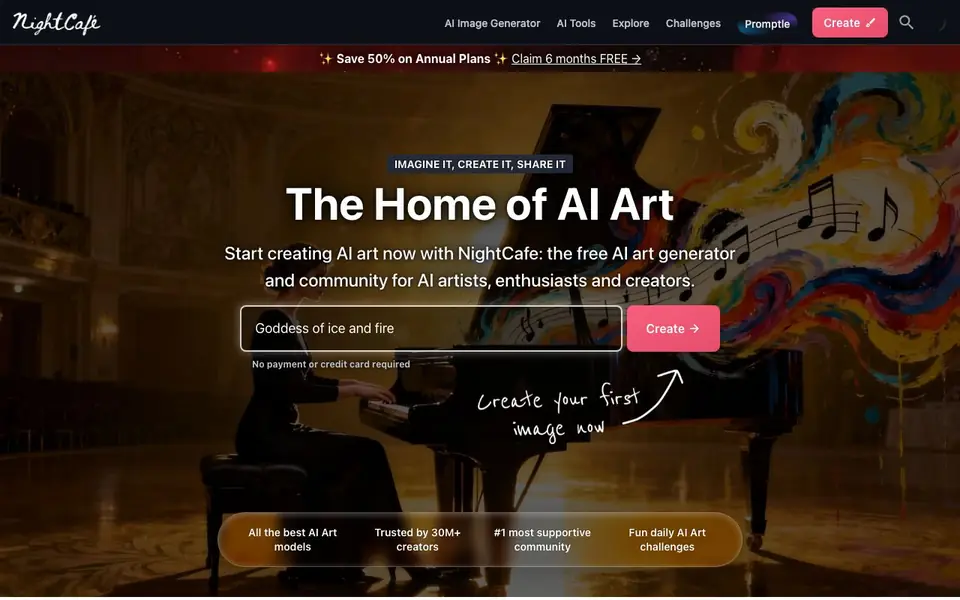
NightCafe Creator is an AI art platform where you can generate images and videos from text prompts using a range of popular AI models. It combines creation tools with a large community of artists, letting you share your work, join challenges, and get inspired by others. The site emphasizes fun and creativity, making it accessible even if you have no drawing skills.
To get started, you type a text prompt describing your idea, choose an AI model from options like Nano Banana, GPT Image, or Veo, and click Create. Your artwork generates in seconds. You can then refine it by tweaking the prompt, trying different styles, or using editing tools. Once happy, you can publish your creation to the community.
NightCafe suits hobbyists and content creators alike. For hobbyists, it offers daily art challenges, chat rooms, and a supportive community. For content creators, it provides a suite of image and video generation tools for quick content creation. The site states that no payment or credit card is required to start creating, and it is trusted by over 30 million creators.
NightCafe Creator features
- Multiple AI models: Access leading image and video models like GPT, Nano Banana, and Veo in one place.
- Text-to-image generation: Create stunning images from a simple text prompt describing your idea.
- Text-to-video generation: Generate videos from a prompt or an existing image.
- Image editing: Use prompts to edit and refine your images.
- Daily challenges: Join themed daily AI art challenges and vote on other creators' work.
What you can do with NightCafe Creator
- Create unique artwork for personal enjoyment or as a hobby.
- Generate engaging images and videos for social media content.
- Explore AI art galleries by theme to find inspiration.
- Participate in daily challenges to test your prompting skills.
How to get started with NightCafe Creator
- Type a text prompt describing the scene, subject, mood, or art style.
- Choose an AI model from the available options.
- Click Create and watch your artwork generate in seconds.
Tips for better results with NightCafe Creator
- Start with a detailed prompt describing subject, style, lighting, and mood, then tweak one element at a time to see how each change affects the result.
- Try different models like Nano Banana or GPT Image for the same prompt, as each handles styles and text rendering differently, so compare outputs before settling.
- Use NightCafe's edit feature to refine an existing image with a prompt, which saves time compared to regenerating from scratch and gives you more control.
- Participate in daily challenges to practice prompting with specific themes, and study winning entries to learn what prompts and styles resonate with the community.
NightCafe Creator pricing
NightCafe Creator has a free way to start, with paid plans for heavier use. Check creator.nightcafe.studio for current limits and prices.
What to check before you rely on NightCafe Creator
- Check your plan's credit or usage limits before generating many images, since the site labels itself freemium but does not list specific free allowances on the page.
- Verify whether the free tier includes video generation or only images, as the homepage mentions both but does not state which models or features are free.
- Review the privacy policy for how your prompts and generated images are stored or shared, since the site emphasizes community publishing and does not detail data handling here.
Who NightCafe Creator is for
NightCafe Creator suits AI art enthusiasts, hobbyist creators, content creators and beginners. If that is not you, the AI image generators below may fit better.
Similar tools compared with NightCafe Creator
| Tool | What it is | Pricing |
|---|---|---|
| NightCafe Creator | AI art generator and community | Freemium |
| SiImageGen | AI image generator and photo editor | Freemium |
| FreeSiTools | Free AI image prompt generator | Free |
| SiPhotoEditor | AI photo editor by description | Paid |
| Civitai | AI art community and model library | Freemium |
NightCafe Creator FAQ
Is NightCafe free to use?
The website says you can start creating without payment or credit card, and it promotes a free AI art generator. However, it also offers annual plans with discounts, suggesting there are paid options. So it's freemium.
What can I create with NightCafe?
You can create images from text prompts, videos from prompts or images, and edit existing images using prompts. You can also create characters to use in your creations.
Who is NightCafe for?
It's for AI artists and enthusiasts who enjoy creating art as a hobby, as well as content creators who need quick image and video generation tools. The community aspect makes it welcoming for beginners.
Do I need drawing skills to use NightCafe?
No. The website states you don't need to know how to draw. The creativity comes from your ideas, prompts, and choices. You just describe what you want, and the AI model creates it.
Can I use NightCafe on my phone or tablet?
NightCafe is a web-based platform, so you can access it through a browser on any device with an internet connection, including phones and tablets. The website does not specifically mention dedicated mobile apps, but you can still create and explore art from your mobile browser.
What can I export or download from NightCafe?
NightCafe lets you download the images and videos you create. You can also share your work directly to the community or save it to your device. The website does not list specific export formats or integrations with other tools, so check your account settings or the creation page for available options.
Does NightCafe require an account to start creating?
NightCafe states that no payment or credit card is required to start creating, but you will need to create an account to save and share your artwork. The website does not specify if you can generate images without an account, so you may need to sign up to access the creation tools.


