

What is Nanonets?
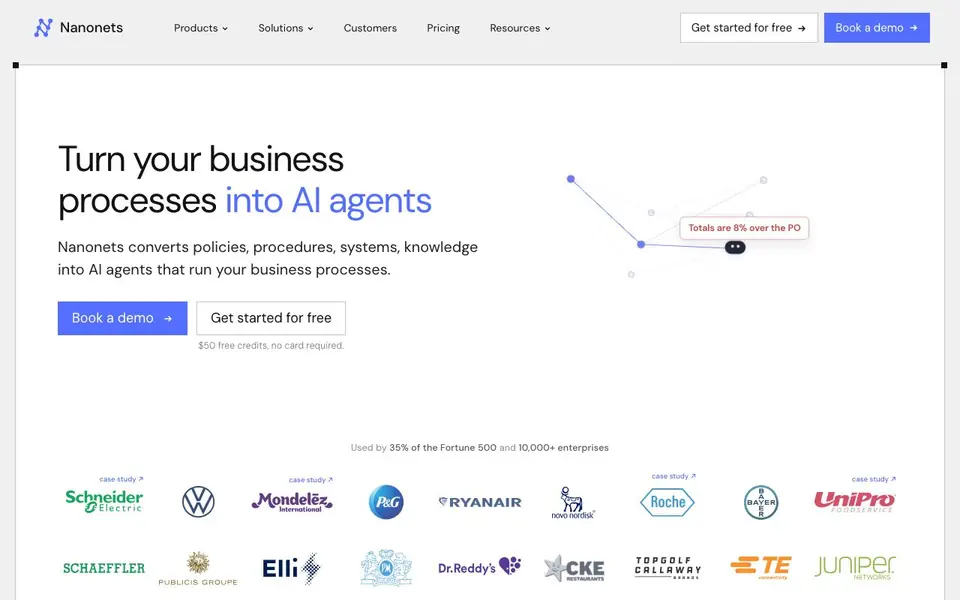
Nanonets is an AI platform that turns your business processes into AI agents. It handles messy manual work like accounts payable, claims processing, order management, and reconciliation. The agents extract data from documents, follow your business rules, and deliver clean data to systems like SAP, Salesforce, NetSuite, and QuickBooks.
You start by importing your documentation, such as SOPs and policy PDFs. Nanonets parses these into a context graph called Trail, where every rule is traceable to its source. You review and approve the rules, then the agents run your processes. They learn from corrections and work transparently, so you can see what they did and why.
Nanonets is used by 35% of the Fortune 500 and over 10,000 enterprises. It automates processes like invoice processing in 6 seconds per invoice, cash application, supplier onboarding, and contract review. The site claims most teams have automated 20-40% of processes, but Nanonets can take you to 95%. It offers $50 free credits with no card required.
Nanonets features
- AI extraction: Pulls fields from invoices, PDFs, and emails into structured data automatically.
- Context graph: Trail links every business rule to its source document for auditable decisions.
- Workflow automation: Runs end-to-end processes like order management and claims from start to finish.
- System integrations: Connects to SAP, Salesforce, NetSuite, QuickBooks, Gmail, and more.
- Learning from corrections: Agents improve by learning from every correction you make.
What you can do with Nanonets
- Automate invoice processing and match them to purchase orders in seconds.
- Reconcile bank feeds with ledger entries line by line before you open the file.
- Process claims so most never need to touch an adjuster.
- Onboard suppliers by verifying W-9s, insurance, and bank details automatically.
How to get started with Nanonets
- Sign up for free and get $50 in credits with no card required.
- Import your SOPs, policy docs, or instructions into Nanonets.
- Review and approve the extracted rules, then let the AI agents run your processes.
Tips for better results with Nanonets
- Start by importing your SOPs and policy PDFs into Nanonets so it can build the Trail context graph, then review every rule it generates before letting agents run live.
- Use Nanonets to automate invoice processing by feeding it sample invoices with purchase orders, then check the extraction accuracy on edge cases like price mismatches before scaling.
- Correct agent mistakes directly in Nanonets when you spot them, since it learns from each correction and improves future decisions on similar documents or transactions.
- Test Nanonets with your own reconciliation data, like bank feeds and ledger entries, to see if it matches every line before you rely on it for month-end close.
Nanonets pricing
Nanonets has a free way to start, with paid plans for heavier use. Check nanonets.com for current limits and prices.
What to check before you rely on Nanonets
- Check whether the $50 free credits cover your expected document volume, since the site does not state limits or what happens after credits run out.
- Verify which integrations you need are supported, because the site lists SAP, Salesforce, NetSuite, and QuickBooks but does not confirm all versions or setup requirements.
- Confirm data privacy and security policies for your sensitive documents, as the website does not explicitly state encryption, storage location, or compliance certifications.
Who Nanonets is for
Nanonets suits finance teams, operations managers, enterprise IT leaders and claims processors. If that is not you, the AI business tools below may fit better.
Similar tools compared with Nanonets
| Tool | What it is | Pricing |
|---|---|---|
| Nanonets | AI agents for enterprise data processing | Freemium |
| Tidio | AI customer service and sales platform | Freemium |
| Chatbase | AI customer experience and support agents | Free trial |
| Copy.ai | AI-native go-to-market platform | See website |
| Harvey | AI platform for legal and professional services | See website |
Nanonets FAQ
What does Nanonets do?
Nanonets turns your business processes into AI agents that automate document-heavy work like accounts payable, claims processing, and order management. It extracts data, follows your rules, and sends clean data to your systems.
Is Nanonets free to use?
Nanonets offers a free tier with $50 in credits, and you don't need a credit card to start. After that, you can book a demo or check their pricing page for paid plans.
Who is Nanonets for?
It's built for enterprises and growing teams that handle lots of documents and manual processes. The site mentions it's used by 35% of the Fortune 500 and over 10,000 enterprises, so it suits finance, operations, and claims teams.
What systems can Nanonets integrate with?
Nanonets integrates with systems of record like SAP, Salesforce, NetSuite, and QuickBooks, plus Gmail for email-based workflows. The site shows these integrations in its examples, but doesn't list every option.
What can Nanonets export data to?
Nanonets delivers extracted data to systems like SAP, Salesforce, NetSuite, QuickBooks, and Gmail, as shown on its website. It can also export fields from PDFs to Excel. For a full list of export destinations, check the integrations section on the Nanonets site.
Does Nanonets run on mobile devices?
The Nanonets website does not mention a mobile app or specific mobile device support. It appears to be a web-based platform. To confirm if there is a mobile version, check the Nanonets website or contact their support team directly.
What does the free plan of Nanonets include?
Nanonets offers $50 free credits with no card required, as stated on its website. This lets you try the platform without upfront payment. The site does not detail a permanent free plan beyond these credits, so check the pricing page for current options.


