

What is Mindsmith?
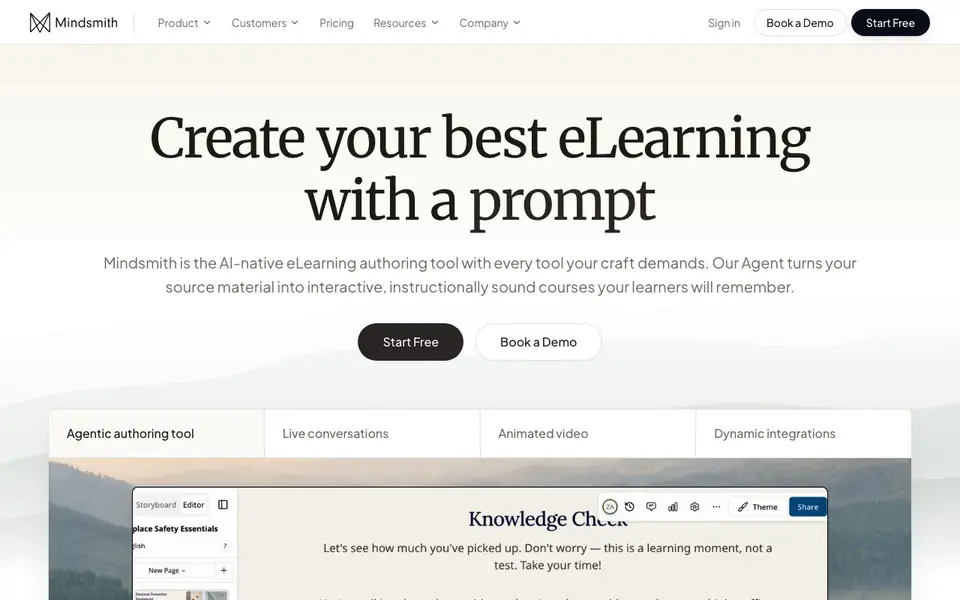
Mindsmith is an AI-native eLearning authoring tool built for instructional designers and training teams. It turns your source material—like presentations, videos, or documents—into interactive courses tailored to your learning objectives. You can generate lessons, refine them in a collaborative workspace, and share them with learners through any LMS, link, or SCORM package.
To get started, you bring in your source material and the Agent shapes it into a lesson. You stay in control with storyboards, so you can follow your source verbatim or adjust it. You can build custom skills to fine-tune the Agent to your specific craft. Then you refine every lesson in a workspace with real-time collaboration, inline commenting, and brand customization.
Mindsmith supports 70+ languages at once, so you can create and deliver courses globally without rebuilding. It includes interactive elements like live conversations, animated videos, custom AI avatars, branching scenarios, quizzes, accordions, and flashcards. You can also connect it to Copilot, Claude, or ChatGPT via an MCP server to manage lessons from your workflow. The site mentions 16,000+ eLearning designers use it.
Mindsmith features
- Agentic authoring: Generate lessons from any source material, tailored to your learning objectives.
- Live conversations: Create real-time AI conversations that engage learners interactively.
- Animated video: Build animated videos with custom AI avatars for dynamic content.
- Branching scenarios: Design decision-based scenarios that adapt to learner choices.
- Dynamic SCORM export: Share courses via SCORM, xAPI, or link with automatic updates.
What you can do with Mindsmith
- Convert existing presentations or documents into interactive eLearning courses.
- Create branching scenarios for compliance or soft-skills training.
- Build quizzes and flashcards for knowledge checks and reinforcement.
- Deliver courses in 70+ languages to global teams without rebuilding.
How to get started with Mindsmith
- Bring any source material into Mindsmith, like a presentation or document.
- Let the Agent generate a lesson, then refine it in the workspace with your brand and comments.
- Share via SCORM, link, or LMS, and analyze learner progress with built-in stats.
Tips for better results with Mindsmith
- Upload your raw source material like slides or documents first, then let Mindsmith generate a lesson from it, and review the storyboard to keep content accurate.
- Use Mindsmith's custom skills to tune the Agent to your specific writing style or instructional approach, so generated lessons match your craft.
- Leverage Mindsmith's branching scenarios and live conversations for interactive elements, but test them in preview mode to ensure learner choices flow correctly.
- Publish a lesson as a link or SCORM package early, then iterate with real-time collaboration and inline comments from colleagues before finalizing.
Mindsmith pricing
Mindsmith has a free way to start, with paid plans for heavier use. Check mindsmith.ai for current limits and prices.
What to check before you rely on Mindsmith
- Check the pricing page for plan limits on lessons, storage, or exports, since the site labels Mindsmith as freemium but does not list specific caps.
- Verify whether your required LMS supports dynamic SCORM or xAPI exports, as Mindsmith's automatic updates depend on those formats.
- Confirm data privacy and security policies for your organization, especially if you upload sensitive training materials, as the website does not detail them.
Who Mindsmith is for
Mindsmith suits instructional designers, training teams, eLearning developers and corporate L&D. If that is not you, the AI tools for students below may fit better.
Similar tools compared with Mindsmith
| Tool | What it is | Pricing |
|---|---|---|
| Mindsmith | AI-native eLearning authoring tool | Freemium |
| Gauth | AI homework helper with step-by-step answers | Freemium |
| Khanmigo | AI teaching assistant and tutor | Freemium |
| ChatPDF | AI chat and summarizer for PDFs | Freemium |
| Jenni AI | AI academic writing and research assistant | Freemium |
Mindsmith FAQ
What can I create with Mindsmith?
You can create interactive eLearning courses with live conversations, branching scenarios, animated videos, quizzes, accordions, flashcards, and more. The Agent turns your source material into lessons tailored to your objectives.
Does Mindsmith have a free plan?
The website shows a 'Start Free' button, indicating a free tier is available. For full pricing details, you'd need to check the Pricing page on their site.
Who is Mindsmith for?
It's built for eLearning designers and training teams who want quality and speed. The site mentions 16,000+ eLearning designers use it, so it's aimed at professionals creating courses.
Can I deliver courses in multiple languages?
Yes, Mindsmith works in 70+ languages at once. You can create and deliver courses globally without rebuilding, and dynamic packages update automatically as you publish changes.
What file formats can I import into Mindsmith?
Mindsmith can generate lessons from presentations, videos, course outlines, other Mindsmith lessons, SME materials, and SOP documents. The website does not list specific file extensions, so check the tool's import options or help center for exact formats like PPTX or MP4.
Does Mindsmith work on mobile devices or tablets?
The Mindsmith website does not mention specific device or platform support. Since it is a web-based authoring tool, you likely access it through a browser, but for mobile or tablet compatibility, check the site's system requirements or contact support.
Can I export Mindsmith courses to xAPI or just SCORM?
Mindsmith supports sharing via dynamic SCORM packages, xAPI, or a link. The website mentions both SCORM and xAPI, so you can export in either format. For details on how to set up xAPI, check the help documentation or support.


