

What is Mindgrasp AI?
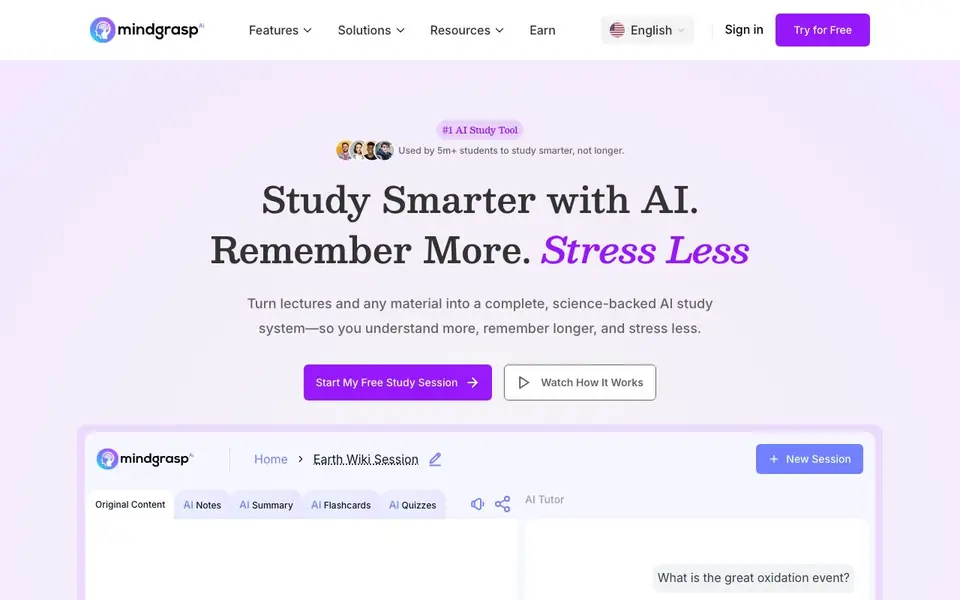
Mindgrasp is an AI study tool built for students who want to learn faster and remember more. It turns any material you upload—like lecture recordings, PDFs, slides, YouTube videos, audio, or web links—into a complete study system. You get structured notes, summaries, flashcards, quizzes, and a 24/7 AI tutor, all generated in seconds.
To use it, you create a study session for each lecture, chapter, or exam topic. You can record a live lecture in class or upload files from home. Mindgrasp processes the content instantly and creates all your study materials. You then review notes, practice with flashcards, test yourself with quizzes, and ask the AI tutor when you are stuck. Progress tracking shows what you have covered and what still needs review.
Mindgrasp is designed around learning science, including active recall, practice testing, spaced repetition, and self-explanation. It works in over 20 languages and on any device. The website says it is used by over 5 million students at top universities. It offers a free study session to try, and the site mentions paid plans for continued use.
Mindgrasp AI features
- AI Notes: Generates structured notes from your uploaded material in seconds, so you can focus on understanding.
- AI Summary: Creates quick, scannable summaries of lectures, articles, or textbooks for fast review before tests.
- AI Flashcards: Auto-generates flashcards from your content to practice active recall and make information stick.
- AI Quizzes: Produces quizzes from your material to test understanding and spot weak areas before exams.
- AI Tutor: Provides 24/7 chat to explain concepts, clear confusion, and help you learn at your own pace.
What you can do with Mindgrasp AI
- Record a live lecture in class and get instant notes and summaries.
- Upload a dense textbook chapter and turn it into flashcards for active recall.
- Generate practice quizzes from your slides to find gaps before an exam.
- Ask the AI tutor to explain a confusing concept at midnight when no one else is available.
How to get started with Mindgrasp AI
- Create a study session for each lecture, chapter, or exam topic.
- Record a live lecture or upload files like PDFs, slides, videos, or web links.
- Let Mindgrasp generate notes, summary, flashcards, quizzes, and an AI tutor, then start studying.
Tips for better results with Mindgrasp AI
- Create one study session per lecture or chapter, then upload all related files together so Mindgrasp generates cohesive notes, flashcards, and quizzes from the full topic.
- Record your live lecture directly in Mindgrasp during class, then review the AI notes and summary the same day to reinforce what you heard while it is fresh.
- Use Mindgrasp's AI quizzes before exams to identify weak areas, then ask the AI tutor to explain those specific concepts until you can answer correctly.
- Upload slides and textbook chapters together for the same session so Mindgrasp can cross-reference content and produce more accurate flashcards and summaries for active recall.
Mindgrasp AI pricing
Mindgrasp AI has a free way to start, with paid plans for heavier use. Check mindgrasp.ai for current limits and prices.
What to check before you rely on Mindgrasp AI
- Check the free plan's limits—the site mentions a free study session but does not state how many uploads or features are included beyond that trial.
- Verify whether your paid plan includes all file types like YouTube videos and audio, since the site lists them as supported but does not specify plan-level access.
- Review Mindgrasp's data privacy policy to confirm how your uploaded lectures and notes are stored or used, as the website does not clearly state retention or sharing practices.
Who Mindgrasp AI is for
Mindgrasp AI suits students, university learners, self-studiers and language learners. If that is not you, the AI tools for students below may fit better.
Similar tools compared with Mindgrasp AI
| Tool | What it is | Pricing |
|---|---|---|
| Mindgrasp AI | AI study tool for students | Freemium |
| Gauth | AI homework helper with step-by-step answers | Freemium |
| Khanmigo | AI teaching assistant and tutor | Freemium |
| ChatPDF | AI chat and summarizer for PDFs | Freemium |
| Jenni AI | AI academic writing and research assistant | Freemium |
Mindgrasp AI FAQ
What types of files can I upload to Mindgrasp?
You can upload PDFs, slides, YouTube videos, audio files, and web links. You can also record live lectures directly in the app. The website says it supports any file, any format, and any subject.
Is Mindgrasp free to use?
The website offers a free study session to try, so there is a free plan or trial available. It also mentions paid plans for continued use, but specific pricing details are not stated on the homepage.
Who is Mindgrasp designed for?
Mindgrasp is built for students, especially those at universities. The site says it is used by over 5 million students and trusted by students at top universities. It works for any subject and in over 20 languages.
How does Mindgrasp help me remember what I study?
It uses science-backed methods like active recall with flashcards, practice testing with quizzes, spaced repetition through organized notes, and self-explanation with the AI tutor. These techniques are designed to improve long-term memory and reduce stress.
Does Mindgrasp AI work on my phone or tablet?
Mindgrasp AI works on any device, so you can use it on your phone, tablet, or computer. The website says it works on any device, but it doesn't specify if there are dedicated apps for iOS or Android. Check the website's app section or contact support for details.
What can I export from Mindgrasp AI, like notes or flashcards?
Mindgrasp AI generates notes, summaries, flashcards, and quizzes, but the website doesn't mention if you can export these to other formats like PDF or Word. It also doesn't list integrations with other apps. For specifics on exporting or connecting to other tools, check the website's help or FAQ section.
What does the free plan on Mindgrasp AI include?
Mindgrasp AI offers a free study session to try, but the website doesn't detail what exactly is included in the free plan, such as the number of uploads or features. It mentions paid plans for continued use. For exact limits, check the pricing page or sign up to see what you get.


