

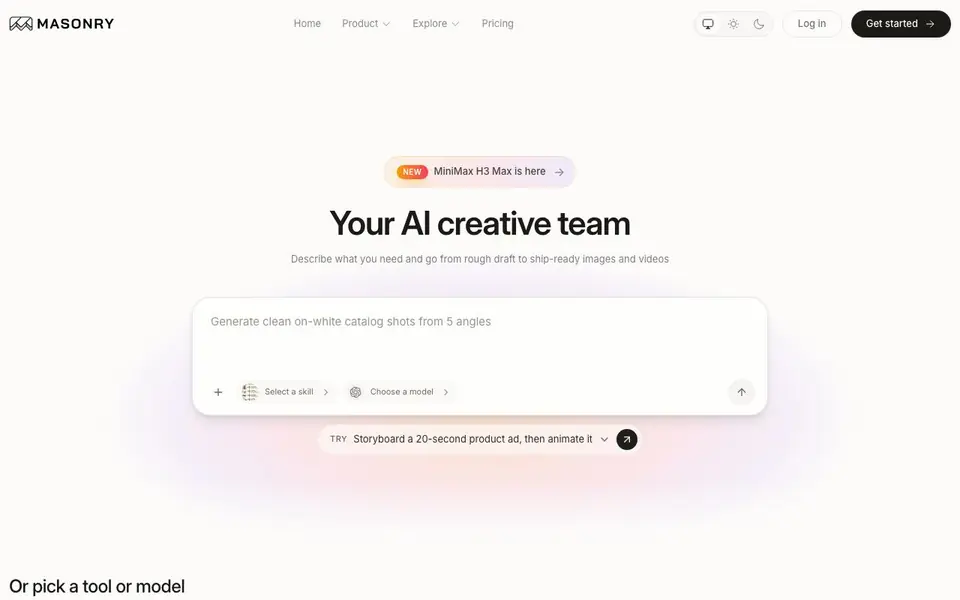
What is Masonry AI?
Masonry is a creative studio that brings many AI image and video models into one place. You can generate images from text prompts, edit existing images, create videos from text or images, upscale resolution, and remove backgrounds. It includes popular models like Nano Banana 2, GPT Image 2, FLUX, Kling, and Veo, all accessible from a single canvas.
You start by describing your project in plain language, like you would brief a teammate. Masonry routes your idea to the right models and shows you options to compare. You then refine results on one canvas—editing, restyling, and keeping a single product consistent across a whole set. Finally, you export production-ready assets for campaigns, ads, social posts, and more.
Masonry suits marketers, designers, and content creators who need professional visuals quickly. The website mentions starting for free, and you can browse daily picks from the community for inspiration. It does not specify limits on usage or export formats, so check the pricing page for details.
Masonry AI features
- Multi-model access: Generate images and videos using 50+ models in one studio.
- Image generation: Create images from text prompts with models like Nano Banana 2 and GPT Image 2.
- Image editing: Modify existing images with AI tools directly on the canvas.
- Video generation: Create videos from text or images using models like Kling and Veo.
- Background removal: Remove backgrounds from images with a dedicated tool.
What you can do with Masonry AI
- Generate catalog shots of a product from five angles on a clean white background.
- Create six ad variants of a single creative for A/B testing.
- Resize a campaign for feed, story, and banner ads.
- Storyboard a 20-second product ad and then animate it.
How to get started with Masonry AI
- Describe your project in plain language, like a product ad or a brand kit.
- Choose a model or let Masonry route your idea to the right image and video models.
- Refine results on the canvas, then export the finished visuals.
Tips for better results with Masonry AI
- Describe your project in plain language as if briefing a teammate, and Masonry will route it to suitable models for you to compare.
- Use Masonry's single canvas to refine and restyle results, keeping one product consistent across an entire campaign set.
- Start with the daily picks in Masonry's community gallery to see real project prompts and spark ideas for your own work.
- Try Masonry's dedicated tools like background removal and upscaling after generation to polish assets before exporting them.
Masonry AI pricing
Masonry AI has a free way to start, with paid plans for heavier use. Check masonry.so for current limits and prices.
What to check before you rely on Masonry AI
- Check the pricing page because the website does not state usage limits or export formats for the free plan.
- Verify which of the 50+ models are available on the free tier, as the site does not specify model access per plan.
- Confirm data and privacy policies for your uploaded images and videos, since the website does not detail how assets are handled.
Who Masonry AI is for
Masonry AI suits marketers, designers, content creators and small business owners. If that is not you, the AI image generators below may fit better.
Similar tools compared with Masonry AI
| Tool | What it is | Pricing |
|---|---|---|
| Masonry AI | AI image and video creative studio | Freemium |
| SiImageGen | AI image generator and photo editor | Freemium |
| FreeSiTools | Free AI image prompt generator | Free |
| SiPhotoEditor | AI photo editor by description | Paid |
| Civitai | AI art community and model library | Freemium |
Masonry AI FAQ
What can I create with Masonry?
You can generate images from text prompts, edit images, create videos from text or images, upscale resolution, and remove backgrounds. It also supports multi-step projects like product shoots, ad variants, and social campaign assets.
Which AI models does Masonry support?
Masonry includes over 50 models. Image models include Nano Banana 2, GPT Image 2, GPT Image 2.5 Sunburst, Nano Banana Pro, and FLUX Kontext Max. Video models include Kling O3 Pro, Kling v2.6 Pro, Veo 3.1 Fast, Gemini Omni Flash, and Grok Imagine Video 1.5.
Is Masonry free to use?
The website says you can start creating for free. It also has a pricing page, which suggests there are paid plans. The exact free limits and paid tiers are not stated on the homepage, so check the pricing page for details.
Who is Masonry for?
It is built for people who need professional visuals quickly—marketers creating ad variants, designers mocking up packaging, and content creators making social posts. The collaborative canvas also suits teams working on campaigns together.
Can Masonry AI export files in formats like PNG, JPEG, or MP4?
Masonry AI lets you export production-ready assets for campaigns and ads, but the website does not list specific export formats. To confirm which file types you can download, check the pricing page or contact support. You can start for free and test the export options yourself.
Does Masonry AI work on mobile devices or only on desktop?
Masonry AI is a web-based creative studio, so you can access it from any device with a browser, including tablets and phones. The website does not mention dedicated mobile apps, so for the best experience, use a modern browser on your preferred device. Check the site for any platform-specific notes.
What does the free plan of Masonry AI include?
Masonry AI offers a free plan, but the website does not specify its exact limits, such as how many images or videos you can generate. You can start for free and explore daily picks from the community. For detailed usage limits, visit the pricing page on the Masonry AI website.


