

What is MangaMaker?
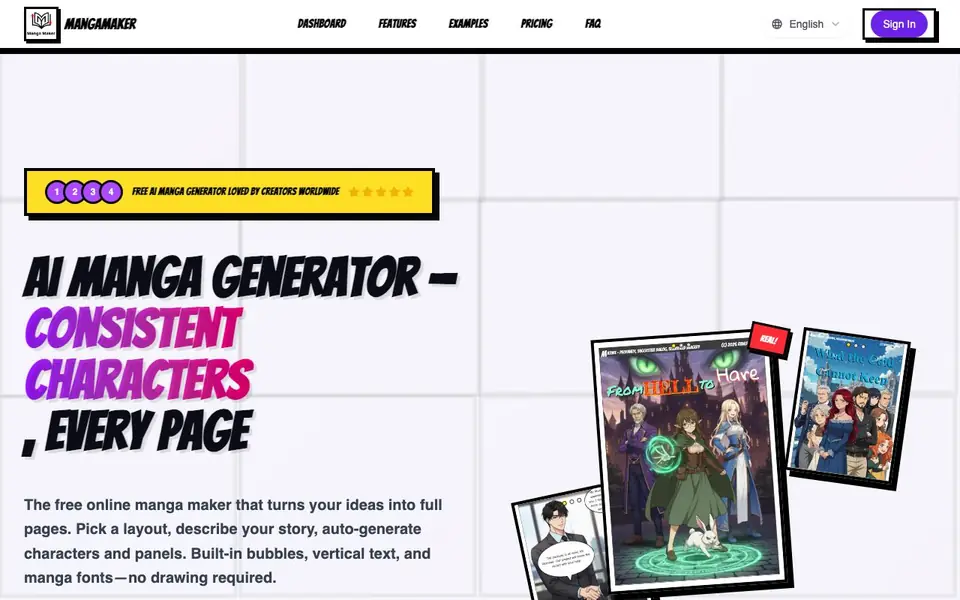
MangaMaker is an online tool that creates manga and comic pages from your text descriptions. It combines an AI art generator with a canvas editor, so you can go from idea to finished page in about five minutes. The platform is built for creators who want to make professional-looking manga without needing to draw.
You start by picking a panel layout from over ten templates or drawing your own. Then you describe your story, and the AI generates characters and panel art. A character system keeps faces consistent across pages. You can re-roll, upscale, and fix details. Finally, you add speech bubbles, sound effects, and vertical text, then export for web or print.
It suits indie comic creators, webtoon artists, story writers, and hobbyists. The website mentions it is free to start with no credit card required, and there are paid plans for more features. It has 700+ AI models and 20+ art styles, but the website does not list specific pricing tiers or limits.
MangaMaker features
- AI Manga Canvas: Drag-and-drop panels, speech bubbles, and layouts with snap-to-gutter guides.
- Text-to-Manga Art: Describe scenes and generate manga-style artwork in multiple styles and high resolution.
- Character System: Create characters once and keep their appearance consistent across all panels automatically.
- Panel Templates: Choose from 10+ preset grids or 4-koma layouts, and adjust panels in seconds.
- Export Options: Export ready-to-share PNGs or print-friendly files for web or physical comics.
What you can do with MangaMaker
- Create full manga chapters from your scripts in days instead of months.
- Produce short comic strips for social media content quickly and easily.
- Design consistent characters for a webtoon series across many pages.
- Turn story ideas into professional-looking pages without drawing skills.
How to get started with MangaMaker
- Pick a panel layout from presets or draw your own on the canvas.
- Describe your story and generate characters and panel art with AI.
- Add speech bubbles, text, and effects, then export your page.
Tips for better results with MangaMaker
- Start with a preset panel layout in MangaMaker to save time, then adjust the grid with snap-to-gutter guides until it fits your story's pacing.
- Describe your characters once in MangaMaker's character system, then reuse their references across panels to keep faces consistent without redrawing.
- Batch-generate prompts for a whole page in MangaMaker instead of one panel at a time, then re-roll any panel that misses the mark to speed up your workflow.
- Use MangaMaker's built-in bubble styles and vertical text tools for dialogue and sound effects, and export print-friendly files when you plan to publish physically.
MangaMaker pricing
MangaMaker has a free way to start, with paid plans for heavier use. Check mangamaker.app for current limits and prices.
What to check before you rely on MangaMaker
- Check whether the free plan includes commercial use rights for your exported manga, since the website does not state usage terms for paid or free tiers.
- Verify the resolution and format of exported files for print, as the website mentions print-friendly exports but does not list specific DPI or file types.
- Confirm the character system's consistency limits across very long projects, since the website does not specify how many characters or pages the free tier supports.
Who MangaMaker is for
MangaMaker suits indie comic creators, webtoon artists, story writers and hobbyists. If that is not you, the AI image generators below may fit better.
Similar tools compared with MangaMaker
| Tool | What it is | Pricing |
|---|---|---|
| MangaMaker | AI manga and comic page generator | Freemium |
| SiImageGen | AI image generator and photo editor | Freemium |
| FreeSiTools | Free AI image prompt generator | Free |
| SiPhotoEditor | AI photo editor by description | Paid |
| Civitai | AI art community and model library | Freemium |
MangaMaker FAQ
What does MangaMaker do?
It generates manga and comic pages from your text descriptions. You choose a layout, describe your story, and the AI creates characters and panels. You can then edit with bubbles, text, and export the finished page.
Is MangaMaker free?
The website says it is free to start and requires no credit card. It also mentions pricing plans, so there is likely a freemium model. Specific free limits and paid tiers are not stated on the homepage.
Who is MangaMaker for?
It is for creators who want to make manga or comics without drawing skills. This includes indie comic creators, webtoon artists, story writers, content creators, and hobbyists, as shown in testimonials.
Can I keep characters consistent across pages?
Yes. The character system lets you create characters once and maintain their appearance across all panels automatically. It includes a character library and auto-recognition to keep faces consistent.
What file formats can MangaMaker export?
MangaMaker lets you export ready-to-share PNGs or print-friendly files for web or physical comics. The website does not list other specific formats like PDF or JPEG. For the full list of export options, check the export settings inside the tool or contact support.
Does MangaMaker work on mobile devices or tablets?
MangaMaker is described as an online tool, so it runs in a web browser. The website does not mention dedicated mobile apps or specific device support. You can try using it on any device with a modern browser, but for the best experience, check the site's system requirements or contact support.
What does the free plan in MangaMaker include?
MangaMaker is free to start with no credit card required. The free plan lets you create pages, use the AI generator, and access basic features. The website does not list specific limits or what is locked behind paid plans. For exact free vs. paid features, see the pricing page or your account dashboard.


