

What is LockedIn AI?
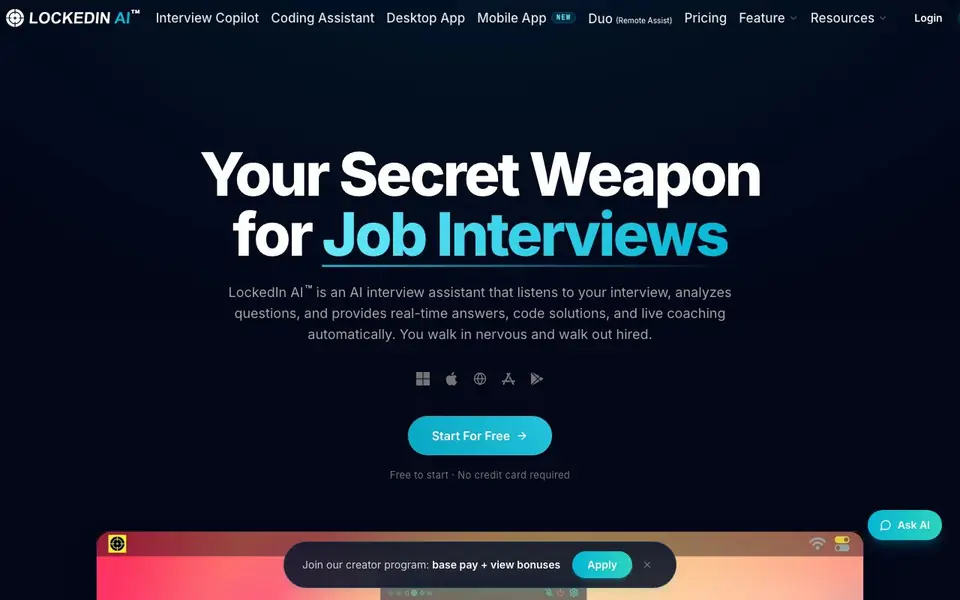
LockedIn AI is an AI interview assistant that runs quietly in the background during your interview or meeting. It listens to the conversation, understands each question, and provides tailored answers, code solutions, and live coaching on your screen — visible only to you. You can walk into an interview nervous and leave with confidence.
To get started, you sign up for free without a credit card. The tool works on desktop and mobile apps, and you can also use the web app in Chrome, Edge, Chromium, Opera, or Brave. During a session, it captures audio, transcribes in real time, and delivers answers you can reference. For coding interviews, it breaks down algorithm problems, handles follow-ups, and offers real-time code review and debug help.
LockedIn AI suits professionals across software engineering, finance, consulting, marketing, sales, product management, IT, cyber security, and data analytics. It also works for meetings, presentations, online teaching, and training sessions, and is compatible with Zoom, Skype, Google Meet, and Microsoft Teams. The website notes that credits are used per minute of session and never expire.
LockedIn AI features
- Interview Copilot: Delivers real-time answers and personalized feedback during interviews and meetings, visible only to you.
- Remote Assist: Lets you invite a trusted helper who sees your interview live and sends instant guidance with AI support.
- Coding Copilot: Breaks down algorithm problems, handles follow-ups, and provides real-time code review and debug help.
- Online Assessment: Works across HireVue, CodeSignal, HackerRank, and more, supporting all question types with audio input.
- LockedIn Duo: Invite a friend to join your session as a remote helper for voice-to-text coaching and hands-on assist.
What you can do with LockedIn AI
- Prepare for a job interview with full mock sessions and performance reports.
- Get real-time answers during a live coding interview on platforms like HackerRank.
- Receive live coaching from a trusted friend during a phone interview.
- Use it as a meeting copilot for work presentations and training sessions.
How to get started with LockedIn AI
- Sign up for free on the LockedIn AI website — no credit card required.
- Choose your device: desktop app, mobile app, or web app in a supported browser.
- Start a session and let the tool listen, transcribe, and deliver answers live during your interview or meeting.
Tips for better results with LockedIn AI
- Run a full mock interview with LockedIn AI before your real one to generate a performance report and identify weak areas you can improve.
- Use LockedIn AI in Chrome for Windows so you can share your entire screen with system audio, which gives more reliable transcription than MacOS tab sharing.
- Invite a trusted helper through LockedIn Duo for live voice-to-text coaching, and grant permission for hands-on assist only when you need steering.
- Practice with LockedIn AI on audio-only phone interviews to get comfortable reading answers from your screen when there is no video feed.
LockedIn AI pricing
LockedIn AI has a free way to start, with paid plans for heavier use. Check lockedinai.com for current limits and prices.
What to check before you rely on LockedIn AI
- Check your plan's credit usage per minute before long sessions, since the website does not state how many credits free or paid plans include.
- Verify LockedIn AI's data privacy policy for how your interview audio and transcripts are stored, as the website does not detail retention or sharing.
- Confirm your device meets the desktop app requirements for Windows 10+ or MacOS 13.1+, and test browser compatibility on your actual setup.
Who LockedIn AI is for
LockedIn AI suits job seekers, software engineers, professionals in finance and consulting and remote workers. If that is not you, the AI tools for students below may fit better.
Similar tools compared with LockedIn AI
| Tool | What it is | Pricing |
|---|---|---|
| LockedIn AI | AI interview assistant and meeting copilot | Freemium |
| Gauth | AI homework helper with step-by-step answers | Freemium |
| Khanmigo | AI teaching assistant and tutor | Freemium |
| ChatPDF | AI chat and summarizer for PDFs | Freemium |
| Jenni AI | AI academic writing and research assistant | Freemium |
LockedIn AI FAQ
Does LockedIn AI work for phone interviews?
Yes. The AI interview assistant captures audio during phone and audio-only interviews, transcribes the conversation in real time, and delivers answers you can reference on your screen. This is useful when there's no video and you rely entirely on what you hear.
Can I practice before a real interview?
Yes. You can run full mock interviews on any device — desktop, tablet, or phone — with no download needed. After each session, the AI generates a performance report with competency scores so you can improve before the real thing.
Can a friend help me during my live interview?
Yes — LockedIn Duo lets a trusted friend join your private session as a remote helper. They see your screen and hear the interview audio in real time, and can send text suggestions, code snippets, and voice-to-text guidance. The helper stays outside the call and is never visible to the interviewer.
What are the system requirements?
For the web app, Windows can share the entire screen and Chrome tabs, while MacOS can only share Chrome tabs — you can launch your video conference in Chrome tabs instead of the desktop app. The desktop app requires Windows 10 and above or MacOS 13.1 and above.
Can LockedIn AI export my interview transcripts or performance reports?
The LockedIn AI website does not mention exporting transcripts or reports. After a mock interview, you get a performance report with competency scores, but the site doesn't specify if you can download or share it. Check the app's settings or contact support for export options.
Does LockedIn AI work on tablets and phones for live interviews?
Yes, LockedIn AI has mobile apps and a web app that runs in Chrome, Edge, Chromium, Opera, or Brave. You can use it on desktop, tablet, or phone for mock interviews. For live sessions, the system requirements page notes that MacOS desktop app has limitations, so check the browser version for full features.
What does the free plan of LockedIn AI include, and are there any limits?
LockedIn AI is free to start with no credit card required. The website says credits are used per minute of session and never expire, but it doesn't detail what the free plan includes or if there are caps. For specifics on free features or limits, visit the pricing page on lockedinai.com.


