

What is Lexica?
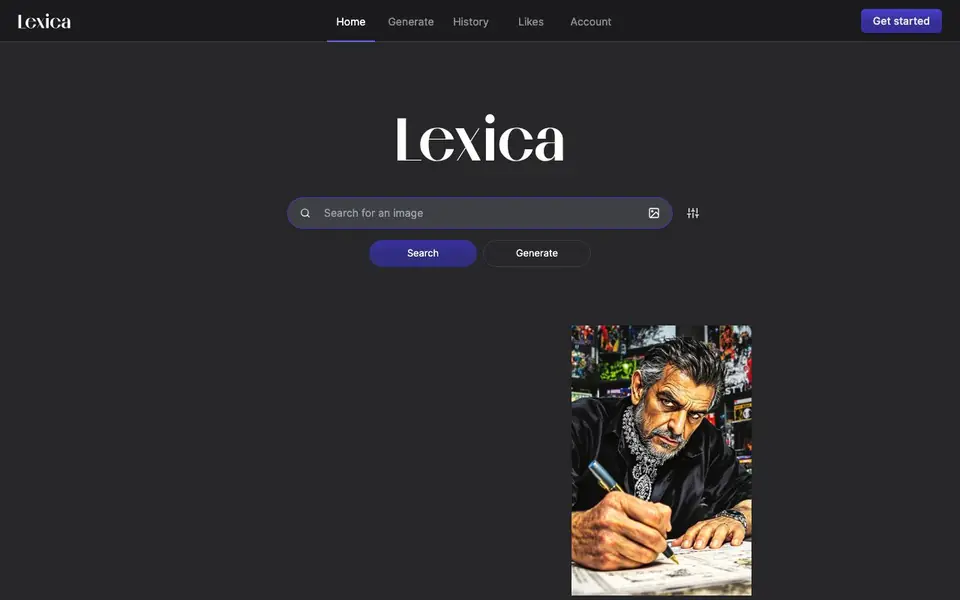
Lexica is an AI image generation engine with a built-in searchable library of images created by users. You can type a detailed prompt and get a new image, or browse and reuse prompts from a vast collection of existing AI art. It covers styles from hyperrealistic photos to anime and illustration.
To start, you type a description of the image you want into the generate box. The tool then creates an image based on your words. You can also search the library for images others have made, and use their prompts as inspiration for your own creations. Your generated images are saved in your history, and you can like and collect favorites.
Lexica suits anyone who wants to experiment with AI art, find prompt ideas, or create images for fun or projects. The site shows a wide range of example prompts and results, but it does not detail specific model versions, resolution options, or pricing plans on its main page.
Lexica features
- Text-to-image generation: Type a prompt and get a new AI-created image based on your description.
- Searchable image library: Browse a large collection of AI-generated images and their prompts for inspiration.
- Prompt reuse: Copy and adapt prompts from other users' images to create your own variations.
- Style variety: Generate images in many styles, including hyperrealistic, anime, and illustration.
- History and likes: Save your generated images in a history list and mark favorites for easy access.
What you can do with Lexica
- Create custom images from detailed text descriptions for personal projects.
- Find prompt ideas by searching the library of existing AI art.
- Generate anime-style art or character illustrations from prompts.
- Make wallpapers or visual concepts by describing a scene or subject.
How to get started with Lexica
- Go to Lexica's website and click the Generate tab.
- Type a detailed description of the image you want into the prompt box.
- Review the generated image, save it to your history, or adjust your prompt and try again.
Tips for better results with Lexica
- Write specific prompts with style keywords like hyperrealistic or anime, plus details on lighting, mood, and composition, to steer Lexica toward the image you want.
- Search Lexica's library for images close to your goal, then copy and adapt their prompts to save time and improve your results.
- Use Lexica's history and likes to track your best generations, so you can revisit and refine prompts that worked well.
- Experiment with varied prompt lengths and styles in Lexica, from short phrases to detailed scenes, to see which approach yields the most useful images.
Lexica pricing
Lexica’s homepage does not list prices. Check lexica.art for current plans.
What to check before you rely on Lexica
- Check whether Lexica's free tier includes commercial use rights for generated images, since the site does not state usage terms.
- Confirm what resolution and file formats Lexica outputs, as the main page does not list these options.
- Review Lexica's privacy policy to see how your prompts and generated images are stored or shared, since the site does not detail data handling.
Who Lexica is for
Lexica suits digital artists, content creators, hobbyists and anime fans. If that is not you, the AI image generators below may fit better.
Similar tools compared with Lexica
| Tool | What it is | Pricing |
|---|---|---|
| Lexica | AI image generation and search engine | See website |
| SiImageGen | AI image generator and photo editor | Freemium |
| FreeSiTools | Free AI image prompt generator | Free |
| SiPhotoEditor | AI photo editor by description | Paid |
| Civitai | AI art community and model library | Freemium |
Lexica FAQ
What does Lexica do?
Lexica is an AI image generation engine. You type a text prompt, and it creates an image for you. It also has a searchable library of images made by other users, so you can find inspiration or reuse prompts.
Is Lexica free to use?
The website does not state pricing details on its main page. You can start generating images without signing up, but whether there are paid plans or limits is not mentioned there. Check the account or get started sections for more info.
Can I search for images others have made?
Yes. Lexica has a search feature that lets you browse a large collection of AI-generated images. You can look at the prompts used for those images and use them as a starting point for your own creations.
What styles of images can I generate?
Lexica supports a wide range of styles. Examples on the site include hyperrealistic photos, anime art, illustrations, and detailed portraits. You can specify style keywords in your prompt to guide the output.
Can Lexica generate images on my phone or tablet?
Lexica is a web-based tool, so you can access it through a browser on any device with internet, including phones and tablets. The website does not mention dedicated mobile apps, so for the best experience, use a modern browser. Check the site for any updates on app availability.
Does Lexica let me download or export the images I generate?
The Lexica website shows your generated images in your history and lets you like them, but it does not explicitly mention download or export options on its main pages. You may be able to save images directly from your browser, but for confirmed export features, check the site's account or help sections.
What does Lexica's free plan include?
Lexica does not list specific pricing or plan details on its main page, so it is unclear what a free plan includes or if one exists. You can use the generate feature and search the library without obvious limits, but for exact terms, check the account or pricing pages on the site.


