

What is Lemon AI?
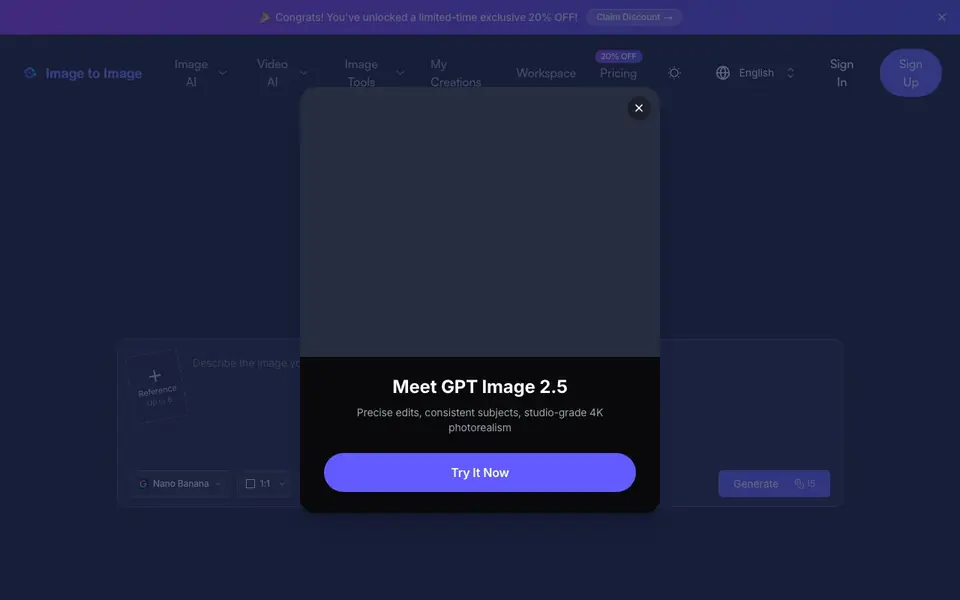
Lemon AI is an image-to-image generator that lets you start from an existing photo or artwork instead of a blank canvas. You upload your own image, describe the change you want, and the tool blends your visual input with your text prompt to produce a new, polished result. It works for simple edits, bold transformations, or full creative overhauls while keeping the core essence of your original picture.
You can use it with a single photo, multiple images, or even text-to-image. The interface offers reference options, up to six images, and model choices like Nano Banana. Just type what you want, pick your settings, and hit generate. The site says you get free daily credits and no signup is required to start.
It suits e-commerce sellers, marketers, designers, and game creators. You can turn product photos into marketplace-ready visuals, make social media ads, build consistent brand assets, or design game characters and environments. The tool aims for high-fidelity, sharp, and detailed outputs that stay true to your vision.
Lemon AI features
- Instant transformation: Convert any photo, sketch, or design into a polished result within seconds.
- Flexible input options: Use text-to-image, upload a single photo, or combine multiple images for your project.
- Intelligent AI editing: Make subtle touch-ups or bold transformations that match your style and purpose.
- High-fidelity outputs: Get sharp, detailed, and professional-quality results that stay true to your vision.
- Free daily access: Start creating without signup and get a fresh batch of free credits each day.
What you can do with Lemon AI
- Turn product photos into clean white-background shots for Amazon or Shopify listings.
- Create social media ads and promotional banners for Instagram, TikTok, or Facebook.
- Build a consistent brand identity with logos, mascots, and color schemes across assets.
- Design game-ready characters, avatar skins, and environment concept art quickly.
How to get started with Lemon AI
- Go to the website and click Sign Up or start using the free daily credits without signing up.
- Upload your photo or artwork, or type a text prompt if you prefer text-to-image.
- Choose your settings like reference images and model, then hit Generate to see your transformed image.
Tips for better results with Lemon AI
- Start with a clear, high-resolution source image and write a specific prompt describing the exact change you want, so Lemon AI preserves the core essence while making the edit.
- Use the reference option and upload up to six images when you need consistent subjects or styles across multiple outputs, helping Lemon AI maintain brand identity.
- Experiment with different model choices like Nano Banana for varied artistic results, and adjust the aspect ratio to match your target platform before generating.
- Take advantage of the free daily credits by planning multiple variations in one session, and refine your prompts based on the first results to save credits.
Lemon AI pricing
Lemon AI has a free way to start, with paid plans for heavier use. Check imagetoimage.tech for current limits and prices.
What to check before you rely on Lemon AI
- Verify the exact number of free daily credits and what happens when you run out, since the website mentions free daily access but does not list specific limits.
- Check whether the free plan includes commercial usage rights for e-commerce or marketing outputs, as the site does not state licensing terms.
- Confirm if your uploaded images are stored or used for training, because the website does not provide a privacy policy or data handling details.
Who Lemon AI is for
Lemon AI suits e-commerce sellers, marketers, designers and game creators. If that is not you, the AI image generators below may fit better.
Similar tools compared with Lemon AI
| Tool | What it is | Pricing |
|---|---|---|
| Lemon AI | AI image generator from photos | Freemium |
| SiImageGen | AI image generator and photo editor | Freemium |
| FreeSiTools | Free AI image prompt generator | Free |
| SiPhotoEditor | AI photo editor by description | Paid |
| Civitai | AI art community and model library | Freemium |
Lemon AI FAQ
What does Lemon AI do?
It transforms an existing image into a new version based on your text prompt. You can edit, restyle, or completely reimagine a photo or artwork while keeping its core elements.
Is Lemon AI free?
The site says you get free daily credits and no signup is required to start. There is also a 20% discount offer, which suggests paid plans exist for more usage.
Who is Lemon AI for?
It is built for e-commerce sellers, marketers, designers, and game creators. You can make product photos, social media visuals, brand assets, or game characters without needing design skills.
Can I use multiple images as input?
Yes. The tool supports combining multiple images, with up to six reference images available. This helps you create more complex or consistent results.
Can I use Lemon AI without creating an account?
Yes, Lemon AI lets you start creating without signing up. You get free daily credits to use the tool, and no account is required to begin. If you want to save your work or access more features, you may need to sign in, but the website doesn't specify exactly what requires an account.
What image formats can I upload to Lemon AI?
The Lemon AI website does not list specific image formats it accepts. It says you can upload your own photo or artwork, but for exact details on supported file types like JPG, PNG, or others, check the upload interface or the site's help section. The tool is designed for image-to-image generation, so common formats are likely supported.
Does Lemon AI offer a mobile app?
The Lemon AI website does not mention a mobile app. It appears to be a web-based tool you can use in your browser. For the best experience, use it on a desktop or laptop. If you need to work on a phone or tablet, check if the website is mobile-friendly, but the site doesn't specify app availability.


