
What is KidBooks.pics - Kids Book Image Generator?
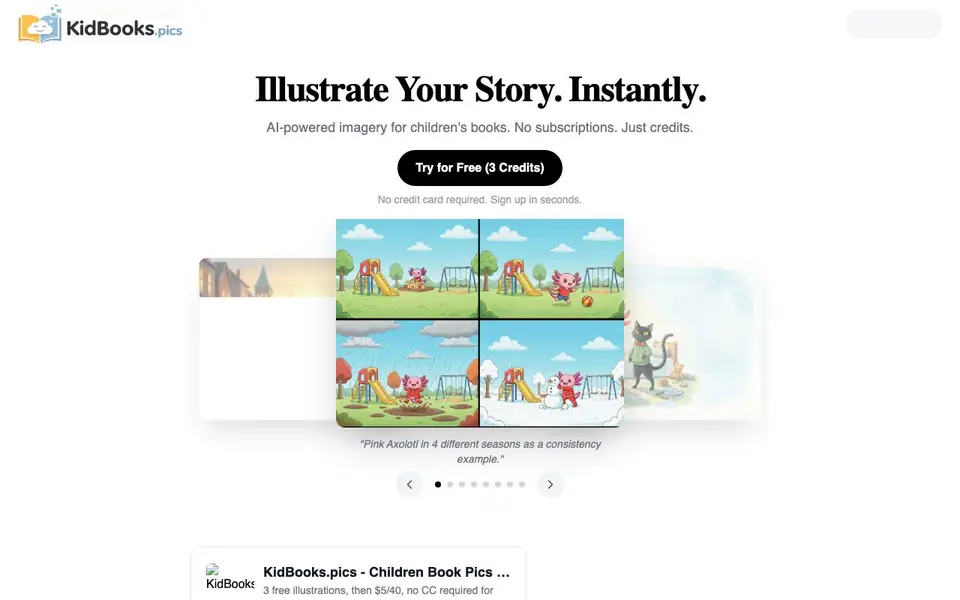
KidBooks.pics is an AI-powered illustration generator built specifically for children's book creators. It offers seven art styles, including Soft Watercolor, Vibrant Vector Flat, 3D Render, and Vintage Storybook, so you can match the look of your story. The tool focuses on visual consistency, which is key for keeping characters and scenes recognizable across pages.
You start by picking presets for scene, character, art style, mood, time of day, and aspect ratio. Then you click generate, and the AI builds the prompt and creates the illustration for you. You can save characters in a library and reuse backgrounds across seasons, which helps maintain a coherent look throughout your book.
You get 3 free credits on signup with no credit card required. After that, you pay per use: $5 for 40 standard definition credits or 3 high definition credits. Credits never expire. The site mentions a dashboard for managing projects, tracking credits, and storing images, but does not detail all dashboard features.
KidBooks.pics - Kids Book Image Generator features
- Preset-based generation: Choose from dozens of ready-made presets for scenes, characters, moods, and more without writing prompts.
- Seven art styles: Pick from Soft Watercolor, 3D Render, Vintage Storybook, and other styles optimized for children's books.
- Character library: Save characters to keep their appearance consistent across multiple illustrations.
- Scene library: Reuse backgrounds and settings across different parts of your story.
- Credit system: Pay only for what you use with credits that never expire, starting with 3 free ones.
What you can do with KidBooks.pics - Kids Book Image Generator
- Illustrate a children's picture book with consistent character designs.
- Create scene backgrounds for a storybook without hiring an illustrator.
- Generate a quick visual prototype of a book idea to share with publishers.
- Build a library of reusable characters and settings for a series of books.
How to get started with KidBooks.pics - Kids Book Image Generator
- Sign up on the website to get 3 free credits, no credit card required.
- Pick your presets for scene, character, art style, mood, and aspect ratio.
- Click generate and download your illustration, ready for your book.
Tips for better results with KidBooks.pics - Kids Book Image Generator
- Use KidBooks.pics presets for scene, character, and mood to avoid prompt errors, then refine by regenerating with the same settings until the illustration matches your vision.
- Save your main character in the character library early, then reuse that saved character across pages so KidBooks.pics keeps the look consistent throughout your book.
- Generate backgrounds once in the scene library and reuse them for different seasons or times of day, which saves credits and keeps your story's setting coherent.
- Test the seven art styles on a single character before committing, because KidBooks.pics renders each style differently and you want the one that fits your story's tone.
KidBooks.pics - Kids Book Image Generator pricing
KidBooks.pics - Kids Book Image Generator has a free way to start, with paid plans for heavier use. Check kidbooks.pics for current limits and prices.
What to check before you rely on KidBooks.pics - Kids Book Image Generator
- Check whether the free 3 credits cover your test needs, since the site does not state if you can preview images before spending credits.
- Verify that the standard definition at 1200px wide is sufficient for your print or digital format, as high definition costs more credits.
- Confirm that KidBooks.pics exports formats match your book layout needs, since the site lists aspect ratios but not file types like PNG or PDF.
Who KidBooks.pics - Kids Book Image Generator is for
KidBooks.pics - Kids Book Image Generator suits children's book authors, self-publishers, story creators and illustrators. If that is not you, the AI image generators below may fit better.
Similar tools compared with KidBooks.pics - Kids Book Image Generator
| Tool | What it is | Pricing |
|---|---|---|
| KidBooks.pics - Kids Book Image Generator | AI illustration generator for children's books | Freemium |
| SiImageGen | AI image generator and photo editor | Freemium |
| FreeSiTools | Free AI image prompt generator | Free |
| SiPhotoEditor | AI photo editor by description | Paid |
| Civitai | AI art community and model library | Freemium |
KidBooks.pics - Kids Book Image Generator FAQ
How does KidBooks.pics keep characters consistent across illustrations?
You can save characters in a Character Library. When generating new images, you reference the saved character, and the AI uses that reference to keep the look consistent. The site also has a Scene Library for reusing backgrounds.
What art styles are available?
The tool offers seven styles: Soft Watercolor, Vibrant Vector Flat, 3D Render (Pixar Style), Textured Colored Pencil, Vintage Storybook, Layered Paper Cutout, and Child's Crayon Drawing. Each is optimized for children's book illustrations.
How much does KidBooks.pics cost?
You get 3 free credits on signup. After that, $5 buys 40 standard definition credits or 3 high definition credits. Credits never expire, and there are no subscriptions.
Do I need to write prompts to generate images?
No. You pick from built-in presets for scenes, characters, moods, and styles. The AI builds the prompt for you, so you just click generate and download the result.
Can KidBooks.pics export images in formats other than standard and high definition?
KidBooks.pics offers images in standard definition at about 1200px wide and high definition at about 2400px wide. The website does not mention other export formats or file types. For details on available downloads, check the dashboard or contact support through the site.
Does KidBooks.pics work on mobile devices or only on desktop?
KidBooks.pics is a web-based tool, so you can access it from any device with a browser, including phones and tablets. The website does not specify dedicated mobile apps, but the interface is designed to work online. For the best experience, use a modern browser.
What does the free plan on KidBooks.pics include besides the 3 credits?
With KidBooks.pics, you get 3 free credits on signup with no credit card required. These credits let you generate up to 3 standard definition images. The free plan does not include additional credits or premium features, but you can use the dashboard to manage projects and store images.


