
What is Jungle?
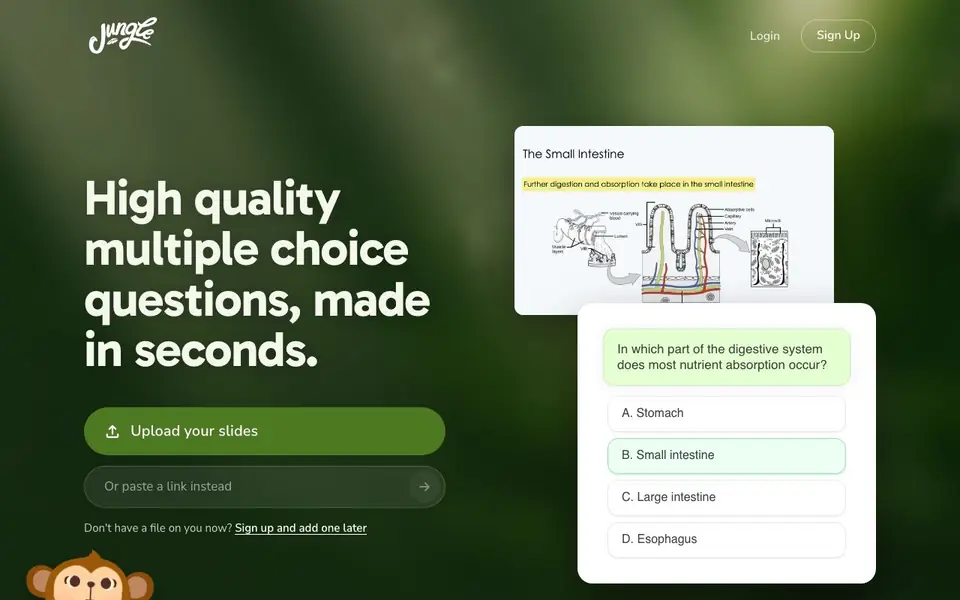
Jungle is an AI-powered study tool that turns your lecture slides, documents, and videos into multiple choice questions and flashcards. It focuses on question quality, ensuring the questions are relevant, easy to understand, and have plausible wrong answers. You can upload your materials and get your first questions ready almost instantly.
To get started, you upload your slides or other study materials. Jungle then generates questions in seconds. You can study by answering these questions, and the tool provides personalized feedback as you learn. There is also a feature called "Monkey Tutor" that lets you talk through your material, and the AI can quiz you by putting you in the "hot seat."
The tool is designed for students, especially those preparing for exams like USMLE Step 1 and MCAT. It also includes a feature to grow trees as you answer questions, adding a gamified element to your study routine. The website mentions that it is loved by millions of students.
Jungle features
- High-quality question generation: Creates multiple choice questions that are relevant and have believable wrong answers.
- Personalized feedback: Gives you feedback as you learn to help you understand your mistakes.
- Monkey Tutor: Lets you talk through your material with an AI tutor that can quiz you.
- Exam style customization: Generates questions in your exact exam style, including USMLE Step 1 and MCAT.
- Gamified progress: Grow trees as you answer questions to track your study progress.
What you can do with Jungle
- Turn lecture slides into practice questions for an upcoming exam.
- Use the Monkey Tutor to verbally review complex topics from your notes.
- Generate USMLE Step 1 style questions from medical lecture materials.
- Study for the MCAT with questions that match the exam's format.
How to get started with Jungle
- Sign up for a free account on the Jungle website.
- Upload your lecture slides or other study materials.
- Start answering the generated questions and use the feedback to improve.
Tips for better results with Jungle
- Upload your actual lecture slides rather than summaries so Jungle generates questions tied to the exact material you need to master for your exam.
- Use Monkey Tutor to verbally walk through tough topics, and ask it to quiz you in the hot seat to reinforce what you have learned.
- Select your specific exam style, like USMLE Step 1 or MCAT, before generating questions so Jungle matches the format you will face on test day.
- Answer questions regularly to grow trees and track your progress, which helps you see which topics need more review over time.
Jungle pricing
Jungle has a free way to start, with paid plans for heavier use. Check jungleai.com for current limits and prices.
What to check before you rely on Jungle
- Check whether the free plan limits the number of uploads or questions you can generate per day, since the website does not state these limits.
- Verify what file types and sizes Jungle accepts for slides and documents, as the site only shows uploading slides without listing supported formats.
- Review Jungle's privacy policy to confirm how your uploaded study materials are stored and used, since the website does not detail data handling.
Who Jungle is for
Jungle suits medical students, pre-med students, university students and lifelong learners. If that is not you, the AI tools for students below may fit better.
Similar tools compared with Jungle
| Tool | What it is | Pricing |
|---|---|---|
| Jungle | AI flashcard and quiz maker | Freemium |
| Gauth | AI homework helper with step-by-step answers | Freemium |
| Khanmigo | AI teaching assistant and tutor | Freemium |
| ChatPDF | AI chat and summarizer for PDFs | Freemium |
| Jenni AI | AI academic writing and research assistant | Freemium |
Jungle FAQ
What types of files can I upload to Jungle?
The website specifically mentions uploading slides, and it also says it can generate cards from YouTube videos. It's best to check the site for a full list of supported file types.
Is Jungle free to use?
The website has a 'try it free' call to action and a sign-up option, suggesting there is a free plan. It also lists a 'Pricing' page, which likely details paid tiers for more advanced features.
Who is Jungle for?
Jungle is designed for students, with testimonials from university and vet students. It is particularly useful for those preparing for standardized exams like USMLE Step 1 and MCAT.
How does Jungle ensure question quality?
Jungle states it cares deeply about question quality, avoiding obvious or irrelevant questions. It uses a question quality LLM judge to score questions on relevance, clarity, and the plausibility of wrong answers.
Can Jungle export my generated questions or flashcards to other apps?
Jungle's website does not mention exporting questions or flashcards to other apps. If you need to move your study materials elsewhere, check Jungle's in-app options or contact their support to see if export is available.
Does Jungle work on mobile devices or only on a computer?
Jungle's website does not specify which devices or platforms it runs on. To find out if Jungle works on your phone or tablet, check the site for system requirements or reach out to their support team.
What does Jungle's free plan include, and are there limits?
Jungle is labeled as freemium, but the website does not detail what the free plan includes or any limits on uploads or questions. For specifics, check the pricing page or sign up to see what you get for free.


