

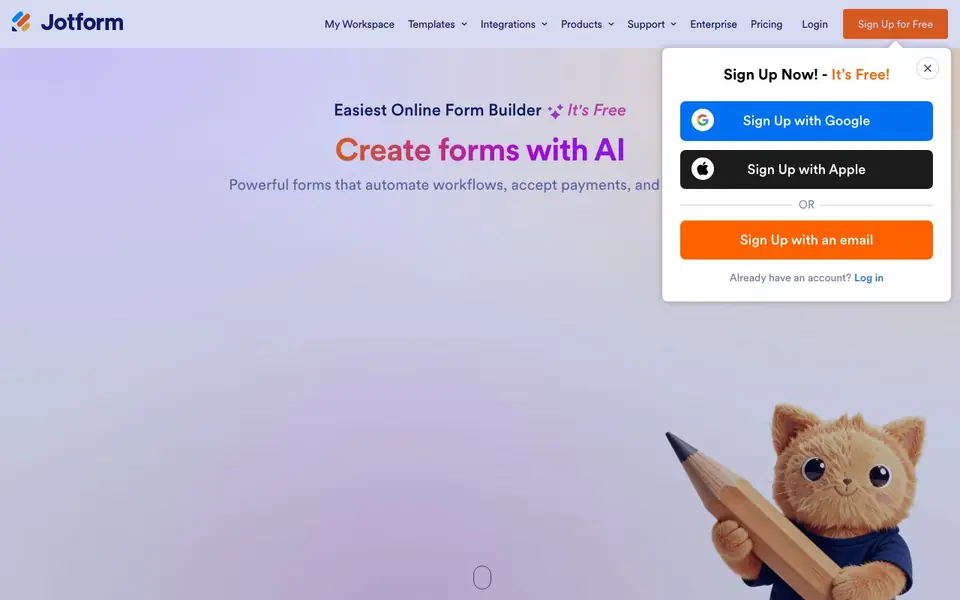
What is Jotform AI Agents?
Jotform is an online form builder that uses AI to help you create forms quickly. You can build registration, application, order, and payment forms with a drag-and-drop editor. The platform is designed for businesses that need professional forms without writing code.
You start by describing the form you need, and Jotform's AI generates it for you. Then you can customize the design with your logo, fonts, and colors. You can add conditional logic to show or hide fields based on answers, and connect your form to over 150 apps like CRMs, email marketing tools, and cloud storage.
Jotform also lets you collect payments directly through your forms, whether you're selling products, accepting fees, or gathering donations. With 20,000+ templates and integrations, it suits small businesses, nonprofits, and teams that want to streamline data collection and workflows. The site mentions it's trusted by over 40 million users and offers a free plan.
Jotform AI Agents features
- AI form creation: Describe what you need and Jotform builds the form for you in minutes.
- Drag-and-drop builder: Create professional-looking forms with no coding required.
- Conditional logic: Show or hide form fields based on user responses to keep forms simple.
- Payment collection: Accept payments directly through your forms for products, fees, or donations.
- 150+ integrations: Connect submissions to CRMs, email marketing, project boards, and cloud storage.
What you can do with Jotform AI Agents
- Collect registrations for events or classes with a custom form.
- Accept orders and payments for products through a single form.
- Gather applications and approvals with conditional logic and signatures.
- Automate follow-ups by sending form submissions to your CRM or email list.
How to get started with Jotform AI Agents
- Sign up for a free account on Jotform's website.
- Describe the form you want or pick from 20,000+ templates.
- Customize the design and add integrations or payment options, then share it.
Tips for better results with Jotform AI Agents
- Describe your form in plain, specific language, naming each field you need, so Jotform AI Agents builds a form that matches your workflow without extra edits.
- Use Jotform AI Agents to generate a first draft, then apply conditional logic to hide irrelevant fields and keep the form short for respondents.
- Connect your Jotform AI Agents form to your CRM or email tool right after creation, so submissions automatically reach the systems you already use.
- Test your generated form with a few sample submissions before sharing it widely, and adjust the design or logic based on what you see.
- Start with a simple form when using Jotform AI Agents, then add payment or signature fields only if your use case actually needs them.
Jotform AI Agents pricing
Jotform AI Agents has a free way to start, with paid plans for heavier use. Check jotform.com for current limits and prices.
What to check before you rely on Jotform AI Agents
- Check whether the free plan includes the number of forms, submissions, and payment features you need, since the website does not list specific limits.
- Verify that Jotform AI Agents supports the integrations you rely on, because the site mentions 150+ but does not list them all on this page.
- Confirm the export formats and data privacy options for your form submissions, as the website does not state these details here.
Who Jotform AI Agents is for
Jotform AI Agents suits small business owners, nonprofits, marketers and operations teams. If that is not you, the AI business tools below may fit better.
Similar tools compared with Jotform AI Agents
| Tool | What it is | Pricing |
|---|---|---|
| Jotform AI Agents | AI-powered online form builder | Freemium |
| Tidio | AI customer service and sales platform | Freemium |
| Chatbase | AI customer experience and support agents | Free trial |
| Copy.ai | AI-native go-to-market platform | See website |
| Harvey | AI platform for legal and professional services | See website |
Jotform AI Agents FAQ
Is Jotform free to use?
Yes, Jotform offers a free plan. You can sign up for free and start creating forms immediately. The site also mentions paid plans, so you can upgrade for more features like more submissions or advanced integrations.
Can I collect payments with Jotform?
Yes. Jotform lets you accept payments directly through your forms. You can sell products, charge fees, or collect donations without needing a separate payment page.
Does Jotform work with other apps?
Yes. Jotform integrates with over 150 apps, including email marketing services, project management boards, CRMs, and cloud storage. You can automatically send form submissions to these tools.
Do I need coding skills to use Jotform?
No. Jotform is designed for non-coders. You use a drag-and-drop builder to create forms, and you can add conditional logic and integrations without writing any code.
Does Jotform AI Agents require an account to use?
Yes, you need to sign up for a free Jotform account to create forms with Jotform AI Agents. The signup process is quick and free, and you can register using your email, Google, or Apple account. After signing up, you can start building forms immediately.
What can Jotform AI Agents export or connect to?
Jotform AI Agents lets you connect your forms to over 150 apps, including CRMs, email marketing services, project management boards, and cloud storage. This means you can automatically send submissions to tools like Salesforce, Mailchimp, or Google Drive. The website doesn't list specific export formats, but integrations cover most common workflows.
Can Jotform AI Agents run on mobile devices?
The website does not specifically mention whether Jotform AI Agents has a dedicated mobile app. However, Jotform forms are responsive and can be accessed and managed through a mobile browser. For the most current information about mobile apps, check the Jotform website or app store listings.


