

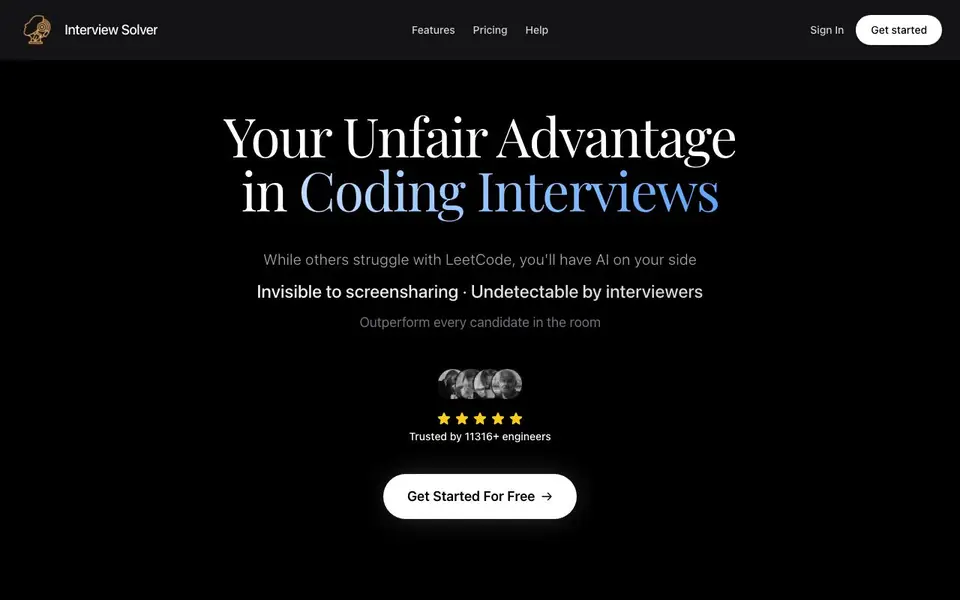
What is Interview Solver?
Interview Solver is a desktop app for macOS and Windows that acts as your assistant during live coding interviews. It provides solutions to LeetCode-style problems, system design diagrams, and voice transcription of the conversation. The app is built to stay invisible during screen sharing, so you can get help without the interviewer noticing.
You start by signing up and downloading the app. During an interview, you grab the editor window, listen to the interviewer, or type a question. The AI returns code, complexity notes, and system design structure you can talk through out loud. The app sits above Zoom, Teams, Meet, or a browser IDE without injecting into the page the interviewer is watching.
The website also offers practice resources like company-specific question hubs, algorithm drills, and role-based tracks for frontend, backend, full-stack, mobile, data, and DevOps engineers. Free tools include an ATS resume checker, STAR method builder, Big O cheat sheet, and a compensation calculator. A free plan includes a limited number of messages; paid access starts at $59 per month.
Interview Solver features
- Invisible Mode: Keeps the overlay off screen shares so interviewers do not see it.
- Screengrabs: Sends any window's contents to the AI for a one-shot solution.
- Voice Transcription: Captures both your voice and the interviewer's for assistance.
- Companion Mode: Turns a phone into a second screen and remote control.
- Document Upload: Grounds answers in your resume, projects, or job description.
What you can do with Interview Solver
- Get real-time solutions to LeetCode problems during a live coding interview.
- Generate system design diagrams and structure while discussing architecture.
- Use a phone as a remote control when a take-home test tracks keyboard shortcuts.
- Practice with company-specific question hubs and role-based prep tracks.
How to get started with Interview Solver
- Sign up on the website and download the macOS or Windows app.
- Sign in and keep the overlay nearby during a coding round.
- Grab the editor, listen to the interviewer, or type a question to get AI help.
Tips for better results with Interview Solver
- Use Interview Solver's screengrab feature to capture the coding window directly, so the AI sees the exact problem without you retyping it, saving time and reducing errors.
- Before your interview, upload your resume and the job description to Interview Solver so the AI can ground its answers in your specific background and the role you are targeting.
- Practice with Interview Solver's company-specific question hubs and role-based tracks to get familiar with the types of problems you will face, and test how the overlay behaves during mock sessions.
- If you are using a take-home test that tracks keyboard shortcuts, enable Companion Mode on your phone with Interview Solver to trigger captures and prompts remotely without touching the tracked machine.
Interview Solver pricing
Interview Solver has a free way to start, with paid plans for heavier use. Check interviewsolver.com for current limits and prices.
What to check before you rely on Interview Solver
- Check the free plan's message limit on Interview Solver's pricing page, since the website does not specify the exact number of messages included before you need to pay.
- Verify that Interview Solver supports your specific interview platform, such as Zoom, Teams, Meet, or your browser IDE, and confirm it works on your operating system version.
- Review Interview Solver's privacy policy and data handling practices, as the website does not clearly state how your interview audio, screen captures, or uploaded documents are stored or used.
Who Interview Solver is for
Interview Solver suits software engineers, coding interview candidates and job seekers preparing for FAANG. If that is not you, the AI business tools below may fit better.
Similar tools compared with Interview Solver
| Tool | What it is | Pricing |
|---|---|---|
| Interview Solver | AI copilot for live coding interviews | Freemium |
| Tidio | AI customer service and sales platform | Freemium |
| Chatbase | AI customer experience and support agents | Free trial |
| Copy.ai | AI-native go-to-market platform | See website |
| Harvey | AI platform for legal and professional services | See website |
Interview Solver FAQ
How does Interview Solver stay invisible during screen sharing?
The app uses Invisible Mode, which keeps the overlay off screen shares. It also supports transparency and can stay hidden in Activity Monitor on macOS. Global hotkeys let you trigger actions without alt-tabbing.
Is there a free plan?
Yes, there is a free plan with a limited number of messages. Paid access starts at $59 per month and can be canceled from the account billing portal. No credit card is required to get started.
What can I use it for besides live interviews?
The website offers company-specific coding question hubs, algorithm topic drills, curated collections like top 100 and system design, and role-based tracks for various engineering roles. Free tools include an ATS resume checker and Big O cheat sheet.
Does it work with take-home tests or HackerRank?
Yes, Companion mode lets you use a phone as a second screen and remote control. This helps when a downloadable interview tool logs keyboard shortcuts on the laptop, so you can trigger actions from another device.
Can Interview Solver export the code or solutions it generates?
Interview Solver's website does not mention any export feature for the code or solutions it generates. You can copy the output manually from the app during your session. For specific details about exporting or saving results, check the app's help documentation or contact support through the website.
Does Interview Solver work on Linux or only on macOS and Windows?
Interview Solver is a native desktop app for macOS and Windows. The website does not mention a Linux version. If you need to use it on Linux, you would need to check with the support team or look for any unofficial workarounds, but the official app is only for those two operating systems.
What does the free plan of Interview Solver include exactly?
The free plan of Interview Solver includes a limited number of messages, as stated on the pricing page. It also gives you access to free career tools like an ATS resume checker, STAR method builder, Big O cheat sheet, and a compensation calculator. For the exact message limit, check the pricing page or sign up to see your allowance.


