

What is insMind?
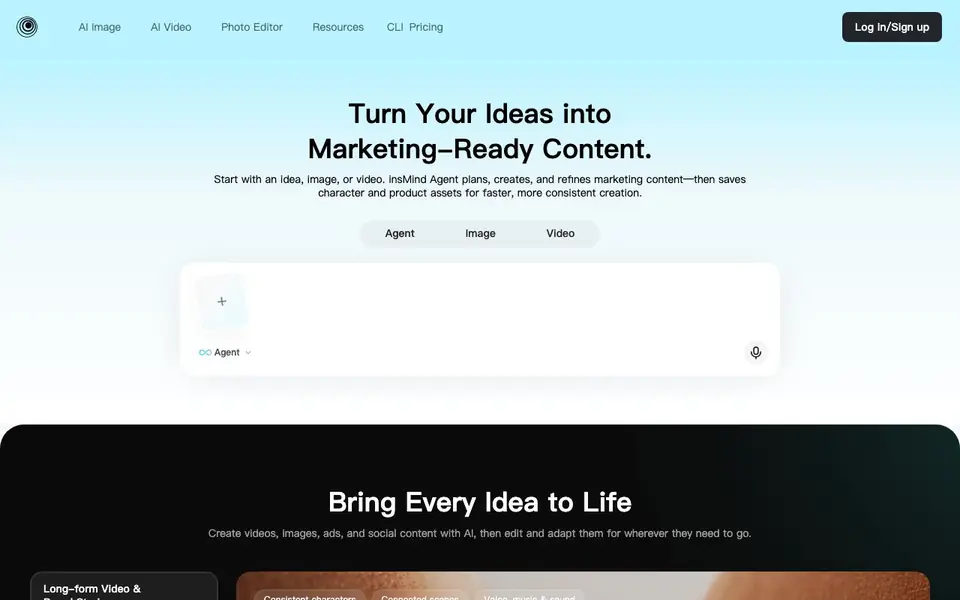
insMind is an AI platform that turns your ideas, images, or videos into marketing-ready content. It combines image generation, video creation, and photo editing in one place. You can make ads, social posts, product videos, and presenter clips with consistent characters and scenes.
You start with an idea, image, or video. The insMind Agent plans a workflow, picks the right AI tools, and handles generation from script to visuals, voice, and sound. You see the plan, estimated time, and credits before it runs. You can revise only the shots that need changes while keeping the rest intact.
You can save characters, products, voices, and styles once and reuse them across projects. The platform works on web, mobile web, and app, keeping everything in sync. It also offers dedicated tools like background removal, AI enhancer, eraser, replace, and expand. The site mentions popular models like Seedance 2.5, Kling 3, and GPT Image 2.5, but does not state pricing details.
insMind features
- Agent workflow: Turns your idea into a full video or image plan with scripts, scenes, and visuals.
- Consistent characters: Keeps the same characters, world, and style across scenes and projects.
- Marketing Skills: Applies tailored presets for ads, social videos, product content, and presenter videos.
- Asset library: Save characters, products, voices, and styles to reuse without re-uploading.
- Cross-platform sync: Create on web, mobile web, and app with alerts and shared projects.
What you can do with insMind
- Create long-form brand stories with consistent characters and sound.
- Turn product assets into ads, videos, and lifestyle visuals.
- Make presenter videos with avatars, voiceovers, and captions.
- Remove backgrounds or replace objects in existing images.
How to get started with insMind
- Sign up or log in on the insMind website.
- Start with an idea, image, or video, or pick a template.
- Let the Agent plan and generate, then edit and export your content.
Tips for better results with insMind
- Start with a clear idea or reference asset so the Agent can plan a workflow that matches your goal, then review the plan and credit estimate before generation runs.
- Save your characters, products, voices, and styles once in insMind, then reuse them across projects to keep scenes consistent without re-uploading files or repeating instructions.
- Use the revision feature to change only the shots that need edits, leaving the rest of your video intact, which saves time and credits on long-form projects.
- Let insMind apply the right Marketing Skill for your output type, such as ads or social posts, so the script, pacing, and visuals are shaped for that format automatically.
insMind pricing
insMind’s homepage does not list prices. Check insmind.com for current plans.
What to check before you rely on insMind
- Check whether your plan includes enough credits for the estimated generation time shown before you run a project, since the website does not list credit costs.
- Verify that the models you want, like Seedance 2.5 or Kling 3, are available on your account tier, as the site does not specify model access by plan.
- Confirm that your content and data privacy needs are met, because the website does not state how uploaded images or videos are stored or used.
Who insMind is for
insMind suits marketers, content creators, small business owners and social media managers. If that is not you, the AI image generators below may fit better.
Similar tools compared with insMind
| Tool | What it is | Pricing |
|---|---|---|
| insMind | AI image and video creator | See website |
| SiImageGen | AI image generator and photo editor | Freemium |
| FreeSiTools | Free AI image prompt generator | Free |
| SiPhotoEditor | AI photo editor by description | Paid |
| Civitai | AI art community and model library | Freemium |
insMind FAQ
What can I create with insMind?
You can create images, videos, ads, social content, product videos, and presenter clips. It also has tools for editing photos like background removal, enhancing, erasing, and replacing objects.
Does insMind have a free plan?
The website does not state whether there is a free plan or trial. You can check the Pricing page on insMind's site for current plans and credits.
Who is insMind for?
It is for creators and marketers who need marketing-ready content. You can make ads, social posts, product videos, and presenter clips without advanced editing skills.
Can I keep characters consistent across videos?
Yes. You can save characters, products, voices, and visual styles once and reuse them in new projects. The Agent also keeps storylines consistent from scene to scene.
What file formats can I export from insMind?
insMind lets you create videos, images, and ads, and you can edit them for different platforms. The website does not list specific export file formats like MP4 or PNG. To see what formats are available when you export, check the export options inside your insMind project or contact support.
Does insMind work on mobile devices?
Yes, insMind works on web, mobile web, and a mobile app, and your projects stay in sync across these devices. You can start a project on your computer and continue on your phone or tablet. The website does not specify which operating systems the app supports, so check your app store for availability.
What does the insMind free plan include?
The insMind website mentions that you see estimated credits before generation, but it does not state what the free plan includes or whether one exists. To find out about free credits or trial limits, check the pricing page or sign up to see what you get. The site does not list pricing details.


