

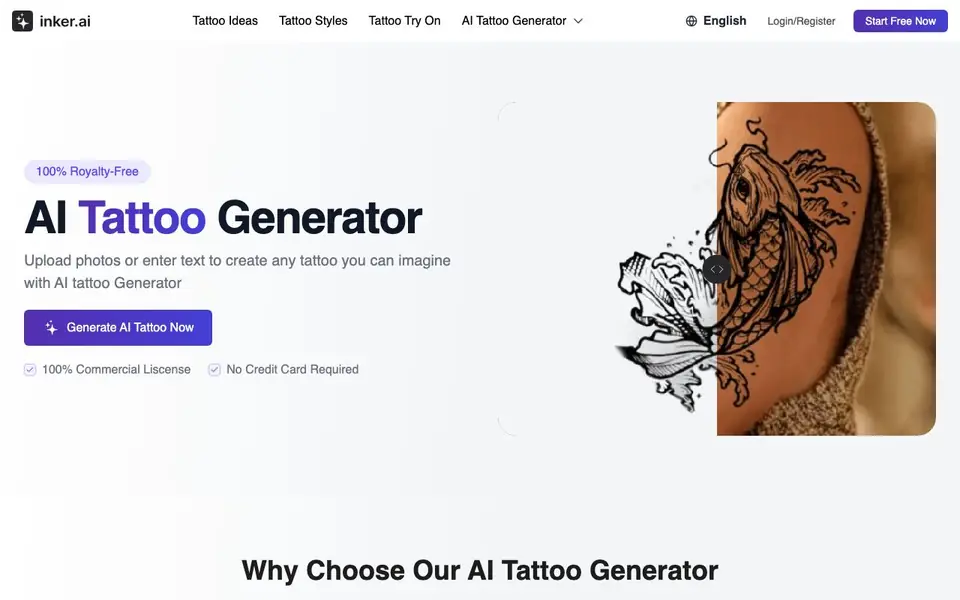
What is Inker.AI?
Inker.AI is a free AI tattoo generator that creates custom tattoo designs from your text descriptions or uploaded photos. You can explore over 10 tattoo styles, from realism and fine line to watercolor and geometric, and get high-resolution, royalty-free designs ready for printing or sharing with your tattoo artist.
To use it, you start by typing a short idea or uploading a photo. Then you pick your preferred tattoo style, and the AI adapts your concept into a refined layout. In seconds, you get a professional design you can download in high resolution, perfect for previewing, printing, or stencil transfer.
It suits anyone wanting a custom tattoo, including those commemorating loved ones or memorial tributes. The tool also includes a tattoo simulator for virtual try-on, letting you preview how a design looks on your skin before committing. All designs come with a commercial license, and no credit card is required to start.
Inker.AI features
- Instant custom designs: Turn any words or ideas into professional tattoo concepts in seconds.
- Multiple tattoo styles: Choose from realism, fine line, geometric, watercolor, minimal, and more.
- Photo to tattoo: Upload any picture to get a unique, tattoo-ready design with clean outlines.
- Text to tattoo: Describe your idea and the AI interprets your words into creative artwork.
- Tattoo simulator: Preview how any design looks on your skin with a realistic virtual try-on tool.
What you can do with Inker.AI
- Create a memorial tattoo from a photo of a loved one.
- Turn a phrase or symbol into a custom tattoo design.
- Preview different tattoo styles before choosing one.
- Generate a client-ready design to share with your tattoo artist.
How to get started with Inker.AI
- Enter a text idea or upload a photo to start.
- Choose your preferred tattoo style from the options.
- Download your high-resolution design for printing or sharing.
Tips for better results with Inker.AI
- Describe your tattoo idea with specific details like subject, placement, and mood, so Inker.AI can generate a design that matches your vision more closely.
- Upload a clear, well-lit photo when using Inker.AI's photo-to-tattoo feature, as cleaner images produce sharper outlines and better artistic detail in the final design.
- Try generating the same text prompt in several styles, such as realism, fine line, or watercolor, using Inker.AI to compare layouts before settling on a final concept.
- Use Inker.AI's tattoo simulator to preview the design on your skin first, checking how it looks at different sizes and placements before you commit to printing or sharing it.
Inker.AI pricing
Inker.AI is free to use according to its website.
What to check before you rely on Inker.AI
- Check whether the free plan limits the number of generations or downloads per day, since the website does not state any usage caps.
- Verify the resolution and file format of downloaded designs, as the site mentions high resolution but does not specify exact pixel dimensions or export types.
- Confirm that the commercial license covers your intended use, such as selling the design or using it for client work, before relying on it for paid projects.
Who Inker.AI is for
Inker.AI suits tattoo enthusiasts, tattoo artists and people planning their first tattoo. If that is not you, the AI image generators below may fit better.
Similar tools compared with Inker.AI
| Tool | What it is | Pricing |
|---|---|---|
| Inker.AI | AI tattoo design and preview maker | Free |
| SiImageGen | AI image generator and photo editor | Freemium |
| FreeSiTools | Free AI image prompt generator | Free |
| SiPhotoEditor | AI photo editor by description | Paid |
| Civitai | AI art community and model library | Freemium |
Inker.AI FAQ
Is Inker.AI free to use?
Yes, Inker.AI is free. The website says you can start free now, with no credit card required, and all designs are royalty-free with a commercial license.
Can I upload a photo to create a tattoo?
Yes, you can upload any picture, and the AI transforms it into a tattoo-ready design with clean outlines and artistic detail, suitable for previewing or sharing.
What tattoo styles are available?
The tool supports multiple styles including realism, fine line, geometric, watercolor, and minimal. You can preview your design in different styles to find the right direction.
Can I use the designs commercially?
Yes, the website states that all designs are 100% royalty-free and come with a commercial license, giving you full creative and commercial freedom.
Can I download Inker.AI designs in high resolution for printing or sharing with my tattoo artist?
Yes, Inker.AI generates every design in high-resolution quality, ready to download, print, or share with your tattoo artist. The website states that all designs are royalty-free and come with a commercial license, so you can use them for stencil transfer or client previews.
Does Inker.AI require me to create an account or provide a credit card to start?
No, Inker.AI does not require a credit card to start, and the website says you can begin for free. However, to use the tool you will need to log in or register, as the site has a Login/Register option. The free plan includes generating designs from text or photos, but the website does not specify any limits on usage.
Can I use Inker.AI on my mobile phone or tablet?
The Inker.AI website does not mention specific device compatibility, so it is unclear if it works on mobile or tablet. Since it is a web-based tool, you can try accessing it from any device with a browser, but the site does not confirm dedicated apps or optimized mobile support. Check the website for any updates.


