

What is ImagePrompt.org?
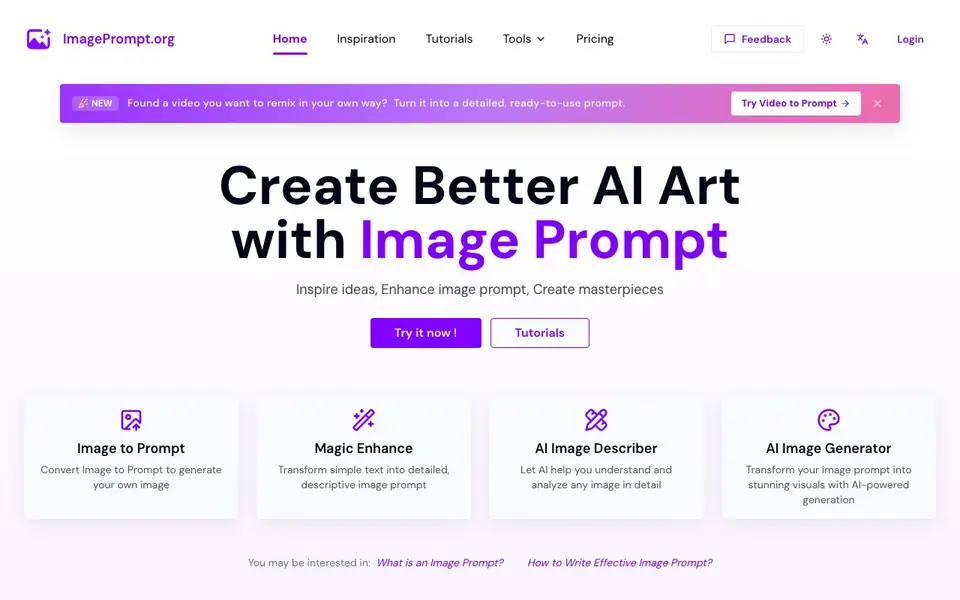
ImagePrompt.org is a suite of AI-powered tools for creating and refining image prompts. It helps you turn a simple idea or an existing image into a detailed, AI-optimized prompt that works with popular generators like Midjourney, Flux, and Stable Diffusion. The platform also includes an AI image generator and an image describer, covering the full creative workflow.
You start by typing a rough idea or uploading an image. The Image to Prompt tool converts your picture into a descriptive prompt, while Magic Enhance expands simple text into richer, more detailed instructions. The AI Image Describer analyzes any image and answers your questions about it. You can then use the AI Image Generator to create visuals directly from your refined prompt.
This tool suits artists, designers, and hobbyists who want more control over AI-generated art. The website mentions that all text-to-prompt tools are free, and free users get 5 daily prompt credits for supported tools. Paid plans offer more credits and image generation packs. Uploaded images are processed in real-time and not stored on servers.
ImagePrompt.org features
- Image to Prompt: Upload any image and get a detailed prompt you can reuse in other AI art tools.
- Magic Enhance: Turn a short text idea into a longer, more descriptive image prompt automatically.
- AI Image Describer: Analyze an image to recognize objects and get detailed descriptions or ask questions.
- AI Image Generator: Create stunning visuals directly from your refined prompt without leaving the platform.
- Inspiration Gallery: Browse AI-generated images in styles like anime, watercolor, and Bauhaus for ideas.
What you can do with ImagePrompt.org
- Convert a reference photo into a prompt for recreating it in a new style.
- Expand a vague idea like 'a castle' into a detailed scene with lighting and mood.
- Describe an unfamiliar image to understand its content and details.
- Generate artwork directly from a prompt you've polished with the tools.
How to get started with ImagePrompt.org
- Go to ImagePrompt.org and pick a tool like Image to Prompt or Magic Enhance.
- Upload an image or type your idea into the text box.
- Generate your prompt, then use it with the AI Image Generator or another tool like Midjourney.
Tips for better results with ImagePrompt.org
- Start with a rough idea in Magic Enhance, then refine the output by adding specific details like lighting, mood, and composition to get richer prompts from ImagePrompt.org.
- Use Image to Prompt on a reference photo, then edit the generated text to emphasize the style or elements you want to keep before using it in other generators.
- Ask the AI Image Describer targeted questions about an image to extract precise details, then incorporate those answers into your prompt for better results with ImagePrompt.org.
- Test the same prompt in the AI Image Generator and an external tool like Midjourney to see how ImagePrompt.org's phrasing performs, then adjust wording for your target platform.
ImagePrompt.org pricing
ImagePrompt.org has a free way to start, with paid plans for heavier use. Check imageprompt.org for current limits and prices.
What to check before you rely on ImagePrompt.org
- Check the pricing page for exact free credit limits and paid plan costs, since the homepage only states free text-to-prompt tools and 5 daily credits.
- Confirm which tools count toward your 5 daily credits, as the website does not list which specific tools are included in the free tier.
- Verify whether the AI Image Generator is free or requires a paid plan, because the homepage does not state its pricing or credit usage.
Who ImagePrompt.org is for
ImagePrompt.org suits digital artists, designers, AI art hobbyists and content creators. If that is not you, the AI image generators below may fit better.
Similar tools compared with ImagePrompt.org
| Tool | What it is | Pricing |
|---|---|---|
| ImagePrompt.org | AI image prompt generator and enhancer | Freemium |
| SiImageGen | AI image generator and photo editor | Freemium |
| FreeSiTools | Free AI image prompt generator | Free |
| SiPhotoEditor | AI photo editor by description | Paid |
| Civitai | AI art community and model library | Freemium |
ImagePrompt.org FAQ
Is ImagePrompt.org free to use?
Yes, all text-to-prompt tools are free, and free users get 5 daily Prompt Credits for supported prompt tools. You can upgrade for more credits or buy Image Generation Credits Packs.
What can I do with the Image to Prompt tool?
You can upload an image and it will convert it into a detailed, descriptive prompt. This prompt can then be used with AI image generators to create a new image in a similar style or with variations.
Does ImagePrompt.org store my uploaded images?
No. The website states that all images uploaded are processed in real-time and are not stored on their servers. They are used temporarily to generate prompts and then immediately deleted.
Which AI image generators does ImagePrompt.org support?
The website mentions Midjourney, Flux, and Stable Diffusion as examples. The prompts generated are designed to work with these and similar AI art tools, though specific compatibility details aren't listed.
Does ImagePrompt.org offer a free plan and what does it include?
Yes, ImagePrompt.org has a free plan. All text-to-prompt tools are free, and free users get 5 daily prompt credits for supported tools. Paid plans offer more credits and image generation packs. For exact details on the free plan limits, check the pricing page on the website.
Can I use ImagePrompt.org on my mobile device or does it require a desktop?
ImagePrompt.org is a web-based platform, so you can access it from any device with an internet connection and a browser, including mobile phones and tablets. The website does not mention specific mobile apps or desktop software, so you can use it directly through your browser.
What can I export from ImagePrompt.org and to which other tools can I connect?
ImagePrompt.org lets you generate detailed prompts that you can copy and use in other AI image generators like Midjourney, Flux, and Stable Diffusion. The website does not mention direct integrations or export options beyond copying the prompt text. For specific export features, check the tool's interface or tutorials.


