
What is Imagen?
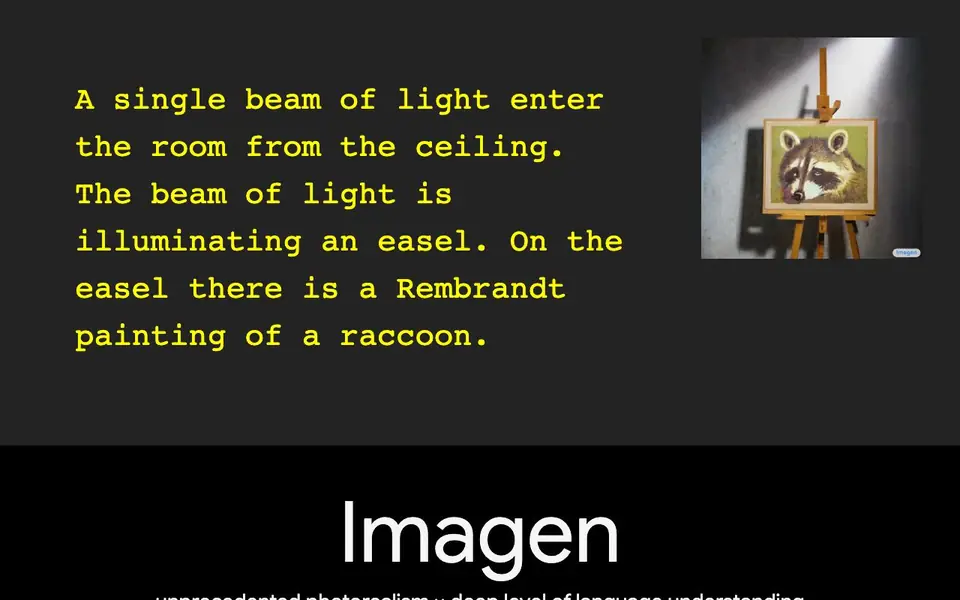
Imagen is a text-to-image AI system developed by Google Research's Brain Team. It turns written descriptions into photorealistic pictures. The model combines a large pretrained language model, T5-XXL, with a cascaded diffusion model. This setup lets it understand complex text and generate high-fidelity images up to 1024×1024 pixels.
To use Imagen, you type a detailed prompt, such as "a photo of a raccoon wearing an astronaut helmet." The language model encodes your text into embeddings. Then, a diffusion model creates a 64×64 image. Two super-resolution diffusion models then upscale it to 256×256 and finally to 1024×1024. The result is a sharp, detailed image that matches your description closely.
Imagen is a research model, not a consumer app. It is designed for researchers and developers exploring text-to-image synthesis. The website highlights its state-of-the-art FID score of 7.27 on the COCO dataset, without training on COCO. It also introduces DrawBench, a benchmark for comparing text-to-image models. The site does not state pricing or availability for public use, so check the research page for details.
Imagen features
- Photorealistic output: Generates high-fidelity images that look like real photos from text prompts.
- Deep language understanding: Uses a large T5-XXL encoder to grasp complex and detailed text descriptions.
- Cascaded diffusion: Creates images in stages, starting at 64×64 and upscaling to 1024×1024.
- DrawBench benchmark: A comprehensive benchmark for evaluating and comparing text-to-image models.
- Efficient U-Net architecture: A compute-efficient and memory-efficient design that converges faster.
What you can do with Imagen
- Generate photorealistic images from detailed text prompts for research experiments.
- Compare text-to-image models using the DrawBench benchmark for quality and alignment.
- Explore how scaling language models affects image fidelity and text alignment.
- Create high-resolution images from complex descriptions for academic studies.
How to get started with Imagen
- Visit the Imagen research page on Google Research's website.
- Read the research paper and explore the DrawBench benchmark details.
- Check for code or model availability links on the page or related repositories.
Tips for better results with Imagen
- Write prompts with specific subjects, actions, lighting, and style details, like "a raccoon wearing an astronaut helmet at night," to get sharper results from Imagen.
- Use Imagen for research experiments and benchmarks like DrawBench, not for everyday image generation, since it is a research model without a consumer interface.
- Describe complex scenes with multiple elements and relationships, as Imagen's T5-XXL language model handles detailed text better than simpler prompts.
- Compare Imagen's outputs side by side with other models using DrawBench to evaluate quality and text alignment, especially for academic studies.
- checks
Imagen pricing
Imagen’s homepage does not list prices. Check imagen.research.google for current plans.
What to check before you rely on Imagen
- Check the research page for any stated pricing or public availability, as the website does not mention costs or access options for Imagen.
- Verify whether Imagen is accessible for your use case, since the site does not state if it is available as an API or downloadable model.
- Review the data and privacy policies before using Imagen for real work, as the website does not specify how prompts or outputs are handled.
- Confirm the output formats and resolution limits, as the site only mentions 1024x1024 images and does not list export options.
Who Imagen is for
Imagen suits AI researchers, machine learning engineers and academic institutions. If that is not you, the AI image generators below may fit better.
Similar tools compared with Imagen
| Tool | What it is | Pricing |
|---|---|---|
| Imagen | Text-to-image diffusion model from Google Research | See website |
| SiImageGen | AI image generator and photo editor | Freemium |
| FreeSiTools | Free AI image prompt generator | Free |
| SiPhotoEditor | AI photo editor by description | Paid |
| Civitai | AI art community and model library | Freemium |
Imagen FAQ
What is Imagen?
Imagen is a text-to-image diffusion model from Google Research. It creates photorealistic images from text descriptions, using a large language model for understanding and a cascaded diffusion model for high-fidelity generation.
Is Imagen free to use?
The website does not state pricing or availability for public use. It is a research model, so you may need to check the research paper or related repositories for access details.
Who is Imagen for?
Imagen is primarily for researchers and developers in AI. It is not a consumer app. The site focuses on research highlights, benchmarks, and technical details, so it suits those studying text-to-image synthesis.
What can I create with Imagen?
You can create photorealistic images from detailed text prompts, like "a brain riding a rocketship heading towards the moon." The model handles complex descriptions and generates images up to 1024×1024 pixels.
Can I use Imagen to create images for commercial projects?
The Imagen website does not mention commercial licensing or usage rights. It describes Imagen as a research model intended for researchers and developers. To know if commercial use is allowed, check the research page or the associated paper for licensing details.
Does Imagen require an account or API access to use?
The Imagen website does not state whether you need an account or how to access the model. It presents Imagen as a research model, not a public app. For access details, check the research page or the paper for any available demo or release information.
What image formats or resolutions can Imagen export?
Imagen generates images up to 1024×1024 pixels, as described on the website. The site does not mention specific export formats like PNG or JPEG. For file format details, check the research page or the paper for any technical specifications.


