

What is illustration.app?
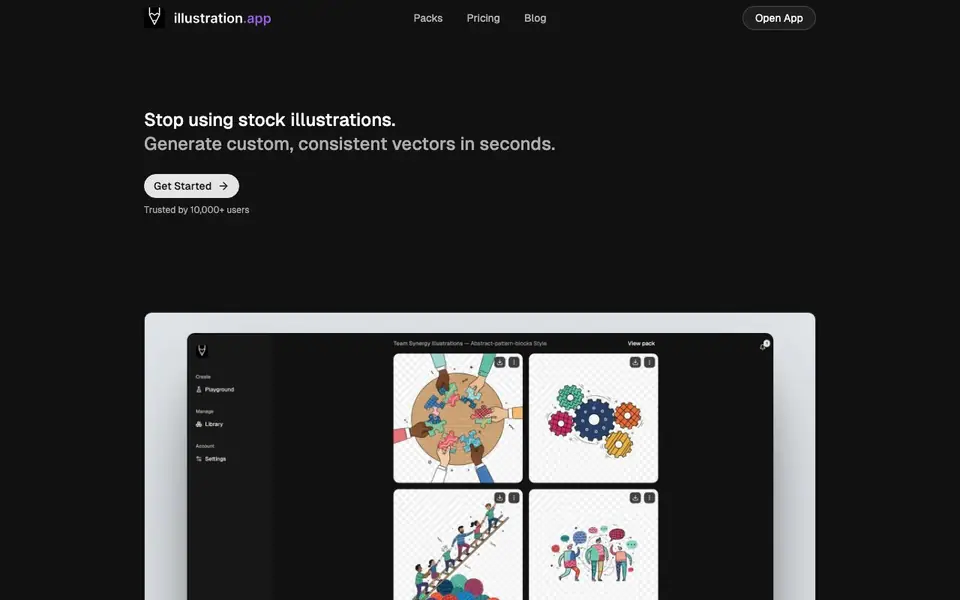
illustration.app is an AI tool that generates custom illustrations quickly. You describe what you want, and it creates scalable vector artwork. It is designed for people who need professional-looking visuals without hiring a designer or waiting days for stock images.
You start by picking a style from examples like Textured Line or Muted Flat. Then you describe your illustration or upload a reference image. The tool generates art you can export as SVG or PNG. You can also create entire packs of cohesive illustrations in one click to keep your brand style consistent.
It suits marketers, product teams, and anyone making presentations or websites. The PowerPoint enrich feature lets you upload a.pptx, pick slides, and replace icons with illustrations that fit the exact slot size. You can also animate illustrations into looping GIFs for social posts or onboarding. The website mentions it is trusted by 10,000+ users.
illustration.app features
- Style presets: Choose from several distinct illustration styles like wobbly line art or flat color blocks.
- Vector export: Convert any illustration to SVG or PNG for use in Figma, Sketch, or on the web.
- Reference image upload: Guide your illustrations by uploading photos or sketches to influence the content.
- Illustration packs: Generate entire cohesive sets of illustrations in one click for consistent branding.
- PowerPoint enrich: Upload a.pptx, select slides, and replace icons with on-brand illustrations automatically.
What you can do with illustration.app
- Create custom illustrations for your website hero sections and landing pages.
- Replace generic stock icons in your PowerPoint decks with on-brand vector art.
- Generate a cohesive set of illustrations for a product launch or marketing campaign.
- Animate an illustration into a looping GIF for social media posts or email headers.
How to get started with illustration.app
- Open the app and pick a style from the examples shown in the playground.
- Describe your illustration or upload a reference image to guide the generation.
- Export your result as SVG or PNG, or use the PowerPoint enrich feature to replace icons in a deck.
Tips for better results with illustration.app
- Start by choosing a style preset like Textured Line or Muted Flat before describing your illustration, as this anchors the output and keeps results consistent with your brand.
- Upload a reference image when you have a specific composition or subject in mind, since illustration.app uses it to guide the generated artwork more accurately than text alone.
- Use the PowerPoint enrich feature to replace icons in your.pptx directly, and preview each icon before replacing to ensure the new illustration fits the slot size and matches your style.
- Generate illustration packs in one click when you need a cohesive set for a campaign or product launch, saving time and keeping all visuals visually unified across materials.
illustration.app pricing
illustration.app has a free way to start, with paid plans for heavier use. Check illustration.app for current limits and prices.
What to check before you rely on illustration.app
- Check your credit balance before starting a large project, as the PowerPoint enrich feature uses 1 credit per image and the website does not list credit prices or included amounts.
- Verify the export formats you need are supported, since illustration.app exports SVG and PNG but the website does not mention other formats like PDF or EPS.
- Review the freemium plan limits on the pricing page, as the website does not state what the free tier includes or how many illustrations you can generate without paying.
Who illustration.app is for
illustration.app suits marketers, product designers, presentation creators and content teams. If that is not you, the AI image generators below may fit better.
Similar tools compared with illustration.app
| Tool | What it is | Pricing |
|---|---|---|
| illustration.app | AI illustration generator for custom vectors | Freemium |
| SiImageGen | AI image generator and photo editor | Freemium |
| FreeSiTools | Free AI image prompt generator | Free |
| SiPhotoEditor | AI photo editor by description | Paid |
| Civitai | AI art community and model library | Freemium |
illustration.app FAQ
What can I create with illustration.app?
You can create custom vector illustrations for websites, apps, and marketing materials. You can also generate cohesive packs of illustrations and animate them into GIFs. The tool supports style presets and reference image uploads.
Is there a free plan?
The website mentions credits for generating images, but it does not clearly state whether there is a free plan or only paid options. Check the Pricing page on their site for details.
Can I use my own images as a reference?
Yes, you can upload photos or sketches to influence the content of your generated illustrations. This helps you get art that matches your specific needs or existing visual direction.
What file formats can I export?
You can export illustrations as SVG or PNG. The SVG format is scalable and works in design tools like Figma and Sketch, while PNG is ready for web use.
Can illustration.app connect to Figma or Sketch?
illustration.app lets you export your illustrations as SVG or PNG, which you can then import into Figma, Sketch, or other design tools. The website does not mention any direct plugin or integration with these tools, so you would need to manually bring the files into your design workflow.
Does illustration.app work on mobile devices?
The illustration.app website does not specify whether it works on mobile devices. It is a web-based tool, so you can likely access it through a mobile browser, but for the best experience, especially with features like PowerPoint enrich, a desktop computer is recommended. Check the site for any device-specific requirements.
What does the free plan of illustration.app include?
illustration.app is freemium, but the website does not detail exactly what the free plan includes. It likely offers a limited number of credits or features, with paid plans for more usage. To see the current free plan limits, visit the pricing page on the illustration.app website.


