

What is iColoring AI?
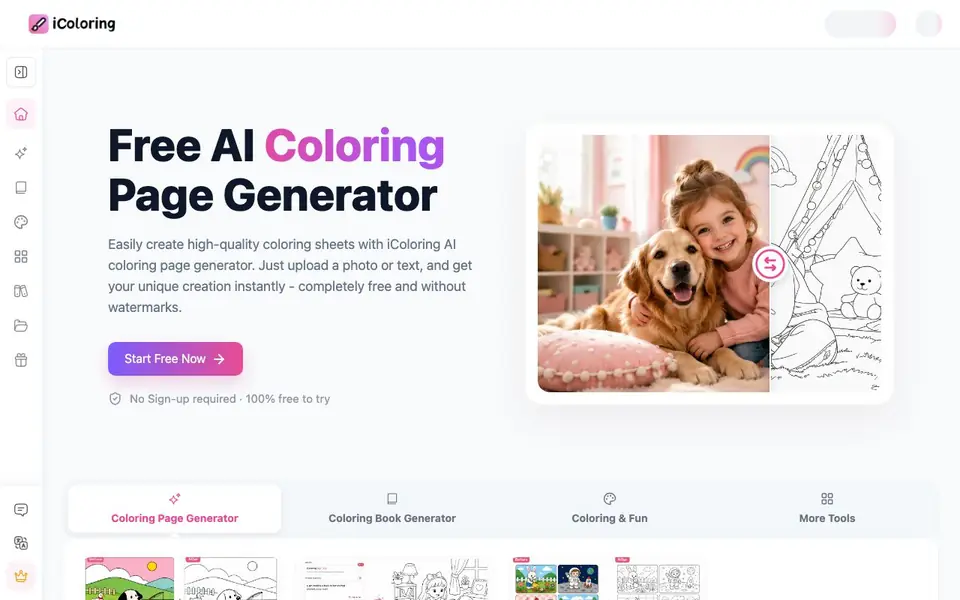
iColoring AI is a free online tool that creates coloring pages from your photos or text descriptions. You upload a picture or type a prompt, and it generates a clean, detailed line art image ready for printing. It also offers an AI colorizer that adds color to existing coloring pages based on your theme.
To use it, you start by choosing between photo-to-coloring or text-to-coloring. For photos, you upload an image and pick a style like Classic, Cartoon, or Pencil Sketch. For text, you type a description and the tool creates a page in seconds. You can then download your results in PNG or PDF format, with no watermark and no sign-up required.
This tool suits parents, teachers, adult coloring fans, designers, and publishers. It works on computers and phones, and syncs your work in the cloud. The website also hosts a library of 825 free printable coloring pages and prompt ideas, so you can start coloring right away without creating anything new.
iColoring AI features
- Photo to coloring page: Upload any photo and get a smooth line art version in seconds.
- Text to coloring page: Type a description and receive a high-quality coloring page instantly.
- AI colorizer: Upload a coloring page, describe a color theme, and get a colored picture for inspiration.
- Multiple styles: Choose from Classic, Cartoon, and Pencil Sketch looks for your converted photos.
- Free downloads: Save your pages as PNG or PDF with no watermark and no cost.
What you can do with iColoring AI
- Create custom coloring pages from family photos for a fun activity.
- Generate educational coloring sheets for science or nature lessons.
- Design unique coloring books for publishing or personal projects.
- Use the AI colorizer to experiment with color schemes on existing pages.
How to get started with iColoring AI
- Go to the iColoring AI website and choose either photo-to-coloring or text-to-coloring.
- Upload your photo or type a description, then pick a style if converting a photo.
- Generate the page, download it as PNG or PDF, and print it for coloring.
Tips for better results with iColoring AI
- Upload a high-resolution photo with clear subject separation, as busy backgrounds produce messy line art. Crop tightly around your main subject before converting it with iColoring AI.
- For text prompts, describe the scene with specific nouns and adjectives, like 'a fox wearing a scarf in a forest.' iColoring AI works best with detailed, concrete descriptions rather than vague ideas.
- Try all three styles, Classic, Cartoon, and Pencil Sketch, on the same photo to see which line quality suits your project. iColoring AI lets you compare quickly without extra cost.
- Use the AI colorizer on a generated page to test color schemes before printing. Upload your line art, describe a palette, and iColoring AI gives you inspiration for your own coloring choices.
iColoring AI pricing
iColoring AI is free to use according to its website.
What to check before you rely on iColoring AI
- Check whether the free plan includes commercial use for publishing coloring books, since the website does not state licensing terms for downloaded pages.
- Verify the maximum image resolution for photo uploads, as the website does not list file size or dimension limits that could affect line art quality.
- Confirm that cloud sync works on your specific device and browser, because the website does not specify which platforms or operating systems are fully supported.
Who iColoring AI is for
iColoring AI suits parents, teachers, adult coloring enthusiasts and designers. If that is not you, the AI image generators below may fit better.
Similar tools compared with iColoring AI
| Tool | What it is | Pricing |
|---|---|---|
| iColoring AI | AI coloring page and book generator | Free |
| SiImageGen | AI image generator and photo editor | Freemium |
| FreeSiTools | Free AI image prompt generator | Free |
| SiPhotoEditor | AI photo editor by description | Paid |
| Civitai | AI art community and model library | Freemium |
iColoring AI FAQ
Is iColoring AI really free?
Yes, the website states it is 100% free to try, with no sign-up required. You can create and download coloring pages without paying, and there are no watermarks on your results.
How do I turn a photo into a coloring page?
Upload your photo to the tool, choose a style like Classic, Cartoon, or Pencil Sketch, and it generates a smooth coloring page in seconds. You can then download it as PNG or PDF.
Can I use this for educational purposes?
Yes, the website highlights educational value, letting teachers and parents generate coloring pages for subjects like science and nature. It's designed to help preschool children develop motor skills and imagination.
What file formats can I download?
The website mentions free downloads in PNG and PDF formats. It also notes that works sync in the cloud, but it doesn't specify if other formats are available.
Does iColoring AI work on my phone or tablet?
Yes, iColoring AI supports multiple platforms including computers and phones. It also syncs your work in the cloud, so you can start a project on one device and continue on another. The website does not list specific operating systems, but it is designed to work on standard web browsers.
What can I do with iColoring AI without creating an account?
You can use iColoring AI without signing up. The free plan lets you upload a photo or type a text description to generate coloring pages, choose from styles like Classic, Cartoon, or Pencil Sketch, and download your results as PNG or PDF with no watermark. The website does not mention any limitations on the free plan.
Can I use iColoring AI to create coloring pages for commercial projects like selling books?
iColoring AI is suitable for designers and publishers, and the website highlights use cases like creating unique coloring books for publishing or personal projects. It does not explicitly state commercial licensing terms, so if you plan to sell your generated pages, check the website's terms of service for details.


